
TP-Link M7000 Portable Travel WiFi 4G Router Installation Guide


1. Install the SIM Card and Battery
d. Replace the cover.
a. Remove the back cover.
b. Install your SIM card.
c. Install the provided battery.
:
i
r
:
SIM
Quick Installation Guide
Mobile Wi-Fi
!
· SIM card requirement:
1
2
3
SIM
SIM
Nano
SIM card
Micro
SIM card
Standard
SIM card
* Images are for demonstration only.
Slide and lift up
the cover.
Install your SIM Put down and slide
card. back the cover.
LED Indicators
2. Connect to the Internet
a. Press and hold the Power button
b. Connect your wireless device to the Mobile Wi-Fi using the
Enjoy the internet!
LED
Status
On/Off
On/Off
Explanation
to power on the Mobile Wi-Fi.
default SSID and Wireless Password on the info card.
Wi-Fi is enabled or disabled.
Internet service is available or unavailable.
(Wi-Fi)
Wi-Fi Info Card
< Settings
Wi-Fi
Wi-Fi
SSID:
TP-Link_XXXX
(Internet)
QR
Code
Wireless Password:
XXXXXXXXXXXXXXXXXXXX
Default Access:
CHOOSE A NETWORK...
Solid Green
Blinking Red
Mobile Wi-Fi has enough power or is fully charged.
Scan the QR code
to connect to the
Mobile Wi-Fi
TP-Link_XXXX
Other...
The battery level is lower than 10%.
* You can also find the default SSID and Wireless
Password on the product label under the battery.
* Please do not label the info card on the battery that
may affect the cooling of the battery.
(Battery)
Blinking Green Mobile Wi-Fi is charging.
Off Power is off.
!
· If you cannot access the internet, refer to FAQ > Q1.
· By default, Power Saving is enabled and the Mobile Wi-Fi will turn off Wi-Fi when no wireless devices are connected to it for 10 minutes.
To resume the Wi-Fi connection, press the Power button.
!
The LEDs will turn off automatically after idling for 30 seconds. To check the LED
status, press the Power button to turn them on again.


| General | Details |
|---|---|
| Name | TP-Link M7000 Portable Travel WiFi 4G Router Installation Guide |
| Make | TP-Link |
| Language | English |
| Filetype | PDF (Download) |
| File size | 0.24 MB |
 (1 votes, average: 5.00 out of 5)
 Loading...
If you have any questions regarding TP-Link M7000 Portable Travel WiFi 4G Router Installation Guide, please ask here and describe the problem in detail.

TP-Link VR300 Archer Modem Router User Guide

TP-Link T150500-2-DT WiFi Router Instruction Manual

TP-Link Archer AX55 Wi-Fi 6 Router Installation Guide

TP-Link Omada ER8411 VPN Router Instructions

TP-Link Configure VDSL Router User Guide

TP-Link Archer BE805 BE19000 Tri-Band Wi-Fi 7 Router User Manual

TP-Link VR600 Wireless DSL Modem Router Installation Guide

TP-Link AX58 Dual Band Gigabit Wi-Fi 6 Router Installation Guide

TP-Link AC750 Wireless Dual Band Router Owner’s Manual

TP-Link AX6000 8-Stream Wi-Fi 6 Router Installation Guide


D-Link DIR-X1860 AX1800 Mesh Wi-Fi 6 Router Installation Guide
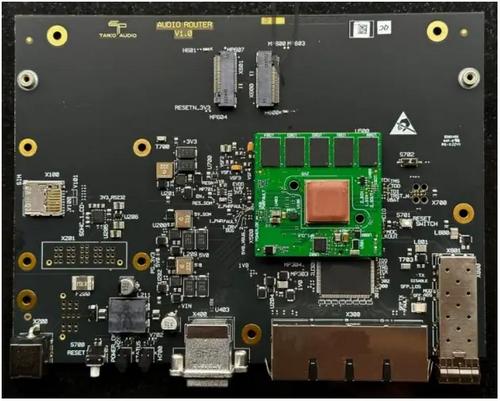
FAQs TAP0016 Taiko Audio Extreme Router User Manual

NETGEAR RAX9 4-Stream WiFi 6 Router Owner’s Manual

TP-Link ER605W Omada AC1350 Gigabit VPN Router Installation Guide

Mercury Netgear D7000 Fibre Modem Router User Guide

ADTRAN 1200824G1 Netvanta 3458 Access Router User Guide

CaptionCall CR3 Pcs Modem And Router User Manual

COWMANAGER WIB2000 Coordinator Router User Manual

ASUS BE25000 Quad Band WiFi Router User Guide

TP-Link Omada ER605 Gigabit VPN Router User Guide