
Home > Connect Tech Inc > Connect Tech Inc Xtreme 10G Managed Ethernet Switch Router User Guide
Connect Tech Inc Xtreme 10G Managed Ethernet Switch Router User Guide
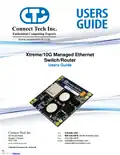






Xtreme/10G Managed Ethernet Switch/Router
Users Guide
CLI Management Interface
CLI Access via External Serial Port
To use the CLI management on the XDG you must connect to the external management serial port. Only TX,
RX and GND connections are needed for operation. You then must open the serial port in a terminal program
such as: RealTerm, Putty, HyperTerminal, minicom, etc. The COM port must be set up to run with a baud rate
of 115200, 8 data bits, 1 stop bit and no parity.
RS-232 Serial Parameter
Baud Rate
Value
115200 bps
Data Bits
8
None
1
Parity
Stop Bit
CLI Basics
Once opening the COM port attached to the management port, after boot up your terminal output should look
like the output below. The default login is admin and password is blank(“”). So after typing admin hit
<ENTER> then hit <ENTER> again to login and “?” will display a list of the available commands.
Below is a list of common quick CLI commands. For a complete CLI reference please see the documents
described below.
Common Task
CLI Command Syntax
show ip int br
What are the IP addresses used by my
switch?
show int * status
show ver
copy running-config startup-config
conf t
What ports are linked and at what speed?
What software version is on my switch?
How do I save my configuration?
How do I setup my IP address for vlan1?
int vlan 1
ip add xxx.xxx.xxx.xxx 255.255.255.0
end
Complete CLI and Protocol Configuration Reference Guide
The complete CLI and Protocol Configuration reference guide from Microsemi for the VSC7448 device can be
The following documents:
- AN1104-Software_Configuration_Guide_ICLI
- AN1115Layer2ProtocolConfigurationGuide
Will have the below mentioned copyright notice.
Copyright 2002-2015 Microsemi Corporation. All Rights Reserved. Unpublished rights reserved under the
copyright laws of the United States of America, other countries and international treaties. Microsemi retains
all ownership, copyright, trade secret and proprietary rights in the documentation.
Document: CTIM-00472
Revision: 0.08
Page 15 of 24
Connect Tech Inc. 800-426-8979 | 519-836-1291
Date: 2019/07/09
Downloaded from Arrow.com.

| General | Details |
|---|---|
| Name | Connect Tech Inc Xtreme 10G Managed Ethernet Switch Router User Guide |
| Make | Connect Tech Inc |
| Language | English |
| Filetype | PDF (Download) |
| File size | 0.73 MB |
 (1 votes, average: 5.00 out of 5)
 Loading...
If you have any questions regarding Connect Tech Inc Xtreme 10G Managed Ethernet Switch Router User Guide, please ask here and describe the problem in detail.


TP-Link AX5400 Multi Gigabit Wifi 6 Router User Guide

Hisense HBR6303M WiFi Router User Manual

BIGXI AX1800 Wireless Router Installation Guide

WIND telecom Surf-i TD-LTE 4G Wireless Router User Manual

Ridgid R860443 18-VOLT CORDLESS COMPACT ROUTER User Guide

ONEX RV Wifi Router User Manual

Zbtlink WE2805-B 4G LTE Router User Guide

HIRSCHMANN NB1800 NetModule Router User Manual

Cudy P5 5G AX3000 WiFi 6 CPE Router User Guide

Cisco RV260P Router User Guide