
Home > Cradlepoint > cradlepoint R2100 Series 5G Ruggedized Router User Guide
cradlepoint R2100 Series 5G Ruggedized Router User Guide


NOTE: Cradlepoint recommends selecting a flat section on the exterior of the vehicle to ensure the best adhesion
and prevent leaks.
Avoid installing the device in enclosed spaces.
Ensure that the heat sink pads are in full contact with the metal of the vehicle exterior to help dissipate heat.
Extreme heat or cold can reduce the router's performance.
Mount in locations compliant with the Safety, Regulatory, and Warranty guide, included in the product shipping
box.
SIM card for wireless connectivity
A wireless broadband data plan must be added to the router for wireless broadband connectivity. Network providers
must provision a SIM card to provide wireless broadband data plans compatible for use with the router. Contact your
network provider for further details.
Required tools for setup
Security Torx size T10 (for SIM door cover)
Drill with 22mm (or 15/16") drill bit
Setup
Read through the following to set up the router or use the Verify installation app.
STEP 1: Check box contents
The following should be included in the box:
[1] R2100 Series 5G Ruggedized Router
[1] Power cable
[1] Ethernet Cable
[1] Mounting template
[1] Small accessories kit which includes:
[1] Hex nut
[1] Tooth lock washer
[1] Flat washer
[1] Safety, Regulatory, and Warranty Guide
Optional accessories, available separately:
[1] Slatted roof mount adapter. For more information see Mounting R2100 Series 5G Ruggedized Router on Slatted
Vehicle Roofs (article TBD).
Accessories
To enable cellular connectivity, at least one activated 4FF-sized SIM card with an active cellular data plan is needed.
STEP 2: Install SIM (if not pre-installed)
1. Loosen the two torx security screws until the captive screws and SIM door can be removed.

| General | Details |
|---|---|
| Name | cradlepoint R2100 Series 5G Ruggedized Router User Guide |
| Make | Cradlepoint |
| Language | English |
| Filetype | PDF (Download) |
| File size | 0.2 MB |
 (1 votes, average: 5.00 out of 5)
 Loading...
If you have any questions regarding cradlepoint R2100 Series 5G Ruggedized Router User Guide, please ask here and describe the problem in detail.
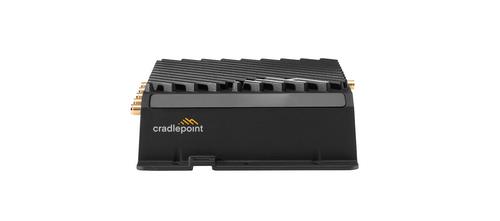
cradlepoint R920 Series Ruggedized Router User Guide

cradlepoint PepWave MAX BR1 Pro 5G Mobile Router User Guide

cradlepoint CTR35 Wireless Router User Guide
Cradlepoint E102 Series Enterprise Router User Guide

cradlepoint E110 Enterprise Branch Router User Manual

cradlepoint S5A037A Enterprise Branch Router User Manual

cradlepoint E100 Enterprise Router Endpoints User Guide

cradlepoint AER1600 LTE Router User Guide

cradlepoint S5A245A Router User Guide


Cudy WR3000 AX3000 Gigabit Wi-Fi 6 Mesh Router Installation Guide

H3C Magic NX54 Gigabit Dual Band Wi-Fi 6 Wireless Router User Guide

Helmholz LTE11 Router Owner’s Manual

NETGEAR RAX9 4-Stream WiFi 6 Router Owner’s Manual

hitron ARIA2513 Wifi Router Installation Guide

TP-Link TL-WR845N Wireless N Router Installation Guide

DrayTek Vigor2765 Series fast Security Router User Guide

TP-Link Archer MR500 AC1200 Wireless Dual Band Gigabit Router User Guide

eero 609R010111 6+ Dual-Band Mesh Wi-Fi 6 Router User Guide

xiaomi AX3200 Wifi 6 Dual Band Router User Manual