
D-Link DWR-960 Wi-Fi Router Instruction Manual


Does this product automatically reconnect if the
mobile signal is lost due to inactivity? (Installation in an
unmanaged premises)
Is it possible to turn off the Wi-Fi wireless connection for
safety reasons?
Yes, the device’s broadcast settings can be disabled from
within the settings.
Yes - It will reconnect when the signal is requested or
available again.
Open your preferred browser and connect to the device on
its default IP address of 192.168.0.1.
Can this product be used as a failover solution?
Yes
Navigate to the‘Wireless’settings and disable the SSID
broadcast.
Can this product be used for gaming?
Yes - We recommend a ping and speedtest, such as Ookla
(www.speedtest.net)
Are the 2.4GHz and 5GHz SSIDs broadcast with different
names?
Can this product be used in a caravan?
This device does not have a 5Ghz broadcast available to it as it
is 2.4Ghz only
Yes, If you have a caravan
How many Ethernet ports are available? Which is the
maximum supported speed?
It uses a standard 5v adaptor plug
Can this product be wall mounted?
Two 10/100/1000 Ethernet LAN ports • Optional WAN port for
fixed-line broadband
Yes
Can this product be connected to an existing DSL / Fibre /
cable modem?
I need to extend the wireless coverage further. Is there
any recommended range extender?
Yes, the device has a separate WAN port which allows you to
connect a xDSL modem.
Yes, we would recommend you talk to our support team for
the best option, as it can often depend on your environment
In your prefered browser navigate to 192.168.0.1 in your
search bar to get to the admin page. Login with your
password (admin/admin by default)
support case or livechat
In the WAN settings of your device you can change the type
of connection (DHCP or PPPoE) and enter any username and
password settings required for your connection.
Which kind of products can be connected via Ethernet
and / or Wi-Fi?
Any product can be connected, as long as they are complaint
with Wi-Fi standards
Typically connected products would be Cameras, VoiP
phones, Laptops Ipads etc.
Devices without wireless compatibility can be plugged into
the ethernet port
Which dynamic DNS providers are supported?
All Dynamic DNS providers are supported using the“custom
DNS provider settings”.
Is it possible to remove the external 4G antennas and
replace them with high gain indoor or outdoor antennas?
The DWR-960 has detachable antennas that can be replaced
Which connector type standard is used for the external
antennas?
The DWR-960 is compatible with third party aerial
manufacturers who use the SMA Standard type connectors.
eu.dlink.com

| General | Details |
|---|---|
| Name | D-Link DWR-960 Wi-Fi Router Instruction Manual |
| Make | D-Link |
| Language | English |
| Filetype | PDF (Download) |
| File size | 0.18 MB |
 (1 votes, average: 5.00 out of 5)
 Loading...

D-Link BE3600 Mesh Gigabit Wireless Router Installation Guide

D-Link DBR-700 Router Installation Guide

D Link DIR-822 AC1200 WiFi Router User Guide

D-Link DIR-2660 AC2600 Mesh Wifi Router Installation Guide

D-Link EXO AX AX1800 Wi-Fi Router User Guide

D-Link N300 4G Router User Guide

D-Link M60 AX6000 Wi-Fi 6 Mesh Router Installation Guide

D-Link AX3200 Router Owner’s Manual

D-Link M30 2-pack Mesh Router User Guide

D-Link M30 AQUILA PRO AI AX3000 Wi-Fi 6 Mesh Router User Manual


intelbras WiFiber 121 AC Wi-Force Router User Manual

TAIKO AUDIO TAP0016 Extreme Router User Guide

Teltonika Networks RUTM50 Router User Manual

NETGEAR RBR20 Orbi Mesh WiFi Router User Guide

MERCUSYS MR90X Dual Band 8 Stream Wi-Fi 6 Router User Guide
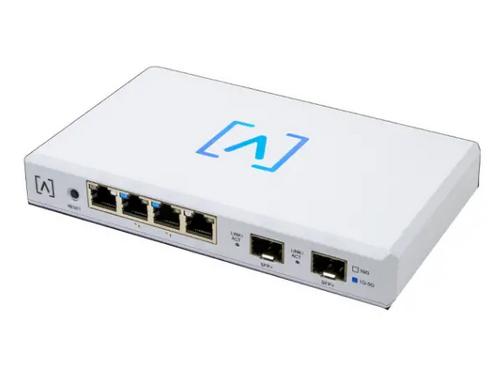
ALTA LABS ROUTE10 High Performance 10 Gbps Router User Guide

JuniPer Cloud-Ready SSR1500 Session Router User Guide

FRITZ!Box 6860 5G Outdoor Router User Guide

Tenda AC5 Wi-Fi 5 Router Installation Guide

LANCOM SYSTEMS 1930EF Gigabit Ethernet Black Wired Router User Guide