
Home > LANCOM SYSTEMS > LANCOM SYSTEMS 1930EF Gigabit Ethernet Black Wired Router User Guide
LANCOM SYSTEMS 1930EF Gigabit Ethernet Black Wired Router User Guide
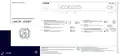
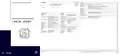


Mounting & connecting
➀
➁
➂
➃
➄
Hardware Quick Reference
WAN 1 interfaces (SFP / TP combo port)
Configuration interface
➀
➃
➄
Insert a suitable SFP module (e.g. 1000Base-SX or 1000Base-LX) into the
SFP port. Choose a cable compatible with the SFP module and connect
it as described in the module’s documentation. SFP module and cable are
not included.
If desired, alternatively connect the WAN 1 TP interface to a WAN modem
using the provided Ethernet cable with green connectors.
Use the included serial configuration cable to connect the serial
interface (COM) to the serial interface of the device you want to use
for configuring / monitoring.
LANCOM 1930EF
USB interface
You can use the USB interface to connect a USB printer or a USB
storage device.
WAN 2 interface (TP)
Connect the WAN 2 interface to a WAN modem using the provided
Ethernet cable with green connectors.
➁
➂
Power connector and grounding point (device back side)
Supply power to the device via the power connector. Please use the
IEC power cable supplied (separately available for WW devices).
➅
➆
➅
➆
Warning! High touch current.
Connect to earth before
connecting the power supply.
Ethernet interface
Use the cable with the kiwi-colored connectors to connect one of the
interfaces ETH 1 to ETH 4 to your PC or a LAN switch.
ATTENTION: High touch current possible! Connect to earth before
connecting the power supply.
Before initial startup, please make sure to take notice of the information regarding the intended use in the enclosed
installation guide!
Please observe the following when setting up the device
→ For devices to be operated on the desktop, please attach the adhesive rubber footpads
→ Do not rest any objects on top of the device and do not stack multiple devices
→ Keep all ventilation slots of the device clear of obstruction
→ Mount the device into a 19” unit in a server cabinet using the provided screws and mounting brackets. Pay
attention to the “R” and “L” marks on the brackets for accurate mounting.
i
Operate the device only with a professionally installed power supply at a nearby power socket that is freely
accessible at all times.
The power plug of the device must be freely accessible.
Please note that support for third-party accessories is not provided.


| General | Details |
|---|---|
| Name | LANCOM SYSTEMS 1930EF Gigabit Ethernet Black Wired Router User Guide |
| Make | LANCOM SYSTEMS |
| Language | English |
| Filetype | PDF (Download) |
| File size | 0.14 MB |
 (1 votes, average: 5.00 out of 5)
 Loading...
If you have any questions regarding LANCOM SYSTEMS 1930EF Gigabit Ethernet Black Wired Router User Guide, please ask here and describe the problem in detail.

LANCOM SYSTEMS 1800EF-4G High Availability Networking Via Fiber Router Owner’s Manual

LANCOM SYSTEMS 1790-4G+ High-Performance VPN Router Installation Guide

LANCOM SYSTEMS 1790VAW GmbH Performance Router User Guide

LANCOM SYSTEMS 1800EFW-5G Router Installation Guide

LANCOM Systems 1780EW-4G+ High Performance Mobile VPN Router User Guide

LANCOM Systems 1793VA VDSL Voip VPN Router User Guide

LANCOM SYSTEMS IAP-4G Plus LTE 4G Router User Guide

LANCOM SYSTEMS LANCOM OAP-830 Wireless Router User Guide

LANCOM SYSTEMS LANCOM 1790-4G Plus High-Performance VPN Router Instruction Manual

LANCOM SYSTEMS VPN 1900EF Router Instruction Manual


FIRSTNUM CPE C1 WiFi Router User Manual

TP-Link BE550 Tri Band WiFi 7 Router Installation Guide

verizon CR1000 Router Instructions

Cudy AC1200 Dual Band Unlocked 4G LTE Modem Router Installation Guide

TP-Link M7000 Portable Travel WiFi 4G Router Installation Guide

TP-Link Archer MR600 Wireless 4G LTE Router Installation Guide

D-Link G415 4G Router Instructions

NETGEAR RS280 Nighthawk Tri-Band WiFi Router User Guide

TP-Link Archer AX72 AX5400 Multi-Gigabit Wi-Fi 6 Router Installation Guide

TP-Link Archer GE650, GE550 Wi-Fi 7 Gaming Router User Guide