
Home > LANCOM SYSTEMS > LANCOM SYSTEMS 1930EF Gigabit Ethernet Black Wired Router User Guide
LANCOM SYSTEMS 1930EF Gigabit Ethernet Black Wired Router User Guide
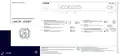
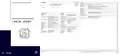


LED description & technical details
Hardware
Power supply
Power consumption
Environment
Housing
Internal power supply unit (100–240 V, 50-60 Hz)
Max. 18 W
Temperature range 0–40 °C, humidity 0–95 %; non-condensing
Robust metal housing, 1 HU with mounting brackets for 19“ installation,
345 x 44 x 253 mm (W x H x D)
ꢀ ꢁ
ꢂ
ꢃ
Number of fans
None; fanless design, no rotating parts, high MTBF
Interfaces
WAN 1 / WAN 2
ETH 1 - ETH 4
Config (COM) / V.24
USB
Detailed interface specifications can be found in the device data sheet after entering the device
ꢀ POWER / VPN
ꢁ RESET
POWER
Reset button
short press > Restart the device
long press > Reset the device
Package content
Off
Device switched off
Cables
1 Ethernet cable, 3 m (kiwi colored connectors);
1 IEC power cord 230 V (not for WW devices)
ꢂ WAN 1 / WAN 2
Green, permanently*
Device operational, resp. device paired
/ claimed and LANCOM Management
Cloud (LMC) accessible
Mounting brackets
Two 19” brackets for rack mounting
Green, orange off
No networking device connected
Hardware Quick Reference
Green, permanently
Connection to network device
operational, no data traffic
Green / red, blinking
No password set. Without a password
the configuration data in the device is
unprotected.
Green, flickering
Orange off
Data transmission
1000 Mbps
LANCOM 1930EF
Red, blinking
Charge or time limit reached
1x green inverse
blinking*
Connection to the LMC active, pairing
OK, device not claimed
Orange,
permanently
10 / 100 Mbps
2x green inverse
blinking*
Pairing error, resp. LMC activation code
not available
ꢃ ETH 1 - ETH 4
Green, orange off
No networking device connected
3x green inverse
blinking*
LMC not accessible, resp. communication
error
Green, permanently
Connection to network device
operational, no data traffic
VPN
Green, flickering
Orange off
Data transmission
1000 Mbps
Off
VPN connection inactive
VPN connection active
VPN connecting
Green, permanently
Green, flashing
Orange,
permanently
10 / 100 Mbps
*) The additional power LED statuses are displayed in 5-seconds rotation if the device is configured to be managed by the LANCOM
Management Cloud.
Hereby, LANCOM Systems GmbH | Adenauerstrasse 20/B2 | D-52146 Wuerselen, declares that this device is in compliance with
Directives 2014/30/EU, 2014/35/EU, 2011/65/EU, and Regulation (EC) No. 1907/2006. The full text of the EU Declaration of Conformity

| General | Details |
|---|---|
| Name | LANCOM SYSTEMS 1930EF Gigabit Ethernet Black Wired Router User Guide |
| Make | LANCOM SYSTEMS |
| Language | English |
| Filetype | PDF (Download) |
| File size | 0.14 MB |
 (1 votes, average: 5.00 out of 5)
 Loading...
If you have any questions regarding LANCOM SYSTEMS 1930EF Gigabit Ethernet Black Wired Router User Guide, please ask here and describe the problem in detail.

LANCOM SYSTEMS 1800EF-4G High Availability Networking Via Fiber Router Owner’s Manual

LANCOM SYSTEMS 1790-4G+ High-Performance VPN Router Installation Guide

LANCOM SYSTEMS 1790VAW GmbH Performance Router User Guide

LANCOM SYSTEMS 1800EFW-5G Router Installation Guide

LANCOM Systems 1780EW-4G+ High Performance Mobile VPN Router User Guide

LANCOM Systems 1793VA VDSL Voip VPN Router User Guide

LANCOM SYSTEMS IAP-4G Plus LTE 4G Router User Guide

LANCOM SYSTEMS LANCOM OAP-830 Wireless Router User Guide

LANCOM SYSTEMS LANCOM 1790-4G Plus High-Performance VPN Router Instruction Manual

LANCOM SYSTEMS VPN 1900EF Router Instruction Manual


ELPRO 641M-X Connectivity Router Instructions

Taiko Audio V16.x22069 Extreme Router User Manual

Dbit T1 Pro N300 Wireless Wi-Fi Router User Manual

GRANDSTREAM GWN700x VPN Router User Guide
Yeacomm NR610 Outdoor 5g 4g Modem Odu Dual Sim Router Owner’s Manual

CRAFTSMAN 315.25031 Heavy Duty Router User Manual

ASUS RT-AX1800U Dual Band WiFi Router User Guide

TP-Link TL-WR3002X Portable Router Installation Guide

ASUS EBM68 Tri Band WiFi Router User Guide

ERICSSON R980-5GD Mobile Router User Manual