
Home > LANCOM SYSTEMS > LANCOM SYSTEMS 1800EFW-5G Router Installation Guide
LANCOM SYSTEMS 1800EFW-5G Router Installation Guide

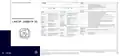


Mounting & connecting
➀
➀
➁
➂
➃
➄
➅
➆
➇
5G antenna connectors
Screw the supplied mobile radio antennas to the appropriate connectors.
WAN interfaces (SFP / TP combo port)
Insert a suitable LANCOM SFP module (e.g. 1000Base-SX or
1000Base-LX) into the WAN SFP interface. Choose a cable compatible
with the SFP module and connect it as described in the SFP module’s
mounting instructions www.lancom-systems.com/SFP-module-MI.
(SFP module and cable are not included)
➀
➄
Hardware Quick Reference
Power supply connectio socket
Use only the supplied power adapter!
➁
➂
LANCOM 1800EFW-5G
If desired, alternatively connect the WAN TP interface to a WAN modem
using an Ethernet cable.
Reset button
Short press > device restart
Long press > device reset
RESET
Ethernet interfaces
Use an Ethernet cable to connect one of the interfaces ETH 1 to ETH 4 to
your PC or a LAN switch.
➅
➆
Micro SIM card slot
➃
Slide the SIM card into the SIM card slot using the marker to ensure that
the card is the right way round. Ensure that the SIM card clicks into place
on insertion.
USB interface
Connect a USB data medium or a USB printer to the USB interface.
(cable not supplied)
To remove the card from the device, press the card lightly into the
device. Let go to release the SIM card from the slot.
Serial USB-C configuration interface
A USB-C cable can be used for optional configuration of the device on
the serial console. (cable not included)
➄
Before initial startup, please make sure to take notice of the information regarding the intended use in the enclosed
installation guide!
Please observe the following when setting up the device
→ When setting up on the table, use the enclosed self-adhesive rubber pads, if applicable.
→ Do not rest any objects on top of the device and do not stack multiple devices.
→ Keep all ventilation slots of the device clear of obstruction.
→ Rack installation with the optional LANCOM CPE blackline Rack Mount / CPE blackline Rack Mount Plus
(separately available)
Operate the device only with a professionally installed power supply at a nearby power socket that is freely
accessible at all times.
i
The power plug of the device must be freely accessible.
Please note that support for third-party accessories is not provided.


| General | Details |
|---|---|
| Name | LANCOM SYSTEMS 1800EFW-5G Router Installation Guide |
| Make | LANCOM SYSTEMS |
| Language | English |
| Filetype | PDF (Download) |
| File size | 0.13 MB |
 (1 votes, average: 5.00 out of 5)
 Loading...
If you have any questions regarding LANCOM SYSTEMS 1800EFW-5G Router Installation Guide, please ask here and describe the problem in detail.

LANCOM SYSTEMS 1800EF-4G High Availability Networking Via Fiber Router Owner’s Manual

LANCOM SYSTEMS 1930EF Gigabit Ethernet Black Wired Router User Guide

LANCOM SYSTEMS 1790-4G+ High-Performance VPN Router Installation Guide

LANCOM SYSTEMS 1790VAW GmbH Performance Router User Guide

LANCOM SYSTEMS IAP-4G Plus LTE 4G Router User Guide

LANCOM SYSTEMS LANCOM OAP-830 Wireless Router User Guide

LANCOM SYSTEMS LANCOM 1790-4G Plus High-Performance VPN Router Instruction Manual

LANCOM SYSTEMS VPN 1900EF Router Instruction Manual

LANCOM Systems 1780EW-4G+ High Performance Mobile VPN Router User Guide

LANCOM Systems 1793VA VDSL Voip VPN Router User Guide


CSG F219 5G Wi-Fi 6 Router User Guide

HUAWEI B660 3G Wireless Router User Guide
robustel R1520LG Dual SIM LTE Router User Manual

D-Link DIR-615 Wireless Router User Manual

NETGEAR RS600 Nighthawk Wi-Fi 7 Tri-Band Router Owner’s Manual

DEWERT OKIN FP0809 Portable Travel Hotspot Mini Router Instruction Manual

Tenda AC1200 Wi-Fi Modem Router Instruction Manual

MikroTik wAP ac Wireless Router User Manual

Taiko Audio Extreme Router User Guide

FiberHome SR120CC Router User Manual