
Home > LANCOM SYSTEMS > LANCOM SYSTEMS 1790-4G+ High-Performance VPN Router Installation Guide
LANCOM SYSTEMS 1790-4G+ High-Performance VPN Router Installation Guide
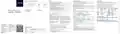


Initial start-up
Interface overview of the LANCOM 1790-4G+
General safety instructions
Regulatory Notice
→
→
→
Under no circumstances should the device housing be opened and the device repaired without authorization. Any device
with a case that has been opened is excluded from the warranty.
Setting up the required connections for device configuration
Regulatory compliance for devices with radio or Wi-Fi interfaces
Rear panel
→
→
→
→
Connect the power supply to a power socket using the enclosed or another suitable IEC cable or the enclosed external
power supply unit. Observe the safety instructions on the right.
This LANCOM device is subject to governmental regulation. The user is responsible for ensuring that this device operates
in accordance with local regulatory guidelines, specifically for compliance with potential channel restrictions.
The antennas are only to be attached or swapped out while the device is powered off. Mounting or demounting antennas
while the device is powered on may cause the destruction of the radio module.
Gigabit Ethernet 10/100/1000
Only for devices with integrated DSL modem: If available and required, connect the G.FAST / VDSL / ADSL interfaces to a
TAE socket of your provider using suitable cables.
Mounting, installation, and commissioning of the device may only be carried out by qualified personnel.
Channel restrictions in Wi-Fi operation for devices with Wi-Fi interfaces
Use suitable cables or modules to connect other required device interfaces to other components and, in the case of
devices with mobile radio and/or Wi-Fi interfaces, connect any antennas supplied.
When operating this radio equipment in EU countries the frequency range 5,150 – 5,350 MHz (Wi-Fi channels 36 – 64) as
well as the frequency range 5,945 – 6,425 MHz (Wi-Fi channels 1 – 93) is limited to indoor use.
Safety instructions and intended use
WAN
ETH 3
ETH 2
ETH 1
Config (Com)
USB
DC 12 V
In order to avoid harming yourself, third parties or your equipment when installing your LANCOM device, please observe
the following safety instructions. Operate the device only as described in the corresponding documentation. Pay particular
attention to all warnings and safety instructions. Use only those third-party devices and components that are recommended or
approved by LANCOM Systems.
Depending on the device equipment, choose one of the following configuration methods a), b), or c)
lancom-systems.com
Maximum transmission power for devices with radio interfaces
a) Configuration via the local network
Connect one of the ETH or LAN interfaces of the device via an Ethernet cable either to a network switch or directly to
the network device intended for configuration (e.g. notebook).
The CONFIG or COM interface is not suitable for configuration via the network!
This LANCOM device may contain one or more radio interfaces using various technologies. The maximum output power
per technology and used frequency band for use in EU countries is described in the following tables:
➀
➁
➂
➃
➄
➀
Before commissioning the device, be sure to study the corresponding Hardware Quick Reference which can be downloaded
from the LANCOM website www.lancom-systems.com/downloads.
b) Configuration via the serial interface of a connected computer
You need a serial configuration cable whose network connector is connected to the CONFIG or COM interface of the
device. This socket is exclusively intended for connection to a serial interface!
Frequency range Max. output power
(MHz)
Frequency range Max. output power
(MHz)
Any warranty and liability claims against LANCOM Systems are excluded in the event of any use other than the intended use
described below!
Technology
Technology
(dBm EIRP)
(dBm EIRP)
2,400 – 2,483.5
5,150 – 5,350
5,470 – 5,725
5,945 – 6,425
20
20
30
23
LTE (Band 34)
LTE (Band 38)
LTE (Band 40)
LTE (Band 42)
2,010 – 2,025
2,570 – 2,620
2,300 – 2,400
3,400 – 3,600
24
LTE / 4G antenna connectors
Ethernet interfaces
USB interface
➀
➁
➂
➃
➄
c) Configuration via the USB interface of a connected computer
You need a commercially available USB-C connection cable, which is connected to the CONFIG or COM interface of the
device.
24.8
24.8
24.8
Environment
Wi-Fi
Quick Installation Guide
Power supply connector
LANCOM devices should only be operated when the following environmental requirements are met:
Configuration interface
→
Ensure that you comply with the temperature and humidity ranges specified in the Quick Reference Guide for the LANCOM
device.
SRD / BLE / SRD /
ESL (ePaper)
5G NR (Band 1)
5G NR (Band 3)
5G NR (Band 28)
5G NR (Band 41)
5G NR (Band 77)
5G NR (Band 78)
1,920 – 1,980
1,710 – 1,785
703 – 748
2,496 – 2,690
3,300 – 4,200
3,300 – 3,800
24
24
24
24
24.5
24.5
2,400 – 2,483.5
10
→
When all required connections have been made, select one of the following three start-up options:
→
→
→
→
Do not expose the device to direct sunlight.
LANCOM 1790-4G+
SRD / SubGHz-ESL 869.2 – 869.25
14 / 25 mW
Ensure that there is adequate air circulation and do not obstruct the ventilation slots.
Do not cover devices or stack them on top of one another
LTE (Band 1)
LTE (Band 3)
LTE (Band 7)
LTE (Band 8)
LTE (Band 20)
1,920 – 1,980
1,710 – 1,785
2,500 – 2,570
880 – 915
Options for initial start-up of the unconfigured device
23
The device must be mounted so that it is freely accessible (for example, it should be accessible without the use of
technical aids such as elevating platforms); a permanent installation (e.g. under plaster) is not permitted.
UMTS (Band 2)
UMTS (Band 4)
UMTS (Band 5)
1,850 – 1,910
1,710 – 1,755
824 – 849
→
Option 1: via web browser (WEBconfig)
23
832 – 862
Configuration via web browser is an easy and fast variant, since no additional software is required on the computer used
for configuration.
→
Only outdoor equipment intended for this purpose is to be operated outdoors.
In the following, select the description a) or b) that applies to your setup for configuring the device.
Power supply
Note: If a certificate warning appears in your browser when trying to connect to your device, there is a button or link on
the displayed browser page to connect to the device anyway (depending on the browser, usually under ‚Advanced‘).
Declarations of Conformity
Before start-up, the following points must be observed, as improper use can lead to personal injury and damage to property, as
well as voiding the warranty:
These documents contain all the tested standards and required guidelines in the area of EMC - SAFETY - RF, as well as
the proof of the guidelines concerning RoHS & REACH.
→
→
→
→
The mains plug of the device must be freely accessible.
a) Configuration in a network without active DHCP server b) Configuration in a network with active DHCP server
Operate the device only with a professionally installed power supply at a nearby and at all times freely accessible socket.
Only use the enclosed power supply / IEC cable or the one listed in the hardware quick reference.
For configuration via TCP/IP, the IP address of the device
in the local network (LAN) is required. After power-on, an
unconfigured LANCOM device first checks whether a DHCP
server is active in the LAN.
In this procedure, the DNS server used in your network must
be able to resolve the host name reported by the device via
DHCP. When using a LANCOM device as a DHCP and DNS
server, this is the default case.
A high touch current is possible for devices with metal housing and grounding screw! Before connecting the power supply,
connect the grounding screw to a suitable ground potential.
Simplified Declaration of Conformity
Hereby, LANCOM Systems GmbH | Adenauerstrasse 20/B2 | D-52146 Wuerselen, declares that this device is in
compliance with Directives 2014/30/EU, 2014/35/EU, 2014/53/EU, 2011/65/EU, and Regulation (EC) No. 1907/2006. The
→
Some devices support power supply via an Ethernet cable (Power over Ethernet - PoE). Please refer to the corresponding
notes in the hardware quick reference of the device.
The device can be accessed from any computer with the Auto You can reach your device via https://LANCOM-DDEEFF.
DHCP function enabled using a web browser under the IP
address 172.23.56.254.
Replace the string „DDEEFF“ with the last six digits of the MAC
address of your device, which you can find on the device‘s
nameplate. If necessary, append the domain name of your
local network (e.g. ‚.intern‘).
→
→
→
Never operate damaged components.
Only switch on the device when the housing is closed.
The given IP address can be modified at any time.
The device must not be installed during thunderstorms and should be disconnected from the power supply during
thunderstorms.
→
In case of emergency (e.g. damage, ingress of liquids or objects, for example through the ventilation slots), disconnect the
power supply immediately.
•
When the computer is connected to an unconfigured LANCOM device, WEBconfig automatically starts the setup wizard
‚Basic settings‘.
Documentation / Firmware
Service & Support
All information on your device
•
•
After the setup wizard has been run through, the initial commissioning of the device is complete.
If necessary, make further configurations using the setup wizards available for selection.
Basically, current versions of the LCOS
The LANCOM Knowledge Base — with over
Applications
firmware, drivers, tools and documentation 2,500 articles — is available to you at any
→
→
→
The devices may only be used in accordance with the relevant national regulations and under consideration of the legal
situation applicable there.
for all LANCOM and AirLancer products
are available for download free of charge
from our website.
time via the LANCOM website:
→
Option 2: via the Windows software LANconfig (www.lancom-systems.com/downloads)
Technical data (excerpt)
The devices must not be used for the actuation, control, and data transmission of machinery that, in case of malfunction or
failure, may present a danger to life and limb, nor for the operation of critical infrastructures.
•
•
Please wait until the booting process of the device is completed before starting LANconfig.
If you have any further questions, please
Unconfigured LANCOM devices are automatically found by LANconfig in the local network (LAN) and the setup wizard
‚Basic settings‘ is then started.
Hardware
Detailed documentation for your device
submit your request via our Service & Support
The devices with their respective software are not designed, intended or certified for use in: the operation of weapons,
weapons systems, nuclear facilities, mass transportation, autonomous vehicles, aircraft, life support computers or
equipment (including resuscitators and surgical implants), pollution control, hazardous materials management, or other
hazardous applications where failure of the device or software could lead to a situation in which personal injury or death
could result. The customer is aware that the use of the devices or software in such applications is entirely at the customer‘s
risk.
can be found in the download portal of the portal:
Power supply
Housing
12 V DC, external power adapter
•
•
After the setup wizard has finished, the initial start-up of the device is complete.
LANCOM website:
Robust synthetic housing, rear connectors, ready for wall mounting, Kensington lock;
If necessary, make further configurations using the setup wizards available for selection.
measures 210 x 45 x 140 mm (W x H x D)
Online support is always free of charge at
LANCOM. Our experts get back to you as
soon as possible.
You will also find explanations of all the
functions of your LANCOM device in the
LCOS Reference Manual:
→
Option 3: via the LANCOM Management Cloud (LMC)
Package contents
•
Special requirements are necessary to configure the device via the LMC. Information on this topic can be found at
Cables
1 Ethernet cable, 3m
2 LTE / 4G antennas
External power adapter
Refmanual/EN/
Antennas
Power adapter


| General | Details |
|---|---|
| Name | LANCOM SYSTEMS 1790-4G+ High-Performance VPN Router Installation Guide |
| Make | LANCOM SYSTEMS |
| Language | English |
| Filetype | PDF (Download) |
| File size | 0.11 MB |
 (1 votes, average: 5.00 out of 5)
 Loading...
If you have any questions regarding LANCOM SYSTEMS 1790-4G+ High-Performance VPN Router Installation Guide, please ask here and describe the problem in detail.

LANCOM SYSTEMS 1800EF-4G High Availability Networking Via Fiber Router Owner’s Manual

LANCOM SYSTEMS 1930EF Gigabit Ethernet Black Wired Router User Guide

LANCOM SYSTEMS 1790VAW GmbH Performance Router User Guide

LANCOM SYSTEMS 1800EFW-5G Router Installation Guide

LANCOM Systems 1780EW-4G+ High Performance Mobile VPN Router User Guide

LANCOM Systems 1793VA VDSL Voip VPN Router User Guide

LANCOM SYSTEMS IAP-4G Plus LTE 4G Router User Guide

LANCOM SYSTEMS LANCOM OAP-830 Wireless Router User Guide

LANCOM SYSTEMS LANCOM 1790-4G Plus High-Performance VPN Router Instruction Manual

LANCOM SYSTEMS VPN 1900EF Router Instruction Manual


PROSCEND 850G-6PI 6 Port GbE Managed PoE Switch 5G Cellular Router Installation Guide

Keep Your Home IP MA-B256 Router Owner’s Manual

TP-Link BE19000 Tri-Band Wi-Fi 7 Router Installation Guide

ASUS DSL-N66U Dual Band Wi-Fi ADSL VDSL Modem Router User Manual

TP-Link AX53 Smart Internet Router User Guide

NETGEAR RAX5 Model AX1600 WiFi 6 Router User Guide

JUNIPer SSR120 Session Smart Router User Guide

CARRY CDA3-20 M4 Mesh Wi-Fi Router User Guide

TELTONIKA Networks QSG RUT241 LTE Router User Guide

HUAWEI B818-263 4G Prime Router User Guide