
deco X50 Modem Unboxing Router User Guide
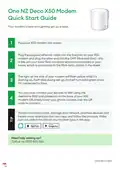


Oie NZ Deco X50 Modem
Qutck Start Gutde
Your modem’s here and geting set up is easy.
Plug your X50 modem into power.
1
Plug the supplied ethernet cable into the first port on your X50
modem and plug the other end into the ONT (fibre wall box) – this
is the unit your local fibre company would have installed in your
2
home, which is connected to the fibre optic cables in the street.
The light on the side of your modem will flash yellow while it’s
starting up, flash blue during set up, and will turn solid green once
it’s connected to fibre.
3
You can now connect your devices to WiFi using the
username SSID and password on the base of your X50
modem OR simply hover your phone camera over the QR
4
code to connect.
To add more Deco units, manage your network, prioritise devices and
heaps more, download the Deco app and follow the prompts. Make
sure you select the X50 as your modem type in the app.
Need help settin up?
Call us on 0800 800 966.
ONZ-DECO X50


| General | Details |
|---|---|
| Name | deco X50 Modem Unboxing Router User Guide |
| Make | deco |
| Language | English |
| Filetype | PDF (Download) |
| File size | 0.03 MB |
 (1 votes, average: 5.00 out of 5)
 Loading...
If you have any questions regarding deco X50 Modem Unboxing Router User Guide, please ask here and describe the problem in detail.


TP-Link ER706W-4G Omada 4G Cat6 Gigabit VPN Router Instructions

ASUS RT-ACRH18 Dual band AC WiFi Router User Guide

Tenda AC1200 WiFi 6 Router Installation Guide

D-Link DWR-933M Mobile Router Installation Guide

GL iNet XE3000 MBPS M519 Portable Router User Manual

dahua DH-AX30 Wireless Router User Manual

GRANDSTREAM GWN7052F Dual Band Wi-Fi Router Installation Guide

Cudy WR3600E BE3600 Gigabit WiFi 7 Router Installation Guide

SERCOMM IP5446M WiFi Router User Guide

AIRSONICS 4960R Mesh WiFi Router Installation Guide