
HIKVISION DS-3WG105GP-SI Router User Guide


English
Applicable Models
This manual is applicable to DS-3WG router series, including DS-3WG105G-SI, DS-3WG105GP-SI, DS-
3WG210GP-SI, and DS-3WG507G-SI models.
Symbol Conventions
The symbols that may be found in this document are defined as follows.
Symbol
Note
Description
Provides additional information to emphasize or supplement
important points of the main text.
Indicates a potentially hazardous situation, which if not avoided,
could result in equipment damage, data loss, performance
degradation, or unexpected results.
Caution
Indicates a hazard with a high level of risk, which if not avoided, will
result in death or serious injury.
Danger
Safety Instructions
To ensure normal operation and prolong the lifespan of the device, read the safety precautions in
this section carefully before installation. Note that the precautions do not cover every possible
hazardous condition.
Use the device indoors only and place it in a dry and well-ventilated location.
To prevent potential damage from a fall, do not place the device on an unstable support
platform, such as an unstable table.
Keep the device clean and dust-free. Do not place it in humid locations or allow liquid
intrusions.
Do not place exposed flame sources, such as lit candles, on the device.
Reserve a minimum clearance of 10 cm (3.94 in) around the device for heat dissipation.
To avoid blocking the ventilation holes and hindering airflow, do not cover the ventilation
holes with items such as newspapers, tablecloths, and curtains, or place the device on a sofa,
carpet, or any other similar surface.
To protect the signal ports on the device from damages caused by overvoltage and overcurrent
from lightning strikes, route the interface cables for the device indoors. Do not route the
interface cables outdoors
Do not block the power socket or outlet for the device. Make sure the power socket or outlet
is easily accessible.
3

| General | Details |
|---|---|
| Name | HIKVISION DS-3WG105GP-SI Router User Guide |
| Make | Hikvision |
| Language | English |
| Filetype | PDF (Download) |
| File size | MB |
 (1 votes, average: 5.00 out of 5)
 Loading...
If you have any questions regarding HIKVISION DS-3WG105GP-SI Router User Guide, please ask here and describe the problem in detail.
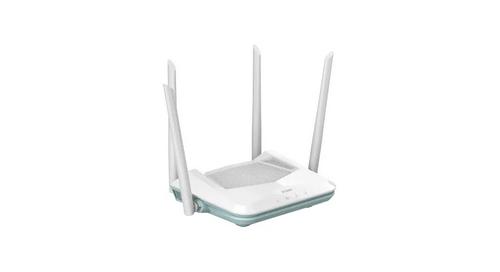
HIKVISION AX1500 Pro WiFi Router User Guide


Трохи зачекайте…

xiaomi RA67 AX1800 Mi Router User Manual

Tenda RX12V1.0 Wi-Fi 6 6E Router Installation Guide

Cudy WR1200 Dual Band Wi-Fi Router Installation Guide

SUNVOT GC600 5G CPE WiFi Router User Guide

ASUS RT-AC86U AC2900 WiFi Gaming Router User Guide

Imou AX3000 300 Mbps Wi-Fi 4G LTE Router User Guide

triton TWX7 Router Table Module Instruction Manual

TP-Link ER706W4G Gigabit VPN Router Installation Guide

MICRONET AX1800 Dual Band Wi-Fi 6 Router User Guide