
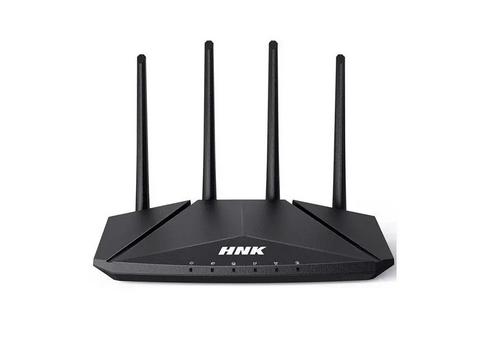
HNK AX3000 Dual Band Wi-Fi 6 Router User Guide


A0
初版
王能
2024.05.07
Step3: Select an Internet access mode based on the actual situation and
Usage safety notice
The following is the requirements for the correct use of the product. To
prevent danger and prevent property from being damaged, please read
carefully and strictly observe it when using it.
Setup Configuration Wizard
enter related parameters
DHCP:
Step1: Connect your phone to the router's factory default wirelessName
(you can find it on the product specification label at the bottom of the
router).
Operating requirements
Flow AX3006
Danger
Flow AX3006
It is best that the working ground of the device is not shared with the
grounding device or lightning protection grounding device of the power
equipment, and should be as far away as possible.
●
●
Please use the supporting power supply with the product, and it is strictly
forbidden to use other non -supporting products. The power supply
voltage must meet the input voltage range of the special power cor
Dual-band WiFi6 AX3000 Router
Flow AX3006
Notice
●
This device is only allowed to be used indoors, and it is placed in a dry and
ventilated place. Please place the device on a stable countertop, otherwise
once it falls, it will damage the device to the device.
Quick Start Guide
Staic:input IP address,mask,gateway,dns
●
●
During the installation and use of this device, the electrical safety regulations
of the state and use areas must be strictly complied with.
Step2: After the connection is successful, open the browser manually and
PPPoE:input username and password
When operating this device in wiring, disassembly, etc., please break the
equipment power supply. Do not operate with power.
enter 192.168.0.1 in the address box to log in to the management page
●
●
Please ensure that the work environment of this equipment is cleaned.
Excessive dust can cause static electrostatic adsorption, which will not only
affect the life of the equipment, but also cause communication failures.
Flow AX3006
Flow AX3006
The access to the Internet may face network security issues. Please
strengthen the protection of personal information and data security. When
you find that the device may have hidden dangers of network security,
please contact us in time.
Flow AX3006
●
Please understand that you have the responsibility to reasonably configure
all the passwords and other related product security settings, and properly
keep your username and password.
Q&A
Step5: Setting Admin Password,click“Next”
What can I do if I cannot open the admin interface of my
router (192.168.0.1)?
How do I restore router to factory Settings?
FCC warning:
Flow AX3006
In the power-on state, press and hold the "Reset" button on the rear panel
of the router for more than 10s to release, and all indicator lights will be fully
lit and turned off.
This device complies with Part 15 of the FCC rules. Operation is subjected to the
following two conditions: (1) this device may not cause harmful interference, and
(2) this device must accept any interference received, including interference that
may cause undesired operation.
Changes or modifications not expressly approved by the party responsible for
compliance could void your authority to operate the equipment.
This equipment complies with FCC radiation exposure limits set forth for an
uncontrolled environment.
If you log in through wired connection
Flow AX3006
●
Make sure your computer is "Automatically obtain IP Address" and
"Automatically Obtain DNS Server Address".
Note: The router configuration parameters will be cleared after the factory
Settings are restored. You need to configure the router again.
●
Make sure that the computer is connected to the router's LAN port and
that the corresponding indicators of the router and computer network ports are on.
The distance between user and products should be no less than 20cm.
Warnning
This equipment has been tested and found to comply with the limits for a Class B
digital device, pursuant to Part 15 of the FCC Rules. These limits are designed to
provide reasonable protection against harmful interference in a residential
installation. This equipment generates, uses and can radiate radio frequency
If you log in through WI-FI connection
Please make sure that the wireless router is correctly set. Do not use Chinese
or special characters in the wireless name.
Make sure that the wireless name selected and the wireless password entered
are correct (case sensitive) when making a wireless connection.
If the fault persists, restore the router to factory Settings or call the technical
support hotline.
●
●
Make sure your Internet device is connected to your router's wireless network.
Step4: Setting the WI-FI name and password and click "Next"
Try closing and reopening the browser, clearing the browser cache, or switching
to a different browser.
-Reorient or relocate the receiving antenna.
-Increase the separation between the equipment and receiver.
*If the wireless connection is down, reconnect to the network with a new
wireless name and password.
●
●
Replace another Internet access device. If the Internet access device is wired,
you can also replace the network cable.
-Connect the equipment into an outlet on a circuit different from that to which the
receiver is connected.
Power on the router again.
-Consult the dealer or an experienced radio/TV technician for help.
Flow AX3006
If the fault persists, restore the router to factory Settings or
call the technical support hotline.
Flow AX3006_2.4G
Flow AX3006_5G
CUSTOMER:
深 圳 市 迈 腾 电 子 有 限 公 司
SHENZHEN MTN ELECTRONICS CO.,LTD
中性
1.尺寸:成品尺寸:70* 105mm,展开尺寸:350*105MM,公差:±1mm.
2.材质:70g书纸,左右风琴折,双面黑白印刷.
TITLE:
MODEL:
PART NO.:
3.环保满足迈腾《MTN-WI-G-010 限用物质管理规范》最新版本要求。
AX1505
DRAW
快速指南
DATE:
王能
2024.05.07
UNIT’S mm
VER:
A0
1:1
1/1
MAT’L
CHECK
APPD
/
/
SCALE
SHEET
FINISH
N/A


| General | Details |
|---|---|
| Name | HNK AX3000 Dual Band Wi-Fi 6 Router User Guide |
| Make | HNK |
| Language | English |
| Filetype | PDF (Download) |
| File size | MB |
 (1 votes, average: 5.00 out of 5)
 Loading...
If you have any questions regarding HNK AX3000 Dual Band Wi-Fi 6 Router User Guide, please ask here and describe the problem in detail.

HNK RAX1810 Wi-Fi Router User Manual
HNK RAX1810 Smart Wi-Fi Router User Manual

HNK Flow AX1501 Dual Band Wi-Fi 6 AX1500 Router User Guide


Dragonglass DGR7 1200M Wireless Router Installation Guide

DrayTek Vigor2862 VDSL2 Router Instructions

robustel R2000 Dual SIM Cellular VPN Router Instruction Manual

ASUS RP-AX56 Dual Band Wireless Router User Guide

TELTONIKA Networks RUT956 4G LTE Router User Guide

TIANZHI LNN788 Dual Band Wireless Router Installation Guide

TCL HH132V1 Tim Modem Router User Manual

POOLEX WIFI-LINK Outdoor Wifi Antenna and 4G Router Instruction Manual

D-Link DIR-890L AC3200 Ultra Wi-Fi Router Installation Guide

STRONG 5GROUTERAX3000 5G Router Instructions