
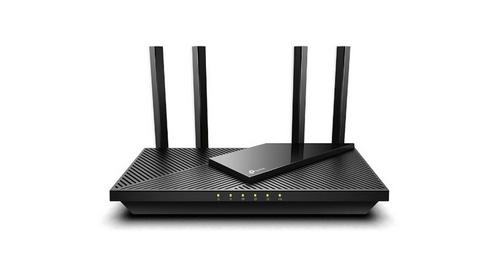
MICRONET AX1800 Dual Band Wi-Fi 6 Router User Guide


1. Connect the Router
Connect the
router's WAN
port with the
Ethernet
Connect the
modem’s
LAN port with
the Ethernet
cable
Power off or
unplug your
modem
cable
1.1 The first step to start configuring your router is
to plug it in and then connect a network cable
(RJ45) to your WAN port, the other side of
network cable (RJ45) must also be connected to
your home Modem (xDSL/PON).
3
1
2
1.2 After plugging in the router and connecting it
to the Modem, proceed to the next topic, which is
the configuration step by step.
1.3 If your internet connection is through an
Ethernet cable from the wall instead of through a
home Modem (xDSL/PON) , connect the Ethernet
cable directly to the router’s Internet port.
5
6
Switch on the
router. And waiting
for the LED turns
into green.
Connect the
power adapter
cable to the
router’s DC-IN
and turn it on.
4
Plug the router
and modem’s
power adapter.

| General | Details |
|---|---|
| Name | MICRONET AX1800 Dual Band Wi-Fi 6 Router User Guide |
| Make | Micronet |
| Language | English |
| Filetype | PDF (Download) |
| File size | 0.1 MB |
 (1 votes, average: 5.00 out of 5)
 Loading...
If you have any questions regarding MICRONET AX1800 Dual Band Wi-Fi 6 Router User Guide, please ask here and describe the problem in detail.

MICRONET N300 Wireless Router, N300 WiFi Router T1 Pro User Guide


motorola G11 Cable Modem Router User Guide

Zyxel Nebula FWA510 5G LTE Modem Router User Guide

Cudy WR3000 Wireless WiFi Router Installation Guide

TP-Link BE220_V1 Dual Band Wi-Fi 7 Router Installation Guide

hitron CGNM-2250 Cable Modem Router User Guide

FALCON 4G 150 Router User Manual

ASUS ZenWiFi XD4S AX1800 Dual Band WiFi Router User Guide

BT Hub 3 Broadband Router User Guide

ASUS RT-AX57GO Dual Band WiFi 6 Router User Guide
wis network WIS-AX3000 WiFi 6 Gigabit PoE Router User Guide