
Milesight UR35 Dual SIM Router User Guide

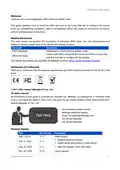


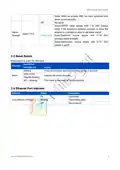
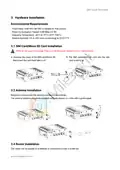
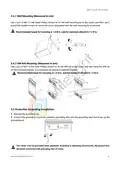


UR35 Quick Start Guide
1. Packing List
Before you begin to install the UR35 router, please check the package contents to verify that you have
received the items below.
2 × Magnetic Cellular
1 × UR35
1 × Ethernet Cable
1 × Power Adapter
Antennas
1 × 8-Pin Pluggable
Terminal
1 × DIN Rail Kit
1 × Quick Start Guide
1 × Warranty Card
1 × Stubby Wi-Fi
Antenna
1 × GPS Antenna
1 × Wall Mounting
Bracket (Optional)
2 × Stubby Cellular
Antennas (Optional)
(GPS Version Only)
(Wi-Fi Version Only)
If any of the above items is missing or damaged, please contact your sales representative.
3

| General | Details |
|---|---|
| Name | Milesight UR35 Dual SIM Router User Guide |
| Make | Milesight |
| Language | English |
| Filetype | PDF (Download) |
| File size | 0.55 MB |
 (1 votes, average: 5.00 out of 5)
 Loading...
If you have any questions regarding Milesight UR35 Dual SIM Router User Guide, please ask here and describe the problem in detail.

Milesight UR75 UltraSeries Router User Guide

Milesight Lite Cellular Router User Guide

Milesight UF51 5G CPE Router User Guide

Milesight Routers Installation Guide

Milesight UR32S CCTV Router Owner’s Manual


peplink MAX BR1 Pro 5G Pepwave Router User Manual

robustel R5020 5G WiFi Wireless Router Owner’s Manual

Cudy LT500D Dual Band Unlocked 4G LTE Modem Router Installation Guide

JUNIPer SSR120 Session Smart Router User Guide

QNAP QMiroPlus-201W Router Installation Guide

GL iNet GL-MT3000 Beryl AX WiFi 6 Router Instruction Manual

Connect Tech Inc Xtreme 10G Managed Ethernet Switch Router User Guide

Qolsys IQ WiFi 6 Router Instruction Manual

HBC BX54 Gigabit Dual Band Wireless Router User Manual

SIEMENS PXG3.L BACnet Router Instruction Manual