
NetComm NTC-500 5G IoT Router Instructions










NTC-500
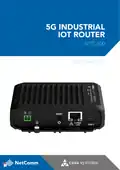
5G Industrial IoT Router
4. CONNECT THE POWER
Connect power to your router using one of the following options:
1. DC power using the optional DC power supply
2. DC power 8 – 40V using a field terminated power source
Connecting the power:
Remove the attached green terminal block from your router and insert the wires from
the power supply or power source into the terminal block. Use a flathead screwdriver
to tighten the terminal block screws and secure the power wires, making sure you have
correctly wired the terminal block.
TERMINAL DESCRIPTION
+
-
Positive wire for power
Ground wire
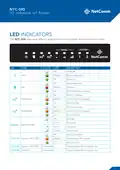
The green power LED on the router will begin blinking when a power source is
connected and turns solid green when the router is completely powered on.

| General | Details |
|---|---|
| Name | NetComm NTC-500 5G IoT Router Instructions |
| Make | NetComm |
| Language | English |
| Filetype | PDF (Download) |
| File size | 0.51 MB |
 (1 votes, average: 5.00 out of 5)
 Loading...
If you have any questions regarding NetComm NTC-500 5G IoT Router Instructions, please ask here and describe the problem in detail.

Netcomm NF18MESH Upgraded WiFi Router User Guide

NetComm CF40 Wi-Fi 6 Router User Guide


Ruijie EG105GWT Wi-Fi 5 1267Mbps Wireless All-in-One Router User Manual

WAVLINK AC1200 Wireless WiFi Router User Guide

Cudy LT500 4G LTE AC1200 Dual Band WiFi Router User Guide

verizon xc46be224t Internet Gateway Router Instruction Manual

Rockwell CCR-3000 Router User Guide

intwine connect ICG-150 Cellular Router User Guide

Mercury NF18ACV-NC2-R6B023 Netcomm WiFi Router User Guide

Cudy AC1200 4G LTE Wi-Fi Router Instruction Manual

Urocomm UROZETTA 2 4G LTE Mobile Router User Manual

MikroTik hAP ax³ Wireless Network Router User Manual