
NetComm NTC-500 5G IoT Router Instructions
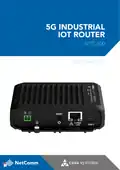










NTC-500
5G Industrial IoT Router
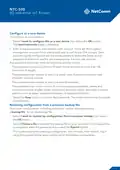
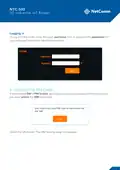
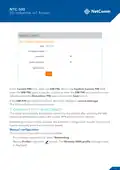
3. In the APN field, enter the APN name that your carrier requires for a mobile
broadband connection. If required, enter the username into the Username field,
and the password into the Password field.
4. Select the Save button to apply the profile. The connection profile is now
configured.
Verify the connection status
From the top navigation bar, select Status. The Status page is displayed.
A successful connection is established if the Status field in the WWAN Connection
Status section displays Up.
The modem is ready for use. Connect a device or switch using the 2.5Gbps
Ethernet port. For further configuration, see the User Manual.

| General | Details |
|---|---|
| Name | NetComm NTC-500 5G IoT Router Instructions |
| Make | NetComm |
| Language | English |
| Filetype | PDF (Download) |
| File size | 0.51 MB |
 (1 votes, average: 5.00 out of 5)
 Loading...
If you have any questions regarding NetComm NTC-500 5G IoT Router Instructions, please ask here and describe the problem in detail.

Netcomm NF18MESH Upgraded WiFi Router User Guide

NetComm CF40 Wi-Fi 6 Router User Guide


Cudy WR1200 AC1200 Dual Band Wi-Fi Router Installation Guide

westermo MRD-405 4G LTE Router User Guide

TP-Link Archer C80 Wi-Fi 5 Router Instructions

ZYXEL NBG6615 AC1200 MU MIMO Dual Band Wireless Gigabit Router User Guide

COMFAST M0304517 Wireless Router Installation Guide

TELTONIKA Networks QSG RUT241 LTE Router User Guide

D-Link EXO AX Smart AX1800 Wi-Fi Router User Guide

LUXUL XWR-1750 Dual Band Wireless AC1750 Gigabit Router User Guide

CNCU E550 EasyRoute CNC Router Instructions

Tenda AXE5700 Wi-Fi 6E Router User Manual