×
- 1. Shield Megafi User Guide
- 2. Customerresponsibilities (Providinginternetaccess → Providepowerandenvironmentaloperatingconditions → Use The Local Graphical User Interface → Registeringyourmegafithroughthenextivitycloudportal → Frequentlyaskedquestions)
- 3. Professional Installation Requirements (Logging Into The Device For The First Time → Safety Precautions)
- 4. Fcc Statement (Fcc Note → Caution → Rf Exposure Information → Patents → Trademark)
- 5. User Guide Purpose (Warranty → Online Technical Support)
- 6. Introduction (Hardware Installation → Install The Sim Card (fixed Or Mobile Kits) → Fixed Kit: Fixed Or Office Installation → Mobile Kit: Vehicle Or Mobile Installation → Log Into The Megafi → Cloud Access Via The Nextivity Megaportal)
- 7. What's Inside The Kit/box (Local-area Network (lan) Ports → Wide-area Network (wan) Port → Sim Slot → Usb Connector → Reset Button → Power Port)
- 8. High Power Megafi Router (Roof Mount 6-in-1 Antenna Includes 3x Cellular, 2x Wi-fi And 1x Gps Connections → Quick Start Guide For Quick Router Configuration And Connection → Shield Megafi Leds → Mission Control, Megafis Graphical User Interface (gui) → Led Color/pattern → Description)
- 9. Hardware (Installation → Install The Sim Card (fixed Or Mobile Kits) → Fixed Kit: Fixed Or Office Installation)
- 10. Attach The Antennas: (Connect Power:)
- 11. Boot Up: (Mobile Kit: Vehicle Or Mobile Installation → Required Hardware And Tools:)
- 12. Mount The Antenna On The Roof (To Mount The Antenna → Install The Shield Megafi Unit Inside The Vehicle → Connect Antenna Cables To Megafi)
- 13. Connect The Power: (Wiring Diagram Example Installation)
- 14. Connect Each Wire To The Power Management Block (Boot Up → Log Into The Megafi → Using The Mission Control Router Software)
- 15. Click On Continue To 192.168.113.1 (unsafe) Link To Proceed. (The Megafis Mission Control Gui Login Page Will Now Be Displayed. → Enter The Default Password As Found On The Bottom Label Of The Megafi. → Note: Username Always Defaults To Admin. → Click Login To Proceed.)
- 16. Eula (end User License Agreement) (Update Password → Factory Reset → Cloud Access Via The Nextivity Megaportal → Create Account And Sign In)
- 17. Create A User Account (Create An Administrative Account → Information Required For Administrative Account → Sign In Process)
- 18. Specifications (Host Interfaces → Security → Wi-fi)
- 19. Satellite Navigation (Environmental → Power)
- 20. Network And Routing (Custom Apn → Static Ip(s) Provided By At&t/firstnet → Network Address Translation (nat) → Wan/lan Connection Policy → Connection Failure Recovery → Static Routing)
- 21. The Html Code Does Not Contain Any Relevant Subheadings Related To Installation/setup/configuration. Therefore, I Will Take The First Senten… (However, The Provided Text Does Not Contain A Complete Sentence Either. As A Result, There Is No Output To Provide.)
×
NEXTIVITY Shield Megafi Wireless Wan Router User Guide
| General | Details |
|---|---|
| Name | NEXTIVITY Shield Megafi Wireless Wan Router User Guide |
| Make | NEXTIVITY |
| Language | English |
| Filetype | PDF (Download) |
| File size | 0.44 MB |
If you have any questions regarding NEXTIVITY Shield Megafi Wireless Wan Router User Guide, please ask here and describe the problem in detail.

NEXTIVITY SHIELD MegaFi 2 Fixed Wi-Fi 6 Mobile Router User Guide


Tenda RX12 Pro Wi-Fi 6 6E Router Installation Guide

MOXA EDR-8010 Series Secure Router Installation Guide

ASUS GT-AX11000 Tri Band Gaming Router Instruction Manual

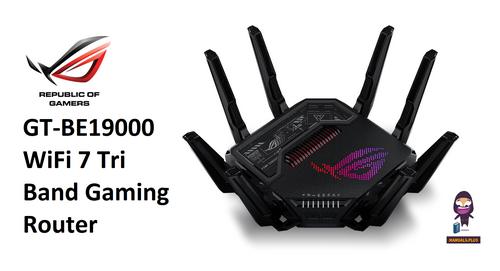
REPUBLIC OF GAMERS GT-BE19000 WiFi 7 Tri Band Gaming Router User Guide

ASUS RT-BE92U BE9700 Tri Band WIFI 7 Router User Guide

TP-Link Archer C20 Wireless Dual Band Router Installation Guide

ZTE MC888 Pro 5G CPE Router User Guide

ASUS RT-AX88U Pro AX6000 Dual Band WiFi Router User Guide

TP-Link NE200 Outdoor Router Installation Guide

TP-Link TD-W8951ND Wireless DSL Modem Router Installation Guide
Table of Contents
- 1. Shield Megafi User Guide →
- 2. Customerresponsibili... - Providinginternetacc... →
- 3. Professional Installation Requirements - Logging Into The De... →
- 4. Fcc Statement - Fcc Note →
- 5. User Guide Purpose - Warranty →
- 6. Introduction - Hardware Installation →
- 7. What's Inside The Kit/box - Local-area Network (lan) Ports →
- 8. High Power Megafi Router - Roof Mount 6-in-1 Antenna Include... →
- 9. Hardware - Installation →
- 10. Attach The Antennas: - Connect Power: →
- 11. Boot Up: - Mobile Kit: Vehicle Or Mobile Installation →
- 12. Mount The Antenna On The Roof - To Mount The Antenna →
- 13. Connect The Power: - Wiring Diagram Example Installation →
- 14. Connect Each Wire To The Power Management Block - Boot Up →
- 15. Click On Continue To 192.168.113.1 (unsafe) Link To Proceed.... →
- 16. Eula (end User License Agreement) - Update Password →
- 17. Create A User Account - Create An Administrative Account →
- 18. Specifications - Host Interfaces →
- 19. Satellite Navigation - Environmental →
- 20. Network And Routing - Custom Apn →
- 21. The Html Code Does Not Contain Any Relevant Subheadings Rela... →