
×
- 1. Quick Installation Guide (G Lte Router)
- 2.
- 3. Connect The Hardware (Position The Antennas Vertically → Insert The Sim Card Into The Slot → Turn On The Router → Connect Your Device To The Router → The Default Ssid And Password Are Printed On The Product Label)
- 4. Customize The 4g Lte Router (Make Sure Your Computer Is Connected To The Router → Enter Http://tplinkmodem.net Or 192.168.1.1 In The Address Bar → Follow The Step-by-step Instructions On The Quick Setup Page → Faq (frequently Asked Questions))
- 5. Verify That Your Sim Card Is An Lte Or Wcdma Card (Check The Lan Connection → Check Your Isp Parameters → Check The Pin Settings → Check The Data Limit → Check The Mobile Data)
- 6. Check The Data Roaming (How To Restore The Router To Its Factory Default Settings? → What Can I Do If I Forget The Password Of The Web Management Page? → What Can I Do If I Forget My Wireless Network Password?)
- 7. Свързване На Хардуера (Разположете Антените → Поставете Sim Картата → Включете Рутера → Свържете Вашето Устройство → Потребителското Име (ssid) И Паролата По Подразбиране)
- 8. Персонализирайте 4g Lte Рутера (Уверете Се, Че Вашият Компютър Е Свързан Към Рутера → Въведете Http://tplinkmodem.net Или 192.168.1.1 В Адресната Лента На Уеб Браузър → Следвайте Инструкциите Стъпка-по-стъпка В Страницата Quick Setup → Рутерът Може Също Да Се Използва В Режим На Безжичен Рутер За Adsl/кабелни Връзки → Чзв (често Задавани Въпроси) → Какво Да Направя, Ако Страницата За Влизане Не Се Появява?)
- 9. Проверете Дали Вашата Sim Карта Е В Района На Услугите На Вашия Интернет Доставчик (isp). (Проверете Дали Вашата Sim Карта Има Достатъчно Кредит. → Проверете Lan Връзката: → Проверете Параметрите От Вашия Интернет Доставчик (isp): → Проверете Pin Настройките: → Проверете Ограничението За Данни: → Проверете Мобилните Данни:)
- 10. Проверете Роуминга На Данни (Как Да Възстановя Състоянието На Рутера До Фабричните Настройки → Какво Да Направя, Ако Забравя Паролата На Страницата За Управление По Интернет? → Какво Да Направя, Ако Забравя Паролата На Моята Безжична Мрежа?)
- 11. Připojení Hardwaru (Antény Nasměrujte Vertikálně. → Zapněte Router. → Připojte Své Zařízení K Routeru (pomocí Kabelu Nebo Bezdrátově). → Výchozí Identifikátor Ssid A Heslo Jsou Vytištěny Na Produktovém Štítku Na Spodní Straně Routeru.)
- 12. Nastavení4glterouteru (Postupujtepodlepokynůnapagequicksetup(rychlénastavení) → Routermůže Být Také Použit (nebo Nakonfigurován) V Režimu Bezdrátového Routeru Pro Adsl/kabelové Připojení → Faq(nejčastějikladenéotázky) → Jak Mám Postupovat, Pokud Se Přihlašovací Stránka Nezobrazí? → Ověřte, Zda Je Počítač Nastaven Na Automatické Získání Ip Adresy Z Routeru → Zkontrolujte, Zda Je Adresa Http://tplinkmodem.net Nebo 192.168.1.1 Ve Vašem Webovém Prohlížeči Správně Zadána)
- 13. Jak Mám Postupovat, Když Se Nemůžu Připojit K Internetu? (Ověřte, Zda Je Vaše Sim Karta Lte Nebo Wcdma. → Zkontrolujte Připojení Lan: → Zkontrolujte Parametry Uvedené Poskytovatelem Internetových Služeb: → Zkontrolujte Nastavení Pin: → Zkontrolujte Datový Limit: → Zkontrolujte Mobilní Data:)
- 14. Otevřete Webový Prohlížeč A Přihlaste Se Na Stránku Webové Správy. (Zapněte Mobilní Data Pro Přístup K Internetu. → Jak Vrátím Konfiguraci Routeru Do Jeho Výchozího Továrního Nastavení? → Jak Mám Postupovat, Když Zapomenu Heslo Pro Přihlášení Na Stránku Webové Správy? → Jak Mám Postupovat, Když Zapomenu Heslo Pro Bezdrátovou Síť?)
- 15. Жабдықты Жалғау (Антенналарды Тік Орналастырыңыз → Sim-картаны Слотына Енгізіңіз → Бағдарғылауышты Қосыңыз → Интернетпен Рахаттаныңыз → Бастапқы Ssid Және Құпиясөз)
- 16. G Lte Бағдарғылауышты Икемдеу (Веб-браузердің Мекенжай Жолына Http://tplinkmodem.net Немесе 192.168.1.1 Енгізіңіз. → Бастапқы Орнатуды Бітіру Үшін Quick Setup (тез Орнату) Бетіндегі Нұсқауларға Бірте-бірте Еріңіз. → Faq(жиі Қойылатын Сұрақтар))
- 17. Sim Картаңызды Тексеріңіз (Lan Қосылуды Тексеріңіз → Ғаламтор Қызмет Жеткізушінің Орнатуларын Тексеріңіз → Pin Баптауларын Тексеріңіз → Деректерді Шектеуді Тексеріңіз → Мобильді Деректерді Тексеріңіз)
- 18. Веб Браузерді Ашып Және Веб Басқару Бетіне Кіріңіз. (Роуминг Деректерді Тексеріңіз: → Бағдарғылауышты Бастапқы Зауыттық Орнатуларға Қалай Қайтаруға Болады? → Егер Мен Веб Басқару Құпиясөзін Ұмытып Қалсам Не Істей Аламын? → Егер Мен Сымсыз Желінің Құпиясөзін Ұмытып Қалсам Не Істей Аламын? → Ескертпе: Өтініш, Қосымша Кемшіліктерді Жою Мәлімет Үшін Біздің Веб Сайтта Faq-ге Сүйеніңіз.)
- 19. Įrenginio Prisijungimas (Antenas Nustatykite Vertikaliai → Stumkite Sim Kortelę Į Vidų → Įjunkite Maršrutizatorių → Mėgaukites Internetu → Prisijunkite Prie Maršrutizatoriaus → Ši Informacija Atspausdinta Ant Lipduko Įrenginio Apačioje)
- 20. Pritaikykite Maršrutizatoriaus 4g Lte Nustatymus (Įsitikinkite, Kad Kompiuteris Yra Prijungtas Prie Maršrutizatoriaus → Atidarykite Interneto Naršyklę Ir Įveskite Adresą → Sekite Žingsnį Po Žingsnio Quick Setup Puslapyje → Maršrutizatorius Taip Pat Gali Būti Konfigūruojamas Darbo Režime → Dažnai Užduodami Klausimai (duk) → Ką Daryti, Jeigu Negaliu Atverti Valdymo Svetainės Lango?)
- 21. Patvirtinkite, Jog Jūsų Sim Kortelė Yra Arba Lte, Arba Wcdma Kortelė. (Įsitikinkite, Kad Jūs Esate Toje Vietoje, Kurią Apima Operatoriaus Tinklas. → Patikrinkite Lan Ryšį: → Patikrinkite Operatoriaus Nustatymus: → Patikrinkite Pin Kodo Nustatymus: → Patikrinkite Duomenų Perdavimo Limitą: → Patikrinkite Duomenų Perdavimą:)
- 22. Įsitikinkite, Kad Jūs Esate Toje Vietoje, Kur Yra Taikomas Tarptinklinis Ryšys, O Tada Atidarykite Interneto Naršyklę Ir Prisijunkite Prie M… (Kaip Grąžinti Gamyklinę Mano Maršrutizatoriaus Konfigūraciją? → Ką Aš Galiu Padaryti, Jei Pamiršau Savo Prisijungimo Slaptažodį? → Ką Daryti, Jeigu Pamiršau Belaidžio Tinklo Slaptažodį? → Dėmesio: Daugiau Informacijos Apie Nesklandumų Šalinimą Rasite Mūsų Svetainės Duk Skiltyje Adresu: Https://www.tp-link.com.)
- 23. Eszközök Csatlakoztatása (Állítsa Az Antennákat Függőleges Pozícióba → Helyezze Be A Sim-káryát A Nyílásba → Kapcsolja Be A Routert → Csatlakoztassa Eszközét A Routerhez)
- 24. Győződjön Meg, Hogy A Számítógépe Csatlakoztatva Van A Routerhez (vezetékesen Vagy Vezeték Nélkül). (Gépelje Be A Http://tplinkmodem.net Vagy A 192.168.1.1 Címet Internet Böngészőjének Címsávjába. → Kövesse Lépésről Lépésre A Quick Setup (gyors Beállítás) Oldal Utasításait A Kezdeti Konfiguráláskor. → Mit Tegyek, Ha Ha Nem Jelenik Meg A Beállítási Felület?)
- 25. Ellenőrizze Hogy Sim Kártyája Lte Vagy Wcdma Kártya E (Ellenőrizze A Lan Csatlakozást → Ellenőrizze A Szolgáltató Adatait → Ellenőrizze A Pin Beállítását → Ellenőrizze Az Adatforgalmi Korlátot → Ellenőrizze A Mobil-internetet)
- 26. Kapcsolja Be A Mobil Adatszolgáltatást Az Internet Eléréséhez. (Ellenőrizze Az Adat Roamingot: → Hogyan Állíthatom Vissza A Router Alap Gyári Beállításait? → Mit Tegyek, Ha Elfelejtettem A Kezelőfelület Belépési Jelszavát? → Mit Tegyek, Ha Elfelejtettem A Vezeték Nélküli Hálózat Jelszavát?)
- 27. Podłączanie Sprzętu (Ustaw Anteny Pionowo → Włóż Kartę Sim Do Gniazda → Włącz Router → Połącz Się Z Routerem)
- 28. Dostosuj Ustawienia Routera 4g Lte (Upewnij Się, Że Komputer Połączony Jest Z Routerem → Otwórz Przeglądarkę Internetową I Wprowadź → Postępuj Zgodnie Z Instrukcjami Na Stronie Quick Setup → Często Zadawane Pytania (faq))
- 29. Sprawdź Połączenie Lan (Sprawdź Ustawienia Parametrów Operatora → Sprawdź Ustawienia Kodu Pin → Sprawdź Limit Transferu Danych → Sprawdź Transfer Danych Mobilnych)
- 30. Włącz Transfer Danych, Aby Uzyskać Dostęp Do Internetu. (Sprawdź Roaming Danych: → Przywracanie Ustawień Fabrycznych Routera → Zapomniane Hasło Do Strony Logowania → Zapomniane Hasło Do Sieci Bezprzewodowej)
- 31. Подключение Устройства (Установите Антенны В Вертикальном Положении → Вставьте Sim-карту В Слот До Щелчка → Включите Ваш Маршрутизатор → Интернет Готов К Использованию → Подключите Ваше Устройство К Маршрутизатору → Имя Сети (ssid) И Пароль По Умолчанию Указаны На Наклейке На Нижней Панели Маршрутизатора)
- 32. Настройте 4g Lte Маршрутизатор (Введите Http://tplinkmodem.net Или 192.168.1.1 В Адресной Строке Веб-браузера → Следуйте Пошаговым Инструкциям На Странице Quick Setup (быстрая Настройка) Для Завершения Настройки → Примечание: Данный Маршрутизатор Может Использоваться (или Быть Настроенным) В Режиме Беспроводного Маршрутизатора Для Соединения Через Adsl Или Кабель → Faq (часто Задаваемые Вопросы) → Что Делать, Если Окно Входа Не Открывается? → Что Делать, Если У Меня Пропал Доступ К Интернет?)
- 33. Убедитесь, Что Ваша Sim-карта Поддерживает Lte Или Wcdma. (Проверьте Подключение По Локальной Сети: → Проверьте Параметры Поставщика Интернет-услуг: → Проверьте Настройки Pin: → Проверьте Data Limit (лимит Трафика): → Проверьте Mobile Data (передача Данных))
- 34. Включите Передачу Данных, Чтобы Получить Доступ К Интернет. (Как Восстановить Заводские Настройки Маршрутизатора? → Что Делать, Если Я Забыл Пароль Управления? → Что Делать, Если Я Забыл Пароль Беспроводной Сети?)
- 35. Conectarea Dispozitivului (Poziționează Antenele Vertical → Împinge Cartela Sim În Slot → Pornește Routerul → Conectează Dispozitivele Tale La Router → Ssid-ul Implicit Și Parola)
- 36. Personalizare Router 4g (Introdu Http://tplinkmodem.net Sau 192.168.1.1 În Bara De Adrese A Unui Browser Web → Respectă Instrucțiunile Pas Cu Pas Din Pagina Quick Setup (configurare Rapidă) → Întrebări Frecvente (faq))
- 37. Verifică Dacă Cartela Sim Este O Cartelă Lte Sau Wcdma. (Asigură-te Că Ești În Aria De Acoperire A Isp-ului De La Care Ai Cartela Sim. → Verificare Conexiune Lan: → Verifică Parametrii De Conectare De La Isp: → Verifică Setările Pin: → Verifică Limita De Date: → Verifică Datele Mobile:)
- 38. Verificare Roaming Date (Cum Revin La Setările Implicite Din Fabrică Ale Routerului? → Ce Pot Face Dacă Am Uitat Parola Paginii De Management Web? → Ce Pot Face Dacă Am Uitat Parola Rețelei Wireless?)
- 39. Zapojenie Hardvéru (Antény Nastavte Do Zvislej Polohe. → Založte Sim Kartu Do Zásuvky, Kým Nebudete Počuť Kliknutie. → Zapnite Router. → Pripojte Svoje Zariadenie K Routeru (drôtovo Alebo Bezdrôtovo). → Predvolené Ssid A Heslo Je Vytlačené Na Štítku Produktu Na Spodnej Časti Routera.)
- 40. Nastavenie 4g Lte Routera (Postupujte Podľa Inštrukcií Krok-po-kroku Na Stránke Quick Setup (rýchle Nastavenie) → Často Kladené Otázky)
- 41. Overte, Či Je Vaša Sim Karta Lte Alebo Wcdma (Skontrolujte Pripojenie Lan Siete → Skontrolujte Parametre Vášho Poskytovateľa Internetových Služieb (isp) → Skontrolujte Pin Kód → Skontrolujte Dátový Limit → Skontrolujte Mobilné Dáta)
- 42. Aktivujte Mobilné Dáta Pre Prístup K Internetu (Ako Obnovím Predvolené Nastavenia Routera Od Výroby? → Čo Mám Robiť, Ak Zabudnem Heslo Stránky Pre Webovú Správu? → Čo Môžem Robiť, Keď Zabudnem Heslo Do Bezdrôtovej Siete?)
- 43. Povežite Opremu (Postavite Antene Vertikalno → Ubacite Sim Karticu U Slot → Uključite Ruter → Povežite Vaš Uređaj Sa Ruterom)
- 44. Podesite 4g Lte Ruter (Proverite Da Li Je Vaš Računar Povezan Sa Ruterom → Unesite Http://tplinkmodem.net Ili 192.168.1.1 U Adresno Polje Vašeg Pretraživača → Pratite Postupno Uputstvo Na Stranici Quick Setup → Faq(često Postavljana Pitanja) → Šta Da Uradim Ako Se Ne Pojavi Stranica Za Pristup? → Šta Da Uradim Ako Ne Mogu Da Pristupim Internetu?)
- 45. Uverite Se Da Je Vaša Sim Kartica, Lte Ili Wcdma Kartica. (Proverite Lan Vezu: → Proverite Parametre Provajdera: → Proverite Podešavanja Pin-a: → Proverite Ograničenje Količine Podataka: → Proverite Prenos Podataka Preko Mobilne Mreže:)
- 46. Proverite Prenos Podataka U Romingu (Kako Da Vratim Ruter Na Fabrička Podešavanja? → Šta Da Uradim Ako Zaboravim Lozinku Stranice Za Podešavanje? → Šta Da Uradim Ako Zaboravim Lozinku Bežične Mreže?)
- 47. Підключення Апаратного Забезпечення (Встановіть Антени → Вставте Sim Карту → Увімкніть Ваш Маршрутизатор → Підключіть Ваш Пристрій До Маршрутизатора → Ssid Та Пароль За Замовчуванням)
- 48. Налаштування 4g (Лте Маршрутизатора → Швидке Налаштування → Faq(найбільш Розповсюджені Питання))
- 49. Відключіть Та Знову Підключіть Робочий Мережевий Адаптер (Переконайтеся, Що Ваша Sim-карта Відповідає Стандартам Lte Або Wcdma → Перевірте Lan Підключення → Перевірте Параметри Надані Інтернет-провайдером → Перевірте Налаштування Pin → Перевірте Обмеження Трафіку → Перевірте Мобільний Трафік)
- 50. Запустіть Веб-браузер Та Увійдіть На Сторінку Веб-керування. (Включіть Мобільний Трафік Для Доступу В Інтернет. → Дізнайтесь У Вашого Інтернет-провайдера Чи Знаходитесь Ви У Зоні Обслуговування Роумінгу. → Увімкніть Можливість Доступу До Інтернету У Роумінгу. → Як Скинути Маршрутизатор До Його Заводських Налаштувань? → Що Мені Робити, Якщо Я Забув Свій Пароль До Сторінки Веб-керування? → Що Мені Робити, Якщо Я Забув Свій Пароль Бездротової Мережі?)
- 51. Ühenda Riistvara (Paiguta Antennid → Sisesta Sim-kaart → Lülita Ruuter Sisse → Naudi Internetti → Ühenda Oma Seade → Vaikimisi Ssid Ja Parool)
- 52. Veendu, Et Su Arvuti On Ruuteriga Ühendatud (juhtmega Või Juhtmevabalt). Sisesta Veebilehitseja Aadressiribale Http://tplinkmodem.net Või Ht…
- 53. Kinnitage, Et Teie Sim-kaart On Lte Või Wcdma Kaart (Veendu, Et Su Sim-kaart On Teenusepakkuja Võrgu Teeninduspiirkonnas → Veendu, Et Su Sim-kaardil On Piisavalt Krediiti → Kontrolli Lan Ühendust → Kontrolli Oma Teenusepakkuja Parameetreid → Kontrolli Pin Seadeid → Kontrolli Andmepiiranguid)
- 54. Lülita Sisse Mobiilsed Andmed, Et Saada Ligi Internetile. (Kontrolli Andmerändlust → Kuidas Lähtestada Ruuter Selle Tehaseseadetele? → Mis Saab, Kui Ma Unustan Veebihalduse Lehe Parooli? → Mis Saab, Kui Unustan Oma Juhtmevaba Võrgu Parooli?)
- 55. Spajanje Hardvera (Umetnite Sim Karticu → Uključite Usmjerivač → Povežite Uređaj S Usmjerivačem → Zadani Ssid I Lozinka)
- 56. Prilagođavanje Usmjerivača 4g Lte (Provjerite Je Li Računalo Povezano S Usmjerivačem → Unesite Http://tplinkmodem.net Ili Http://192.168.1.1 → Slijedite Navedene Korake Na Stranici Quick Setup → Napomena: Usmjerivač Se Može Upotrebljavati U Načinu Bežičnog Usmjerivača → Čpp (često Postavljana Pitanja) → P1. Što Mogu Učiniti Ako Se Ne Prikaže Stranica Za Prijavu?)
- 57. Provjerite Da Li Je Vaša Sim Kartica L T E Ili Wsdma Kartica. (Provjerite Lan Vezu. → Provjerite Parametre Pružatelja Internetskih Usluga. → Provjerite Postavke Pin-a. → Provjerite Ograničenje Podataka. → Provjerite Mobilne Podatke.)
- 58. Provjerite Podatkovni Roaming (Kako Vratiti Izvorne Tvorničke Postavke Usmjerivača? → Što Mogu Učiniti Ako Zaboravim Lozinku Mrežne Stranice Za Upravljanje? → Što Mogu Učiniti Ako Zaboravim Lozinku Bežične Mreže? → Dodatna Pomoć Za Rješavanje Problema)
- 59. Pievienojiet Aparatūru (Novietojiet Antenas Vertikāli → Ievietojiet Sim Karti Slotā → Ieslēdziet Maršrutētāju → Savienojiet Ierīci Ar Maršrutētāju → Noklusējuma Ssid Un Parole)
- 60. Pielāgojiet 4g Lte Maršrutētāju (Ievadiet Tīmekļa Pārlūkprogrammas Adreses Joslā → Lai Pabeigtu Sākotnējo Konfigurāciju → Maršrutētāju Var Izmantot Bezvadu Maršrutētāja Režīmā → Buj (bieži Uzdotie Jautājumi) → Ko Es Varu Darīt, Ja Pieteikšanās Lapa Neparādās?)
- 61. Pārbaudiet, Vai Jūsu Sim Karte Ir Lte Vai Wcdma Karte. (Pārbaudiet Lan Savienojumu. → Pārbaudiet Sava Interneta Pakalpojumu Sniedzēja Parametrus. → Pārbaudiet Pin Iestatījumus. → Pārbaudiet Datu Limitu. → Pārbaudiet Mobilos Datus.)
- 62. Iespējojiet Mobilos Datus, Lai Piekļūtu Internetam. (Pārbaudiet Datu Viesabonēšanu: → Kā Atjaunot Maršrutētāju Uz Rūpnīcas Noklusējuma Iestatījumiem? → Ko Es Varu Darīt, Ja Aizmirstu Tīmekļa Pārvaldības Lapas Paroli? → Ko Es Varu Darīt, Ja Aizmirstu Savu Bezvadu Tīkla Paroli?)
- 63. Priključitev Strojne Opreme (Antene Postavite Vertikalno → Vdenite Sim-kartico V Režo → Vklopite Usmerjevalnik → Napravo Povežite Z Usmerjevalnikom → Privzeta Ssid In Geslo Sta Natisnjena Na Oznaki Izdelka)
- 64. Zagotovite, Da Je Vaš Računalnik Povezan Z Usmerjevalnikom (žično Ali Brezžično). (V Naslovno Vrstico Brskalnika Vnesite Http://tplinkmodem.net Ali Http://192.168.1.1. → Za Izvedbo Začetne Konfiguracije Sledite Navodilom Na Strani Quick Setup. → Faq (pogosta Vprašanja) → Kaj Lahko Naredim, Če Se Stran Za Prijavo Ne Pojavi? → Kaj Lahko Storim, Če Nimam Internetnega Dostopa?)
- 65. Preverite, Ali Je Vaša Sim-kartica Znotraj Vašega Območja Storitev (Preverite Vaše Parametre Isp → Preverite Nastavitve Pin → Preverite Omejitev Podatkov → Preverite Podatke Na Mobilnem Telefonu → Preverite Podatkovno Gostovanje)
- 66. Pri Svojem Isp Preverite, Ali Ste Na Območju Storitev Gostovanja. Če Ste, Odprite Spletni Brskalnik In Se Prijavite Na Stran Za Spletno Upra…
- 67. Compliance Declaration (Eu Declaration Of Conformity)
- 68.
- 69. Pełna Deklaracja Zgodności Ue Znajduje Się Na Stronie Https://www.tp-link.com/en/support/ce/.
- 70. Safety Information
- 71. Bezpečnostní Informace (Ohutusalane Teave)
- 72. Seadme Kasutamiseks Lugege Läbi Ja Järgige Ülaltoodud Ohutusalast Teavet. Me Ei Saa Garanteerida, Et Seadme Valesti Kasutamine Ei Põhjustaks…
- 73. Адаптер Құрылғыға Жақын Орнатылуы Және Оңай Қолжетімді Болуы Қажет. (Ierīci Nedrīkst Pakļaut Ūdens, Uguns, Mitruma Vai Karstas Vides Ietekmei. → Nemēģiniet Izjaukt, Remontēt Vai Pārveidot Ierīci. → Ierīces Uzlādēšanai Nelietojiet Bojātu Uzlādes Ierīci Vai Bojātu Usb Kabeli. → Lietojiet Tikai Ražotāja Ieteiktās Uzlādes Ierīces. → Nelietojiet Ierīci Vietās, Kur Bezvadu Ierīču Lietošana Ir Aizliegta.)
- 74. Atsargumo Priemonės (Įrenginio Vieta → Tinkamas Įkrovimas → Naudojimo Apribojimai)
- 75. Używanie Odpowiednich Ładowarek (Umiejscowienie Urządzenia → Środki Ostrożności → Instrukcje Bezpieczeństwa → Ograniczenia W Użytkowaniu)
- 76. Правила И Условия Монтажа Технического Средства, Его Подключения К Электрической Сети И Другим Техническим Средствам, Пуска, Регулирования И… (Правила И Условия Хранения, Перевозки, Реализации И Утилизации → Информация О Мерах, Которые Следует Предпринять При Обнаружении Неисправности Технического Средства)
- 77. Varnostne Informacije (Bezbednosne Informacije → Adaptér Je Potrebné Nainštalovať V Blízkosti Zariadenia Tak, Aby Bol Ľahko Dostupný → Naprava Naj Se Nahaja Izven Dosega Vode, Ognja, Vlage Oziroma Vročih Pogojev → Naprave Ne Poizkušajte Razstavljati, Popravljati Oziroma Spreminjati → Za Polnjenje Naprave Ne Uporabljajte Poškodovanega Polnilca Ali Kablov Usb → Ne Uporabljajte Nepriporočljivih Polnilcev)
- 78. Informacije O Bezbednosti (Preporučeni Punjač → Upotreba Uređaja → Postavljanje Adaptera → Rukovanje Uređajem)
×
TP-Link Archer MR400 4G LTE 300 Mbps Router Installation Guide












English
Safety Information
•ꢀKeep the device away from water, fire, humidity or hot environments.
•ꢀDo not attempt to disassemble, repair, or modify the device. If you need service, please contact us.
•ꢀDo not use damaged charger or USB cable to charge the device.
•ꢀDo not use any other chargers than those recommended.
•ꢀDo not use the device where wireless devices are not allowed.
•ꢀAdapter shall be installed near the equipment and shall be easily accessible.
Please read and follow the above safety information when operating the device. We cannot
guarantee that no accidents or damage will occur due to improper use of the device. Please use this
product with care and operate at your own risk.
Български
Мерки за безопасност
•ꢀПазете устройството далеч от вода, огън, влага или гореща околна среда.
•ꢀНе правете опити да разглобявате, ремонтирате или модифицирате устройството.
•ꢀНе използвайте повредено зарядно или повреден USB кабел за зареждане на устройството.
•ꢀНе използвайте други зарядни устройства освен препоръчаните.
•ꢀНе използвайте устройството там, където употребата на безжични устройства не е
разрешена.
•ꢀАдаптерът трябва да бъде инсталиран близо до оборудването и да бъде лесно достъпен.
Моля, прочетете тази информация и спазвайте мерките за безопасност, когато работите
с устройството. Ние не можем да гарантираме, че няма да настъпят аварии или повреди

| General | Details |
|---|---|
| Name | TP-Link Archer MR400 4G LTE 300 Mbps Router Installation Guide |
| Make | TP-Link |
| Language | English |
| Filetype | PDF (Download) |
| File size | 0.63 MB |
 (1 votes, average: 5.00 out of 5)
 Loading...
If you have any questions regarding TP-Link Archer MR400 4G LTE 300 Mbps Router Installation Guide, please ask here and describe the problem in detail.

TP-Link VR300 Archer Modem Router User Guide

TP-Link T150500-2-DT WiFi Router Instruction Manual

TP-Link Archer AX55 Wi-Fi 6 Router Installation Guide

TP-Link Omada ER8411 VPN Router Instructions

TP-Link Configure VDSL Router User Guide

TP-Link Archer BE805 BE19000 Tri-Band Wi-Fi 7 Router User Manual

TP-Link VR600 Wireless DSL Modem Router Installation Guide

TP-Link AX58 Dual Band Gigabit Wi-Fi 6 Router Installation Guide

TP-Link AC750 Wireless Dual Band Router Owner’s Manual

TP-Link AX6000 8-Stream Wi-Fi 6 Router Installation Guide


digicom 8E4631 Boxed Defective 4G Router User Guide

ZYXEL LTE5388-M804 4G LTE-A Pro Router User Guide

EXPERT4HOUSE 4G Professional Router User Manual
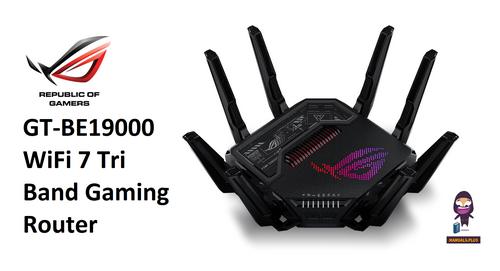
REPUBLIC OF GAMERS GT-BE19000 WiFi 7 Tri Band Gaming Router User Guide

HKBN AX5400 Oppo WiFi 6 Router User Guide

hitron CHITA3.1 CHITA-RES Cable Modem Router User Guide

Cudy WR3600 Gigabit Mesh Wi-Fi 7 Router Installation Guide

LINKSYS WRT54G Wireless G Router Instructions

Tenda AC8 Dual-band Gigabit Wireless Router Installation Guide

TP-Link TD-W8951ND Wireless DSL Modem Router Installation Guide
Table of Contents
- 1. Quick Installation Guide - G Lte Router →
- 2. Page 2 →
- 3. Connect The Hardware - Position The Antennas Vertically →
- 4. Customize The 4g Lte Router - Make Sure Your Computer Is Con... →
- 5. Verify That Your Sim Card Is An Lte Or Wcdma Card - Check Th... →
- 6. Check The Data Roaming - How To Restore The Router To Its Fa... →
- 7. Свързване На Хардуера - Разположете Антените →
- 8. Персонализирайте 4g Lte Рутера - Уверете Се, Че Вашият Компю... →
- 9. Проверете Дали Вашата Sim Карта Е В Района На Услугите На Ва... →
- 10. Проверете Роуминга На Данни - Как Да Възстановя Състоянието ... →
- 11. Připojení Hardwaru - Antény Nasměrujte Vertikálně. →
- 12. Nastavení4glterouteru - Postupujtepodlepokynůnapagequicksetu... →
- 13. Jak Mám Postupovat, Když Se Nemůžu Připojit K Internetu? - O... →
- 14. Otevřete Webový Prohlížeč A Přihlaste Se Na Stránku Webové S... →
- 15. Жабдықты Жалғау - Антенналарды Тік Орналастырыңыз →
- 16. G Lte Бағдарғылауышты Икемдеу - Веб-браузердің Мекенжай Жолы... →
- 17. Sim Картаңызды Тексеріңіз - Lan Қосылуды Тексеріңіз →
- 18. Веб Браузерді Ашып Және Веб Басқару Бетіне Кіріңіз. - Роумин... →
- 19. Įrenginio Prisijungimas - Antenas Nustatykite Vertikaliai →
- 20. Pritaikykite Maršrutizatoriaus 4g Lte Nustatymus - Įsitikink... →
- 21. Patvirtinkite, Jog Jūsų Sim Kortelė Yra Arba Lte, Arba Wcdma... →
- 22. Įsitikinkite, Kad Jūs Esate Toje Vietoje, Kur Yra Taikomas T... →
- 23. Eszközök Csatlakoztatása - Állítsa Az Antennákat Függőleges ... →
- 24. Győződjön Meg, Hogy A Számítógépe Csatlakoztatva Van A Route... →
- 25. Ellenőrizze Hogy Sim Kártyája Lte Vagy Wcdma Kártya E - Elle... →
- 26. Kapcsolja Be A Mobil Adatszolgáltatást Az Internet Eléréséhe... →
- 27. Podłączanie Sprzętu - Ustaw Anteny Pionowo →
- 28. Dostosuj Ustawienia Routera 4g Lte - Upewnij Się, Że Kompute... →
- 29. Sprawdź Połączenie Lan - Sprawdź Ustawienia Parametrów Opera... →
- 30. Włącz Transfer Danych, Aby Uzyskać Dostęp Do Internetu. - Sp... →
- 31. Подключение Устройства - Установите Антенны В Вертикальном П... →
- 32. Настройте 4g Lte Маршрутизатор - Введите Http://tplinkmodem.... →
- 33. Убедитесь, Что Ваша Sim-карта Поддерживает Lte Или Wcdma. - ... →
- 34. Включите Передачу Данных, Чтобы Получить Доступ К Интернет. ... →
- 35. Conectarea Dispozitivului - Poziționează Antenele Vertical →
- 36. Personalizare Router 4g - Introdu Http://tplinkmodem.net Sau... →
- 37. Verifică Dacă Cartela Sim Este O Cartelă Lte Sau Wcdma. - Asi... →
- 38. Verificare Roaming Date - Cum Revin La Setările Implicite Din... →
- 39. Zapojenie Hardvéru - Antény Nastavte Do Zvislej Polohe. →
- 40. Nastavenie 4g Lte Routera - Postupujte Podľa Inštrukcií Krok... →
- 41. Overte, Či Je Vaša Sim Karta Lte Alebo Wcdma - Skontrolujte ... →
- 42. Aktivujte Mobilné Dáta Pre Prístup K Internetu - Ako Obnovím... →
- 43. Povežite Opremu - Postavite Antene Vertikalno →
- 44. Podesite 4g Lte Ruter - Proverite Da Li Je Vaš Računar Povez... →
- 45. Uverite Se Da Je Vaša Sim Kartica, Lte Ili Wcdma Kartica. - ... →
- 46. Proverite Prenos Podataka U Romingu - Kako Da Vratim Ruter N... →
- 47. Підключення Апаратного Забезпечення - Встановіть Антени →
- 48. Налаштування 4g - Лте Маршрутизатора →
- 49. Відключіть Та Знову Підключіть Робочий Мережевий Адаптер - П... →
- 50. Запустіть Веб-браузер Та Увійдіть На Сторінку Веб-керування.... →
- 51. Ühenda Riistvara - Paiguta Antennid →
- 52. Veendu, Et Su Arvuti On Ruuteriga Ühendatud (juhtmega Või Ju... →
- 53. Kinnitage, Et Teie Sim-kaart On Lte Või Wcdma Kaart - Veendu... →
- 54. Lülita Sisse Mobiilsed Andmed, Et Saada Ligi Internetile. - ... →
- 55. Spajanje Hardvera - Umetnite Sim Karticu →
- 56. Prilagođavanje Usmjerivača 4g Lte - Provjerite Je Li Računal... →
- 57. Provjerite Da Li Je Vaša Sim Kartica L T E Ili Wsdma Kartica... →
- 58. Provjerite Podatkovni Roaming - Kako Vratiti Izvorne Tvornič... →
- 59. Pievienojiet Aparatūru - Novietojiet Antenas Vertikāli →
- 60. Pielāgojiet 4g Lte Maršrutētāju - Ievadiet Tīmekļa Pārlūkpro... →
- 61. Pārbaudiet, Vai Jūsu Sim Karte Ir Lte Vai Wcdma Karte. - Pār... →
- 62. Iespējojiet Mobilos Datus, Lai Piekļūtu Internetam. - Pārbau... →
- 63. Priključitev Strojne Opreme - Antene Postavite Vertikalno →
- 64. Zagotovite, Da Je Vaš Računalnik Povezan Z Usmerjevalnikom (... →
- 65. Preverite, Ali Je Vaša Sim-kartica Znotraj Vašega Območja St... →
- 66. Pri Svojem Isp Preverite, Ali Ste Na Območju Storitev Gostov... →
- 67. Compliance Declaration - Eu Declaration Of Conformity →
- 68. Page 68 →
- 69. Pełna Deklaracja Zgodności Ue Znajduje Się Na Stronie Https:... →
- 70. Safety Information →
- 71. Bezpečnostní Informace - Ohutusalane Teave →
- 72. Seadme Kasutamiseks Lugege Läbi Ja Järgige Ülaltoodud Ohutus... →
- 73. Адаптер Құрылғыға Жақын Орнатылуы Және Оңай Қолжетімді Болуы... →
- 74. Atsargumo Priemonės - Įrenginio Vieta →
- 75. Używanie Odpowiednich Ładowarek - Umiejscowienie Urządzenia →
- 76. Правила И Условия Монтажа Технического Средства, Его Подключ... →
- 77. Varnostne Informacije - Bezbednosne Informacije →
- 78. Informacije O Bezbednosti - Preporučeni Punjač →