
×
- 1. Quick Installation Guide (G Lte Router)
- 2.
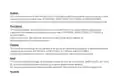
- 3. Connect The Hardware (Position The Antennas Vertically → Insert The Sim Card Into The Slot → Turn On The Router → Connect Your Device To The Router → The Default Ssid And Password Are Printed On The Product Label)
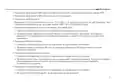
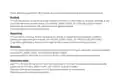
- 4. Customize The 4g Lte Router (Make Sure Your Computer Is Connected To The Router → Enter Http://tplinkmodem.net Or 192.168.1.1 In The Address Bar → Follow The Step-by-step Instructions On The Quick Setup Page → Faq (frequently Asked Questions))
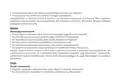
- 5. Verify That Your Sim Card Is An Lte Or Wcdma Card (Check The Lan Connection → Check Your Isp Parameters → Check The Pin Settings → Check The Data Limit → Check The Mobile Data)
- 6. Check The Data Roaming (How To Restore The Router To Its Factory Default Settings? → What Can I Do If I Forget The Password Of The Web Management Page? → What Can I Do If I Forget My Wireless Network Password?)
- 7. Свързване На Хардуера (Разположете Антените → Поставете Sim Картата → Включете Рутера → Свържете Вашето Устройство → Потребителското Име (ssid) И Паролата По Подразбиране)
- 8. Персонализирайте 4g Lte Рутера (Уверете Се, Че Вашият Компютър Е Свързан Към Рутера → Въведете Http://tplinkmodem.net Или 192.168.1.1 В Адресната Лента На Уеб Браузър → Следвайте Инструкциите Стъпка-по-стъпка В Страницата Quick Setup → Рутерът Може Също Да Се Използва В Режим На Безжичен Рутер За Adsl/кабелни Връзки → Чзв (често Задавани Въпроси) → Какво Да Направя, Ако Страницата За Влизане Не Се Появява?)
- 9. Проверете Дали Вашата Sim Карта Е В Района На Услугите На Вашия Интернет Доставчик (isp). (Проверете Дали Вашата Sim Карта Има Достатъчно Кредит. → Проверете Lan Връзката: → Проверете Параметрите От Вашия Интернет Доставчик (isp): → Проверете Pin Настройките: → Проверете Ограничението За Данни: → Проверете Мобилните Данни:)
- 10. Проверете Роуминга На Данни (Как Да Възстановя Състоянието На Рутера До Фабричните Настройки → Какво Да Направя, Ако Забравя Паролата На Страницата За Управление По Интернет? → Какво Да Направя, Ако Забравя Паролата На Моята Безжична Мрежа?)
- 11. Připojení Hardwaru (Antény Nasměrujte Vertikálně. → Zapněte Router. → Připojte Své Zařízení K Routeru (pomocí Kabelu Nebo Bezdrátově). → Výchozí Identifikátor Ssid A Heslo Jsou Vytištěny Na Produktovém Štítku Na Spodní Straně Routeru.)
- 12. Nastavení4glterouteru (Postupujtepodlepokynůnapagequicksetup(rychlénastavení) → Routermůže Být Také Použit (nebo Nakonfigurován) V Režimu Bezdrátového Routeru Pro Adsl/kabelové Připojení → Faq(nejčastějikladenéotázky) → Jak Mám Postupovat, Pokud Se Přihlašovací Stránka Nezobrazí? → Ověřte, Zda Je Počítač Nastaven Na Automatické Získání Ip Adresy Z Routeru → Zkontrolujte, Zda Je Adresa Http://tplinkmodem.net Nebo 192.168.1.1 Ve Vašem Webovém Prohlížeči Správně Zadána)
- 13. Jak Mám Postupovat, Když Se Nemůžu Připojit K Internetu? (Ověřte, Zda Je Vaše Sim Karta Lte Nebo Wcdma. → Zkontrolujte Připojení Lan: → Zkontrolujte Parametry Uvedené Poskytovatelem Internetových Služeb: → Zkontrolujte Nastavení Pin: → Zkontrolujte Datový Limit: → Zkontrolujte Mobilní Data:)
- 14. Otevřete Webový Prohlížeč A Přihlaste Se Na Stránku Webové Správy. (Zapněte Mobilní Data Pro Přístup K Internetu. → Jak Vrátím Konfiguraci Routeru Do Jeho Výchozího Továrního Nastavení? → Jak Mám Postupovat, Když Zapomenu Heslo Pro Přihlášení Na Stránku Webové Správy? → Jak Mám Postupovat, Když Zapomenu Heslo Pro Bezdrátovou Síť?)
- 15. Жабдықты Жалғау (Антенналарды Тік Орналастырыңыз → Sim-картаны Слотына Енгізіңіз → Бағдарғылауышты Қосыңыз → Интернетпен Рахаттаныңыз → Бастапқы Ssid Және Құпиясөз)
- 16. G Lte Бағдарғылауышты Икемдеу (Веб-браузердің Мекенжай Жолына Http://tplinkmodem.net Немесе 192.168.1.1 Енгізіңіз. → Бастапқы Орнатуды Бітіру Үшін Quick Setup (тез Орнату) Бетіндегі Нұсқауларға Бірте-бірте Еріңіз. → Faq(жиі Қойылатын Сұрақтар))
- 17. Sim Картаңызды Тексеріңіз (Lan Қосылуды Тексеріңіз → Ғаламтор Қызмет Жеткізушінің Орнатуларын Тексеріңіз → Pin Баптауларын Тексеріңіз → Деректерді Шектеуді Тексеріңіз → Мобильді Деректерді Тексеріңіз)
- 18. Веб Браузерді Ашып Және Веб Басқару Бетіне Кіріңіз. (Роуминг Деректерді Тексеріңіз: → Бағдарғылауышты Бастапқы Зауыттық Орнатуларға Қалай Қайтаруға Болады? → Егер Мен Веб Басқару Құпиясөзін Ұмытып Қалсам Не Істей Аламын? → Егер Мен Сымсыз Желінің Құпиясөзін Ұмытып Қалсам Не Істей Аламын? → Ескертпе: Өтініш, Қосымша Кемшіліктерді Жою Мәлімет Үшін Біздің Веб Сайтта Faq-ге Сүйеніңіз.)
- 19. Įrenginio Prisijungimas (Antenas Nustatykite Vertikaliai → Stumkite Sim Kortelę Į Vidų → Įjunkite Maršrutizatorių → Mėgaukites Internetu → Prisijunkite Prie Maršrutizatoriaus → Ši Informacija Atspausdinta Ant Lipduko Įrenginio Apačioje)
- 20. Pritaikykite Maršrutizatoriaus 4g Lte Nustatymus (Įsitikinkite, Kad Kompiuteris Yra Prijungtas Prie Maršrutizatoriaus → Atidarykite Interneto Naršyklę Ir Įveskite Adresą → Sekite Žingsnį Po Žingsnio Quick Setup Puslapyje → Maršrutizatorius Taip Pat Gali Būti Konfigūruojamas Darbo Režime → Dažnai Užduodami Klausimai (duk) → Ką Daryti, Jeigu Negaliu Atverti Valdymo Svetainės Lango?)
- 21. Patvirtinkite, Jog Jūsų Sim Kortelė Yra Arba Lte, Arba Wcdma Kortelė. (Įsitikinkite, Kad Jūs Esate Toje Vietoje, Kurią Apima Operatoriaus Tinklas. → Patikrinkite Lan Ryšį: → Patikrinkite Operatoriaus Nustatymus: → Patikrinkite Pin Kodo Nustatymus: → Patikrinkite Duomenų Perdavimo Limitą: → Patikrinkite Duomenų Perdavimą:)
- 22. Įsitikinkite, Kad Jūs Esate Toje Vietoje, Kur Yra Taikomas Tarptinklinis Ryšys, O Tada Atidarykite Interneto Naršyklę Ir Prisijunkite Prie M… (Kaip Grąžinti Gamyklinę Mano Maršrutizatoriaus Konfigūraciją? → Ką Aš Galiu Padaryti, Jei Pamiršau Savo Prisijungimo Slaptažodį? → Ką Daryti, Jeigu Pamiršau Belaidžio Tinklo Slaptažodį? → Dėmesio: Daugiau Informacijos Apie Nesklandumų Šalinimą Rasite Mūsų Svetainės Duk Skiltyje Adresu: Https://www.tp-link.com.)
- 23. Eszközök Csatlakoztatása (Állítsa Az Antennákat Függőleges Pozícióba → Helyezze Be A Sim-káryát A Nyílásba → Kapcsolja Be A Routert → Csatlakoztassa Eszközét A Routerhez)
- 24. Győződjön Meg, Hogy A Számítógépe Csatlakoztatva Van A Routerhez (vezetékesen Vagy Vezeték Nélkül). (Gépelje Be A Http://tplinkmodem.net Vagy A 192.168.1.1 Címet Internet Böngészőjének Címsávjába. → Kövesse Lépésről Lépésre A Quick Setup (gyors Beállítás) Oldal Utasításait A Kezdeti Konfiguráláskor. → Mit Tegyek, Ha Ha Nem Jelenik Meg A Beállítási Felület?)
- 25. Ellenőrizze Hogy Sim Kártyája Lte Vagy Wcdma Kártya E (Ellenőrizze A Lan Csatlakozást → Ellenőrizze A Szolgáltató Adatait → Ellenőrizze A Pin Beállítását → Ellenőrizze Az Adatforgalmi Korlátot → Ellenőrizze A Mobil-internetet)
- 26. Kapcsolja Be A Mobil Adatszolgáltatást Az Internet Eléréséhez. (Ellenőrizze Az Adat Roamingot: → Hogyan Állíthatom Vissza A Router Alap Gyári Beállításait? → Mit Tegyek, Ha Elfelejtettem A Kezelőfelület Belépési Jelszavát? → Mit Tegyek, Ha Elfelejtettem A Vezeték Nélküli Hálózat Jelszavát?)
- 27. Podłączanie Sprzętu (Ustaw Anteny Pionowo → Włóż Kartę Sim Do Gniazda → Włącz Router → Połącz Się Z Routerem)
- 28. Dostosuj Ustawienia Routera 4g Lte (Upewnij Się, Że Komputer Połączony Jest Z Routerem → Otwórz Przeglądarkę Internetową I Wprowadź → Postępuj Zgodnie Z Instrukcjami Na Stronie Quick Setup → Często Zadawane Pytania (faq))
- 29. Sprawdź Połączenie Lan (Sprawdź Ustawienia Parametrów Operatora → Sprawdź Ustawienia Kodu Pin → Sprawdź Limit Transferu Danych → Sprawdź Transfer Danych Mobilnych)
- 30. Włącz Transfer Danych, Aby Uzyskać Dostęp Do Internetu. (Sprawdź Roaming Danych: → Przywracanie Ustawień Fabrycznych Routera → Zapomniane Hasło Do Strony Logowania → Zapomniane Hasło Do Sieci Bezprzewodowej)
- 31. Подключение Устройства (Установите Антенны В Вертикальном Положении → Вставьте Sim-карту В Слот До Щелчка → Включите Ваш Маршрутизатор → Интернет Готов К Использованию → Подключите Ваше Устройство К Маршрутизатору → Имя Сети (ssid) И Пароль По Умолчанию Указаны На Наклейке На Нижней Панели Маршрутизатора)
- 32. Настройте 4g Lte Маршрутизатор (Введите Http://tplinkmodem.net Или 192.168.1.1 В Адресной Строке Веб-браузера → Следуйте Пошаговым Инструкциям На Странице Quick Setup (быстрая Настройка) Для Завершения Настройки → Примечание: Данный Маршрутизатор Может Использоваться (или Быть Настроенным) В Режиме Беспроводного Маршрутизатора Для Соединения Через Adsl Или Кабель → Faq (часто Задаваемые Вопросы) → Что Делать, Если Окно Входа Не Открывается? → Что Делать, Если У Меня Пропал Доступ К Интернет?)
- 33. Убедитесь, Что Ваша Sim-карта Поддерживает Lte Или Wcdma. (Проверьте Подключение По Локальной Сети: → Проверьте Параметры Поставщика Интернет-услуг: → Проверьте Настройки Pin: → Проверьте Data Limit (лимит Трафика): → Проверьте Mobile Data (передача Данных))
- 34. Включите Передачу Данных, Чтобы Получить Доступ К Интернет. (Как Восстановить Заводские Настройки Маршрутизатора? → Что Делать, Если Я Забыл Пароль Управления? → Что Делать, Если Я Забыл Пароль Беспроводной Сети?)
- 35. Conectarea Dispozitivului (Poziționează Antenele Vertical → Împinge Cartela Sim În Slot → Pornește Routerul → Conectează Dispozitivele Tale La Router → Ssid-ul Implicit Și Parola)
- 36. Personalizare Router 4g (Introdu Http://tplinkmodem.net Sau 192.168.1.1 În Bara De Adrese A Unui Browser Web → Respectă Instrucțiunile Pas Cu Pas Din Pagina Quick Setup (configurare Rapidă) → Întrebări Frecvente (faq))
- 37. Verifică Dacă Cartela Sim Este O Cartelă Lte Sau Wcdma. (Asigură-te Că Ești În Aria De Acoperire A Isp-ului De La Care Ai Cartela Sim. → Verificare Conexiune Lan: → Verifică Parametrii De Conectare De La Isp: → Verifică Setările Pin: → Verifică Limita De Date: → Verifică Datele Mobile:)
- 38. Verificare Roaming Date (Cum Revin La Setările Implicite Din Fabrică Ale Routerului? → Ce Pot Face Dacă Am Uitat Parola Paginii De Management Web? → Ce Pot Face Dacă Am Uitat Parola Rețelei Wireless?)
- 39. Zapojenie Hardvéru (Antény Nastavte Do Zvislej Polohe. → Založte Sim Kartu Do Zásuvky, Kým Nebudete Počuť Kliknutie. → Zapnite Router. → Pripojte Svoje Zariadenie K Routeru (drôtovo Alebo Bezdrôtovo). → Predvolené Ssid A Heslo Je Vytlačené Na Štítku Produktu Na Spodnej Časti Routera.)
- 40. Nastavenie 4g Lte Routera (Postupujte Podľa Inštrukcií Krok-po-kroku Na Stránke Quick Setup (rýchle Nastavenie) → Často Kladené Otázky)
- 41. Overte, Či Je Vaša Sim Karta Lte Alebo Wcdma (Skontrolujte Pripojenie Lan Siete → Skontrolujte Parametre Vášho Poskytovateľa Internetových Služieb (isp) → Skontrolujte Pin Kód → Skontrolujte Dátový Limit → Skontrolujte Mobilné Dáta)
- 42. Aktivujte Mobilné Dáta Pre Prístup K Internetu (Ako Obnovím Predvolené Nastavenia Routera Od Výroby? → Čo Mám Robiť, Ak Zabudnem Heslo Stránky Pre Webovú Správu? → Čo Môžem Robiť, Keď Zabudnem Heslo Do Bezdrôtovej Siete?)
- 43. Povežite Opremu (Postavite Antene Vertikalno → Ubacite Sim Karticu U Slot → Uključite Ruter → Povežite Vaš Uređaj Sa Ruterom)
- 44. Podesite 4g Lte Ruter (Proverite Da Li Je Vaš Računar Povezan Sa Ruterom → Unesite Http://tplinkmodem.net Ili 192.168.1.1 U Adresno Polje Vašeg Pretraživača → Pratite Postupno Uputstvo Na Stranici Quick Setup → Faq(često Postavljana Pitanja) → Šta Da Uradim Ako Se Ne Pojavi Stranica Za Pristup? → Šta Da Uradim Ako Ne Mogu Da Pristupim Internetu?)
- 45. Uverite Se Da Je Vaša Sim Kartica, Lte Ili Wcdma Kartica. (Proverite Lan Vezu: → Proverite Parametre Provajdera: → Proverite Podešavanja Pin-a: → Proverite Ograničenje Količine Podataka: → Proverite Prenos Podataka Preko Mobilne Mreže:)
- 46. Proverite Prenos Podataka U Romingu (Kako Da Vratim Ruter Na Fabrička Podešavanja? → Šta Da Uradim Ako Zaboravim Lozinku Stranice Za Podešavanje? → Šta Da Uradim Ako Zaboravim Lozinku Bežične Mreže?)
- 47. Підключення Апаратного Забезпечення (Встановіть Антени → Вставте Sim Карту → Увімкніть Ваш Маршрутизатор → Підключіть Ваш Пристрій До Маршрутизатора → Ssid Та Пароль За Замовчуванням)
- 48. Налаштування 4g (Лте Маршрутизатора → Швидке Налаштування → Faq(найбільш Розповсюджені Питання))
- 49. Відключіть Та Знову Підключіть Робочий Мережевий Адаптер (Переконайтеся, Що Ваша Sim-карта Відповідає Стандартам Lte Або Wcdma → Перевірте Lan Підключення → Перевірте Параметри Надані Інтернет-провайдером → Перевірте Налаштування Pin → Перевірте Обмеження Трафіку → Перевірте Мобільний Трафік)
- 50. Запустіть Веб-браузер Та Увійдіть На Сторінку Веб-керування. (Включіть Мобільний Трафік Для Доступу В Інтернет. → Дізнайтесь У Вашого Інтернет-провайдера Чи Знаходитесь Ви У Зоні Обслуговування Роумінгу. → Увімкніть Можливість Доступу До Інтернету У Роумінгу. → Як Скинути Маршрутизатор До Його Заводських Налаштувань? → Що Мені Робити, Якщо Я Забув Свій Пароль До Сторінки Веб-керування? → Що Мені Робити, Якщо Я Забув Свій Пароль Бездротової Мережі?)
- 51. Ühenda Riistvara (Paiguta Antennid → Sisesta Sim-kaart → Lülita Ruuter Sisse → Naudi Internetti → Ühenda Oma Seade → Vaikimisi Ssid Ja Parool)
- 52. Veendu, Et Su Arvuti On Ruuteriga Ühendatud (juhtmega Või Juhtmevabalt). Sisesta Veebilehitseja Aadressiribale Http://tplinkmodem.net Või Ht…
- 53. Kinnitage, Et Teie Sim-kaart On Lte Või Wcdma Kaart (Veendu, Et Su Sim-kaart On Teenusepakkuja Võrgu Teeninduspiirkonnas → Veendu, Et Su Sim-kaardil On Piisavalt Krediiti → Kontrolli Lan Ühendust → Kontrolli Oma Teenusepakkuja Parameetreid → Kontrolli Pin Seadeid → Kontrolli Andmepiiranguid)
- 54. Lülita Sisse Mobiilsed Andmed, Et Saada Ligi Internetile. (Kontrolli Andmerändlust → Kuidas Lähtestada Ruuter Selle Tehaseseadetele? → Mis Saab, Kui Ma Unustan Veebihalduse Lehe Parooli? → Mis Saab, Kui Unustan Oma Juhtmevaba Võrgu Parooli?)
- 55. Spajanje Hardvera (Umetnite Sim Karticu → Uključite Usmjerivač → Povežite Uređaj S Usmjerivačem → Zadani Ssid I Lozinka)
- 56. Prilagođavanje Usmjerivača 4g Lte (Provjerite Je Li Računalo Povezano S Usmjerivačem → Unesite Http://tplinkmodem.net Ili Http://192.168.1.1 → Slijedite Navedene Korake Na Stranici Quick Setup → Napomena: Usmjerivač Se Može Upotrebljavati U Načinu Bežičnog Usmjerivača → Čpp (često Postavljana Pitanja) → P1. Što Mogu Učiniti Ako Se Ne Prikaže Stranica Za Prijavu?)
- 57. Provjerite Da Li Je Vaša Sim Kartica L T E Ili Wsdma Kartica. (Provjerite Lan Vezu. → Provjerite Parametre Pružatelja Internetskih Usluga. → Provjerite Postavke Pin-a. → Provjerite Ograničenje Podataka. → Provjerite Mobilne Podatke.)
- 58. Provjerite Podatkovni Roaming (Kako Vratiti Izvorne Tvorničke Postavke Usmjerivača? → Što Mogu Učiniti Ako Zaboravim Lozinku Mrežne Stranice Za Upravljanje? → Što Mogu Učiniti Ako Zaboravim Lozinku Bežične Mreže? → Dodatna Pomoć Za Rješavanje Problema)
- 59. Pievienojiet Aparatūru (Novietojiet Antenas Vertikāli → Ievietojiet Sim Karti Slotā → Ieslēdziet Maršrutētāju → Savienojiet Ierīci Ar Maršrutētāju → Noklusējuma Ssid Un Parole)
- 60. Pielāgojiet 4g Lte Maršrutētāju (Ievadiet Tīmekļa Pārlūkprogrammas Adreses Joslā → Lai Pabeigtu Sākotnējo Konfigurāciju → Maršrutētāju Var Izmantot Bezvadu Maršrutētāja Režīmā → Buj (bieži Uzdotie Jautājumi) → Ko Es Varu Darīt, Ja Pieteikšanās Lapa Neparādās?)
- 61. Pārbaudiet, Vai Jūsu Sim Karte Ir Lte Vai Wcdma Karte. (Pārbaudiet Lan Savienojumu. → Pārbaudiet Sava Interneta Pakalpojumu Sniedzēja Parametrus. → Pārbaudiet Pin Iestatījumus. → Pārbaudiet Datu Limitu. → Pārbaudiet Mobilos Datus.)
- 62. Iespējojiet Mobilos Datus, Lai Piekļūtu Internetam. (Pārbaudiet Datu Viesabonēšanu: → Kā Atjaunot Maršrutētāju Uz Rūpnīcas Noklusējuma Iestatījumiem? → Ko Es Varu Darīt, Ja Aizmirstu Tīmekļa Pārvaldības Lapas Paroli? → Ko Es Varu Darīt, Ja Aizmirstu Savu Bezvadu Tīkla Paroli?)
- 63. Priključitev Strojne Opreme (Antene Postavite Vertikalno → Vdenite Sim-kartico V Režo → Vklopite Usmerjevalnik → Napravo Povežite Z Usmerjevalnikom → Privzeta Ssid In Geslo Sta Natisnjena Na Oznaki Izdelka)
- 64. Zagotovite, Da Je Vaš Računalnik Povezan Z Usmerjevalnikom (žično Ali Brezžično). (V Naslovno Vrstico Brskalnika Vnesite Http://tplinkmodem.net Ali Http://192.168.1.1. → Za Izvedbo Začetne Konfiguracije Sledite Navodilom Na Strani Quick Setup. → Faq (pogosta Vprašanja) → Kaj Lahko Naredim, Če Se Stran Za Prijavo Ne Pojavi? → Kaj Lahko Storim, Če Nimam Internetnega Dostopa?)
- 65. Preverite, Ali Je Vaša Sim-kartica Znotraj Vašega Območja Storitev (Preverite Vaše Parametre Isp → Preverite Nastavitve Pin → Preverite Omejitev Podatkov → Preverite Podatke Na Mobilnem Telefonu → Preverite Podatkovno Gostovanje)
- 66. Pri Svojem Isp Preverite, Ali Ste Na Območju Storitev Gostovanja. Če Ste, Odprite Spletni Brskalnik In Se Prijavite Na Stran Za Spletno Upra…
- 67. Compliance Declaration (Eu Declaration Of Conformity)
- 68.
- 69. Pełna Deklaracja Zgodności Ue Znajduje Się Na Stronie Https://www.tp-link.com/en/support/ce/.
- 70. Safety Information
- 71. Bezpečnostní Informace (Ohutusalane Teave)
- 72. Seadme Kasutamiseks Lugege Läbi Ja Järgige Ülaltoodud Ohutusalast Teavet. Me Ei Saa Garanteerida, Et Seadme Valesti Kasutamine Ei Põhjustaks…
- 73. Адаптер Құрылғыға Жақын Орнатылуы Және Оңай Қолжетімді Болуы Қажет. (Ierīci Nedrīkst Pakļaut Ūdens, Uguns, Mitruma Vai Karstas Vides Ietekmei. → Nemēģiniet Izjaukt, Remontēt Vai Pārveidot Ierīci. → Ierīces Uzlādēšanai Nelietojiet Bojātu Uzlādes Ierīci Vai Bojātu Usb Kabeli. → Lietojiet Tikai Ražotāja Ieteiktās Uzlādes Ierīces. → Nelietojiet Ierīci Vietās, Kur Bezvadu Ierīču Lietošana Ir Aizliegta.)
- 74. Atsargumo Priemonės (Įrenginio Vieta → Tinkamas Įkrovimas → Naudojimo Apribojimai)
- 75. Używanie Odpowiednich Ładowarek (Umiejscowienie Urządzenia → Środki Ostrożności → Instrukcje Bezpieczeństwa → Ograniczenia W Użytkowaniu)
- 76. Правила И Условия Монтажа Технического Средства, Его Подключения К Электрической Сети И Другим Техническим Средствам, Пуска, Регулирования И… (Правила И Условия Хранения, Перевозки, Реализации И Утилизации → Информация О Мерах, Которые Следует Предпринять При Обнаружении Неисправности Технического Средства)
- 77. Varnostne Informacije (Bezbednosne Informacije → Adaptér Je Potrebné Nainštalovať V Blízkosti Zariadenia Tak, Aby Bol Ľahko Dostupný → Naprava Naj Se Nahaja Izven Dosega Vode, Ognja, Vlage Oziroma Vročih Pogojev → Naprave Ne Poizkušajte Razstavljati, Popravljati Oziroma Spreminjati → Za Polnjenje Naprave Ne Uporabljajte Poškodovanega Polnilca Ali Kablov Usb → Ne Uporabljajte Nepriporočljivih Polnilcev)
- 78. Informacije O Bezbednosti (Preporučeni Punjač → Upotreba Uređaja → Postavljanje Adaptera → Rukovanje Uređajem)
×
TP-Link Archer MR400 4G LTE 300 Mbps Router Installation Guide












English
Customize the 4G LTE Router
1
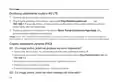
Make sure your computer is connected to the router (via wired or wireless).
2
on the actual web management login page use the default admin for both username and
:
password or create a new password to log in.
3
Follow the step-by-step instructions on the Quick Setup page to complete the initial
configuration.
Note: The router can also be used (or configured) in wireless router mode for ADSL/Cable connections. For more information,
FAQ(Frequently Asked Questions)
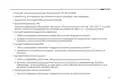
Q1. What can I do if the login page does not appear?
• Verify that the computer is set to obtain an IP address automatically from the router.
• Use another web browser and try again.
• Reboot your router and try again.
• Disable and then enable the active network adapter and try again.
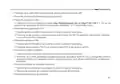
Q2. What can I do if I cannot access the internet?
2

| General | Details |
|---|---|
| Name | TP-Link Archer MR400 4G LTE 300 Mbps Router Installation Guide |
| Make | TP-Link |
| Language | English |
| Filetype | PDF (Download) |
| File size | 0.63 MB |
 (1 votes, average: 5.00 out of 5)
 Loading...
If you have any questions regarding TP-Link Archer MR400 4G LTE 300 Mbps Router Installation Guide, please ask here and describe the problem in detail.

TP-Link T150500-2-DT WiFi Router Instruction Manual

TP-Link Archer AX55 Wi-Fi 6 Router Installation Guide

TP-Link VR300 Archer Modem Router User Guide

TP-Link Omada ER8411 VPN Router Instructions

TP-Link Configure VDSL Router User Guide

TP-Link Archer BE805 BE19000 Tri-Band Wi-Fi 7 Router User Manual

TP-Link VR600 Wireless DSL Modem Router Installation Guide

TP-Link AX58 Dual Band Gigabit Wi-Fi 6 Router Installation Guide

TP-Link AC750 Wireless Dual Band Router Owner’s Manual

TP-Link AX6000 8-Stream Wi-Fi 6 Router Installation Guide


Shanghai Notion Information Technology M271T LTE Wireless Router User Guide

NETGEAR RS200 Nighthawk WiFi 7 Dual Band Router Owner’s Manual

TUGE TR10NA IOT 4G Router User Guide

MOXA EDR-8010 Series Secure Router Installation Guide

LANCOM SYSTEMS LANCOM OAP-830 Wireless Router User Guide

inseego 5G Router FX2000e User Guide

DBIT AC1200 Dual Band WiFi Router Instructions

NEXXT SOLUTIONS NBL301P NebulaN301 Wireless-N Router Installation Guide

Amped Wireless R10000 High Power Wireless N 600mW Router User Guide

Cudy WR3000SE AX3000 Gigabit Mesh Wi-Fi 6 Router Owner’s Manual
Table of Contents
- 1. Quick Installation Guide - G Lte Router →
- 2. Page 2 →
- 3. Connect The Hardware - Position The Antennas Vertically →
- 4. Customize The 4g Lte Router - Make Sure Your Computer Is Con... →
- 5. Verify That Your Sim Card Is An Lte Or Wcdma Card - Check Th... →
- 6. Check The Data Roaming - How To Restore The Router To Its Fa... →
- 7. Свързване На Хардуера - Разположете Антените →
- 8. Персонализирайте 4g Lte Рутера - Уверете Се, Че Вашият Компю... →
- 9. Проверете Дали Вашата Sim Карта Е В Района На Услугите На Ва... →
- 10. Проверете Роуминга На Данни - Как Да Възстановя Състоянието ... →
- 11. Připojení Hardwaru - Antény Nasměrujte Vertikálně. →
- 12. Nastavení4glterouteru - Postupujtepodlepokynůnapagequicksetu... →
- 13. Jak Mám Postupovat, Když Se Nemůžu Připojit K Internetu? - O... →
- 14. Otevřete Webový Prohlížeč A Přihlaste Se Na Stránku Webové S... →
- 15. Жабдықты Жалғау - Антенналарды Тік Орналастырыңыз →
- 16. G Lte Бағдарғылауышты Икемдеу - Веб-браузердің Мекенжай Жолы... →
- 17. Sim Картаңызды Тексеріңіз - Lan Қосылуды Тексеріңіз →
- 18. Веб Браузерді Ашып Және Веб Басқару Бетіне Кіріңіз. - Роумин... →
- 19. Įrenginio Prisijungimas - Antenas Nustatykite Vertikaliai →
- 20. Pritaikykite Maršrutizatoriaus 4g Lte Nustatymus - Įsitikink... →
- 21. Patvirtinkite, Jog Jūsų Sim Kortelė Yra Arba Lte, Arba Wcdma... →
- 22. Įsitikinkite, Kad Jūs Esate Toje Vietoje, Kur Yra Taikomas T... →
- 23. Eszközök Csatlakoztatása - Állítsa Az Antennákat Függőleges ... →
- 24. Győződjön Meg, Hogy A Számítógépe Csatlakoztatva Van A Route... →
- 25. Ellenőrizze Hogy Sim Kártyája Lte Vagy Wcdma Kártya E - Elle... →
- 26. Kapcsolja Be A Mobil Adatszolgáltatást Az Internet Eléréséhe... →
- 27. Podłączanie Sprzętu - Ustaw Anteny Pionowo →
- 28. Dostosuj Ustawienia Routera 4g Lte - Upewnij Się, Że Kompute... →
- 29. Sprawdź Połączenie Lan - Sprawdź Ustawienia Parametrów Opera... →
- 30. Włącz Transfer Danych, Aby Uzyskać Dostęp Do Internetu. - Sp... →
- 31. Подключение Устройства - Установите Антенны В Вертикальном П... →
- 32. Настройте 4g Lte Маршрутизатор - Введите Http://tplinkmodem.... →
- 33. Убедитесь, Что Ваша Sim-карта Поддерживает Lte Или Wcdma. - ... →
- 34. Включите Передачу Данных, Чтобы Получить Доступ К Интернет. ... →
- 35. Conectarea Dispozitivului - Poziționează Antenele Vertical →
- 36. Personalizare Router 4g - Introdu Http://tplinkmodem.net Sau... →
- 37. Verifică Dacă Cartela Sim Este O Cartelă Lte Sau Wcdma. - Asi... →
- 38. Verificare Roaming Date - Cum Revin La Setările Implicite Din... →
- 39. Zapojenie Hardvéru - Antény Nastavte Do Zvislej Polohe. →
- 40. Nastavenie 4g Lte Routera - Postupujte Podľa Inštrukcií Krok... →
- 41. Overte, Či Je Vaša Sim Karta Lte Alebo Wcdma - Skontrolujte ... →
- 42. Aktivujte Mobilné Dáta Pre Prístup K Internetu - Ako Obnovím... →
- 43. Povežite Opremu - Postavite Antene Vertikalno →
- 44. Podesite 4g Lte Ruter - Proverite Da Li Je Vaš Računar Povez... →
- 45. Uverite Se Da Je Vaša Sim Kartica, Lte Ili Wcdma Kartica. - ... →
- 46. Proverite Prenos Podataka U Romingu - Kako Da Vratim Ruter N... →
- 47. Підключення Апаратного Забезпечення - Встановіть Антени →
- 48. Налаштування 4g - Лте Маршрутизатора →
- 49. Відключіть Та Знову Підключіть Робочий Мережевий Адаптер - П... →
- 50. Запустіть Веб-браузер Та Увійдіть На Сторінку Веб-керування.... →
- 51. Ühenda Riistvara - Paiguta Antennid →
- 52. Veendu, Et Su Arvuti On Ruuteriga Ühendatud (juhtmega Või Ju... →
- 53. Kinnitage, Et Teie Sim-kaart On Lte Või Wcdma Kaart - Veendu... →
- 54. Lülita Sisse Mobiilsed Andmed, Et Saada Ligi Internetile. - ... →
- 55. Spajanje Hardvera - Umetnite Sim Karticu →
- 56. Prilagođavanje Usmjerivača 4g Lte - Provjerite Je Li Računal... →
- 57. Provjerite Da Li Je Vaša Sim Kartica L T E Ili Wsdma Kartica... →
- 58. Provjerite Podatkovni Roaming - Kako Vratiti Izvorne Tvornič... →
- 59. Pievienojiet Aparatūru - Novietojiet Antenas Vertikāli →
- 60. Pielāgojiet 4g Lte Maršrutētāju - Ievadiet Tīmekļa Pārlūkpro... →
- 61. Pārbaudiet, Vai Jūsu Sim Karte Ir Lte Vai Wcdma Karte. - Pār... →
- 62. Iespējojiet Mobilos Datus, Lai Piekļūtu Internetam. - Pārbau... →
- 63. Priključitev Strojne Opreme - Antene Postavite Vertikalno →
- 64. Zagotovite, Da Je Vaš Računalnik Povezan Z Usmerjevalnikom (... →
- 65. Preverite, Ali Je Vaša Sim-kartica Znotraj Vašega Območja St... →
- 66. Pri Svojem Isp Preverite, Ali Ste Na Območju Storitev Gostov... →
- 67. Compliance Declaration - Eu Declaration Of Conformity →
- 68. Page 68 →
- 69. Pełna Deklaracja Zgodności Ue Znajduje Się Na Stronie Https:... →
- 70. Safety Information →
- 71. Bezpečnostní Informace - Ohutusalane Teave →
- 72. Seadme Kasutamiseks Lugege Läbi Ja Järgige Ülaltoodud Ohutus... →
- 73. Адаптер Құрылғыға Жақын Орнатылуы Және Оңай Қолжетімді Болуы... →
- 74. Atsargumo Priemonės - Įrenginio Vieta →
- 75. Używanie Odpowiednich Ładowarek - Umiejscowienie Urządzenia →
- 76. Правила И Условия Монтажа Технического Средства, Его Подключ... →
- 77. Varnostne Informacije - Bezbednosne Informacije →
- 78. Informacije O Bezbednosti - Preporučeni Punjač →