×
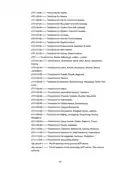
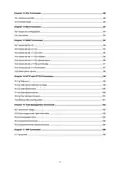
- 1. Cli Reference Guide
- 2. Accessing The Cli (Cli Command Modes → Public Commands → User Management Commands → Dhcp Commands)
- 3. Ssh Commands (Snmp Commands → Http And Https Commands → Time Management Commands → Arp Commands)
- 4. Remote Assistance (System Tools → Diagnostics → Ssh Login → Connection Type → Public Mode)
- 5. Command Modes (User Exec Mode → Public Mode → Global Configuration Mode → Config Dhcp Mode → Config Vlan Mode → Interface Mode)
- 6. User Exec Mode (Command Modes → Format Conventions → Special Characters → Parameter Format)
- 7. One Or Several Values Can Be Typed For A Port-list Or A Vlan-list Using Comma To Separate.
- 8. Enable (Disable → Config)
- 9. Enter The Global Configuration Mode From The Public Mode: (Show History → Clear History)
- 10. Description (Syntax → Command Mode)
- 11. View The System Information Of Your Gateway (Ping Command → Tracert Command)
- 12. To Test The Connectivity Between The Gateway And A Tested Host (e.g., 192.168.88.100) Through The Tracert Command:
- 13. User Management Commands (Description → Syntax → Parameter → Command Mode → Example)
- 14. Dhcp Commands (Service Dhcp Server → Ip Dhcp Server Pool)
- 15. Parameter (Command Mode → Example → Description → Syntax → Network Address → Subnet Mask)
- 16. Vlan-id (Lease)
- 17. Default-gateway (Domain-name)
- 18. Parameter (Domainname → Command Mode → Config Dhcp Server Mode → Dns-server → Syntax)
- 19. Option Command (No Option Command → Parameter → Command Mode → Example)
- 20. Ip Dhcp Relay Helper-address (Show Dhcp Relay)
- 21. Show Ip Dhcp Server Pool (Show Ip Dhcp Server Status)
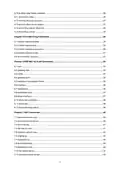
- 22. Show Dhcp Server Client-list (Show Dhcp Server)
- 23. Port Mirror Function Allows The Gateway To Forward Packet Copies Of The Monitored Ports To A Specific Monitoring Port. Then You Can Analyze … (Monitor Session Enable → Monitor Session Port)
- 24. Command Mode (Global Configuration Mode → Monitor Session Source Port → Syntax → Parameter → Example)
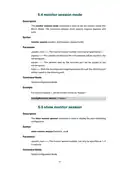
- 25. Monitor Session Mode (Show Monitor Session)
- 26. Display The Monitoring Configuration Of Monitor Session 1:
- 27. Chapter 6 (Ieee 802.1q Vlan Commands → Vlan → Description → Syntax → Parameter → Command Mode → Example)
- 28. Gateway Vlan (Name)
- 29. Gateway Port (Switchport Acceptable Frame)
- 30. Vlan Configuration (Interface Command → Command Mode → Description Command)
- 31. Syntax (Parameter → Command Mode → Interface Mode → Example → Description)
- 32. Syntax (Parameter → Command Mode → Example)
- 33. Syntax (Command Mode → Example → Description)
- 34. Nat Commands (Show Nat One-to-one → Show Nat Virtual-server)
- 35. Show Nat Virtual-server (Show Nat Alg → Nat One-to-one)
- 36. Parameter (Command Mode → Example → Description → Syntax → Command Mode → Example)
- 37. Syntax (Parameter → Command Mode → Example → Description)
- 38. Dmz Forwarding (Description-one → Syntax → Parameter → Command Mode → Example)
- 39. Nat Virtual-server (Interface Virtual-server → Description → Command Mode → Syntax → Parameter)
- 40. Interface Virtual-server (External Port → Command Mode → Parameter)
- 41. Internal Port (Internal Server-ip → Command Mode → Syntax → Parameter → Description → Example)
- 42. Protocol (Nat Alg)
- 43. No Nat Alg (Command Mode → Global Configuration Mode → Example)
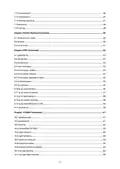
- 44. Static Routing Commands (Show Ip Route Static → Ip Route)
- 45. Command Mode (Global Configuration Mode → Example → Syntax → Parameter)
- 46. Gateway Rip (Rip Version)
- 47. Command Mode (Config Rip Mode → Description → Syntax → Parameter)
- 48. Command Mode (Config Rip Mode → Enable Auto Summary → Timers Basic Update → Timers Basic Timeout)
- 49. Command Mode (Config Rip Mode → Timers Basic Garbage-collect → Timers Basic → No Timers Basic)
- 50. Restore The Update Timer, Timeout Timer, And Garbage Timer To The Default: (Description → Syntax → Parameter → Command Mode → Example)
- 51. Command Mode (Interface Mode → Example → Description → Syntax → Parameter)
- 52. Description (Syntax → Command Mode → Example)
- 53. Ip Rip Authentication-mode (Show Ip Rip)
- 54. Command Mode (Example → Show The Detailed Information Of The Rip Settings)
- 55. Ospf Commands (Gateway Ospf → Gateway-id)
- 56. Set The Gateway Id As '192.168.88.4' (Area-id → Compatible Rfc1583)
- 57. Enablerfc1583compatibility (Ospf-network → Description → Syntax → Parameter → Commandmode → Ospf-distance)
- 58. Parameter (Command Mode → Example → Description → Syntax)
- 59. Maximum-paths (Passive-interface Default → Description → Syntax → Parameter → Command Mode → Example)
- 60. Ip Ospf Priority (Ip Ospf Hello-interval → Description → Syntax → Parameter → Command Mode → Example)
- 61. Ip Ospf Hello-interval (Ip Ospf Dead-interval → Ip Ospf Transmit-delay → Description → Syntax → Parameter → Command Mode)
- 62. Ip Ospf Transmit-delay (Ip Ospf Retransmit-interval → Ip Ospf Cost)
- 63. Command Mode (Interface Mode → Description → Syntax → Parameter)
- 64. Syntax (Parameter → Command Mode → Example → Description)
- 65. Set The Authentication Type (Set The Simple-key → Set The Ospf Network Type → Show The Ospf Link State Database)
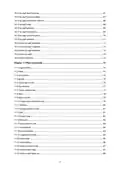
- 66. Description (Syntax → Command Mode)
- 67. Description (Syntax → Command Mode → Example)
- 68. Ipsec Commands (Crypto Policy → Hash)
- 69. Syntax (Parameter → Command Mode → Example → Description → Encryption)
- 70. Group (Exchange-mode)
- 71. Command Mode (Ipsec_isakmp Mode → Ike-lifetime → Crypto Isakmp Key)
- 72. Syntax (Parameter → Command Mode → Example → Description)
- 73. Dpd-interval (Crypto Ipsec Transform-set → Description → Syntax → Parameter → Command Mode → Example)
- 74. Command Mode (Global Configuration Mode → Description → Syntax → Parameter → Example → Lifetime)
- 75. Encapsulation-mode (Pfs)
- 76. Command Mode (Ipsec_transform Mode → Crypto Map → Set Peer)
- 77. Syntax (Parameter → Command Mode → Example → Description)
- 78. Localsubnet (Remotesubnet → Description → Syntax → Parameter → Command Mode → Example)
- 79. Negotiation-mode (Ipsec Map)
- 80. Parameter (Command Mode → Interface Mode → Syntax → Description → Example → Show Policy)
- 81. Show All Ikev2 Policy (Show Transform-set → Show All Transform-set → Show Crypto Map → Show All Crypto Map)
- 82. Command Mode (Example → Description → Syntax → Parameter)
- 83. Show Access-list (Access-list Ip)
- 84. Position ({deny | Permit} → {all | Ftp | Ssh | Telnet | Smtp | Dns | Http | Pop3 | Sntp | H323 | Icmpv6} → {wan | Lan | Lan-lan | All} → {sip-address} → {dip-address} → Time-range)
- 85. Create An Access Control Rule With The Following Settings: Name: Example Priority: 1 Policy: Permit Service Type: Ftp Direction: All Source:…
- 86. Show Ssh Configuration (Ssh Server)
- 87. Enable The Ssh Function
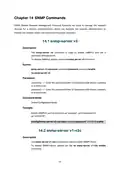
- 88. Snmp-server V3 (Snmp-server V1-v2c → Description → Syntax → Parameter → Command Mode → Example)
- 89. Snmp-server V1-v2c Enable (Snmp-server V1-v2c Host → Command Mode → Global Configuration Mode → Example → Description → Parameter)
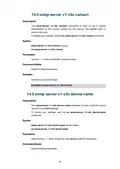
- 90. Snmp-server V1-v2c Contact (Snmp-server V1-v2c Device-name → Description → Syntax → Parameter → Command Mode → Example)
- 91. Snmp-server V1-v2c Community (Snmp-server V1-v2c Location → Command Mode → Description → Syntax → Parameter)
- 92. Parameter (Command Mode → Global Configuration Mode → Example → Description → Syntax → Command Mode)
- 93. Http And Https Commands (Ip Http Port → Ip Http Server Redirect-to-https)
- 94. Command Mode (Global Configuration Mode → Ip Http Secure-port → Ip Http Secure-server)
- 95. Enable The Https Server: (Ip Http Session Timeout → Show Ip Http Configuration)
- 96. View The Settings Of The Http Server And The Https Server
- 97. Show Time-range (Time-range Week-date Time-slice)
- 98. Time1 (Time2 → Time3 → Time4 → Command Mode → Global Configuration Mode → Example)
- 99. System-time Manual (System-time Ntp Timezone Server → Command Mode → Parameter)
- 100. Ntp-server1 (Ntp-server2)
- 101. Arp Commands (Show Arp → Description → Syntax → Command Mode → Example)
×
TP-Link Omada ER605 Gigabit VPN Router User Guide
Example
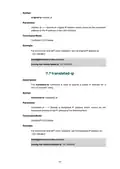
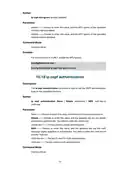
Show the OSPF link state database.
>enable
#show ip ospf database
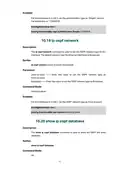
10.21 show ip ospf neighbor
Description
The show ip ospf neighbor command is used to show the OSPF neighbor
table information.
Syntax
show ip ospf neighbor
Command Mode
All
Example
Show the OSPF neighbor table information:
>enable
#show ip ospf neighbor
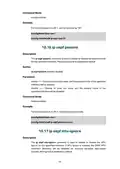
10.22 show ip ospf interface
Description
The show ip ospf interface command is used to show the OSPF interface
information.
Syntax
show ip ospf interface
Command Mode
All
Example
Show the OSPF interface information:
>enable
72
| General | Details |
|---|---|
| Name | TP-Link Omada ER605 Gigabit VPN Router User Guide |
| Make | TP-Link |
| Language | English |
| Filetype | PDF (Download) |
| File size | 0.61 MB |
If you have any questions regarding TP-Link Omada ER605 Gigabit VPN Router User Guide, please ask here and describe the problem in detail.

TP-Link VR300 Archer Modem Router User Guide

TP-Link T150500-2-DT WiFi Router Instruction Manual

TP-Link Archer AX55 Wi-Fi 6 Router Installation Guide

TP-Link Omada ER8411 VPN Router Instructions

TP-Link Configure VDSL Router User Guide

TP-Link Archer BE805 BE19000 Tri-Band Wi-Fi 7 Router User Manual

TP-Link VR600 Wireless DSL Modem Router Installation Guide

TP-Link AX58 Dual Band Gigabit Wi-Fi 6 Router Installation Guide

TP-Link AC750 Wireless Dual Band Router Owner’s Manual

TP-Link AX6000 8-Stream Wi-Fi 6 Router Installation Guide


ioGiant AX1800 Wi-Fi Router Wireless Router Installation Guide

dahua N300 Wireless Router User Guide

TP-Link Archer AX20 AX1800 WiFi 6 WiFi Router User Guide

Ruijie EG105GWT Wi-Fi 5 1267Mbps Wireless All-in-One Router User Manual

dahua DH-MAX18-3 MAX18 Mesh Wireless Router User Guide

Urant U20 Wireless Router Installation Guide

HUAWEI WS7100 V2 WiFi 6 Plus WiFi Router User Guide

ASUS GT-BE98 Quad Band Gaming Router User Guide

KAON BROADBAND AR1840 WiFi Router Installation Guide

ASUS RT-AXE7800 Dual Band WiFi Router User Guide
Table of Contents
- 1. Cli Reference Guide →
- 2. Accessing The Cli - Cli Command Modes →
- 3. Ssh Commands - Snmp Commands →
- 4. Remote Assistance - System Tools →
- 5. Command Modes - User Exec Mode →
- 6. User Exec Mode - Command Modes →
- 7. One Or Several Values Can Be Typed For A Port-list Or A Vlan... →
- 8. Enable - Disable →
- 9. Enter The Global Configuration Mode From The Public Mode: - ... →
- 10. Description - Syntax →
- 11. View The System Information Of Your Gateway - Ping Command →
- 12. To Test The Connectivity Between The Gateway And A Tested Ho... →
- 13. User Management Commands - Description →
- 14. Dhcp Commands - Service Dhcp Server →
- 15. Parameter - Command Mode →
- 16. Vlan-id - Lease →
- 17. Default-gateway - Domain-name →
- 18. Parameter - Domainname →
- 19. Option Command - No Option Command →
- 20. Ip Dhcp Relay Helper-address - Show Dhcp Relay →
- 21. Show Ip Dhcp Server Pool - Show Ip Dhcp Server Status →
- 22. Show Dhcp Server Client-list - Show Dhcp Server →
- 23. Port Mirror Function Allows The Gateway To Forward Packet Co... →
- 24. Command Mode - Global Configuration Mode →
- 25. Monitor Session Mode - Show Monitor Session →
- 26. Display The Monitoring Configuration Of Monitor Session 1: →
- 27. Chapter 6 - Ieee 802.1q Vlan Commands →
- 28. Gateway Vlan - Name →
- 29. Gateway Port - Switchport Acceptable Frame →
- 30. Vlan Configuration - Interface Command →
- 31. Syntax - Parameter →
- 32. Syntax - Parameter →
- 33. Syntax - Command Mode →
- 34. Nat Commands - Show Nat One-to-one →
- 35. Show Nat Virtual-server - Show Nat Alg →
- 36. Parameter - Command Mode →
- 37. Syntax - Parameter →
- 38. Dmz Forwarding - Description-one →
- 39. Nat Virtual-server - Interface Virtual-server →
- 40. Interface Virtual-server - External Port →
- 41. Internal Port - Internal Server-ip →
- 42. Protocol - Nat Alg →
- 43. No Nat Alg - Command Mode →
- 44. Static Routing Commands - Show Ip Route Static →
- 45. Command Mode - Global Configuration Mode →
- 46. Gateway Rip - Rip Version →
- 47. Command Mode - Config Rip Mode →
- 48. Command Mode - Config Rip Mode →
- 49. Command Mode - Config Rip Mode →
- 50. Restore The Update Timer, Timeout Timer, And Garbage Timer T... →
- 51. Command Mode - Interface Mode →
- 52. Description - Syntax →
- 53. Ip Rip Authentication-mode - Show Ip Rip →
- 54. Command Mode - Example →
- 55. Ospf Commands - Gateway Ospf →
- 56. Set The Gateway Id As '192.168.88.4' - Area-id →
- 57. Enablerfc1583compati... - Ospf-network →
- 58. Parameter - Command Mode →
- 59. Maximum-paths - Passive-interface Default →
- 60. Ip Ospf Priority - Ip Ospf Hello-interval →
- 61. Ip Ospf Hello-interval - Ip Ospf Dead-interval →
- 62. Ip Ospf Transmit-delay - Ip Ospf Retransmit-interval →
- 63. Command Mode - Interface Mode →
- 64. Syntax - Parameter →
- 65. Set The Authentication Type - Set The Simple-key →
- 66. Description - Syntax →
- 67. Description - Syntax →
- 68. Ipsec Commands - Crypto Policy →
- 69. Syntax - Parameter →
- 70. Group - Exchange-mode →
- 71. Command Mode - Ipsec_isakmp Mode →
- 72. Syntax - Parameter →
- 73. Dpd-interval - Crypto Ipsec Transform-set →
- 74. Command Mode - Global Configuration Mode →
- 75. Encapsulation-mode - Pfs →
- 76. Command Mode - Ipsec_transform Mode →
- 77. Syntax - Parameter →
- 78. Localsubnet - Remotesubnet →
- 79. Negotiation-mode - Ipsec Map →
- 80. Parameter - Command Mode →
- 81. Show All Ikev2 Policy - Show Transform-set →
- 82. Command Mode - Example →
- 83. Show Access-list - Access-list Ip →
- 84. Position - {deny | Permit} →
- 85. Create An Access Control Rule With The Following Settings: N... →
- 86. Show Ssh Configuration - Ssh Server →
- 87. Enable The Ssh Function →
- 88. Snmp-server V3 - Snmp-server V1-v2c →
- 89. Snmp-server V1-v2c Enable - Snmp-server V1-v2c Host →
- 90. Snmp-server V1-v2c Contact - Snmp-server V1-v2c Device-name →
- 91. Snmp-server V1-v2c Community - Snmp-server V1-v2c Location →
- 92. Parameter - Command Mode →
- 93. Http And Https Commands - Ip Http Port →
- 94. Command Mode - Global Configuration Mode →
- 95. Enable The Https Server: - Ip Http Session Timeout →
- 96. View The Settings Of The Http Server And The Https Server →
- 97. Show Time-range - Time-range Week-date Time-slice →
- 98. Time1 - Time2 →
- 99. System-time Manual - System-time Ntp Timezone Server →
- 100. Ntp-server1 - Ntp-server2 →
- 101. Arp Commands - Show Arp →