×
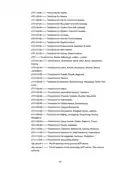
- 1. Cli Reference Guide
- 2. Accessing The Cli (Cli Command Modes → Public Commands → User Management Commands → Dhcp Commands)
- 3. Ssh Commands (Snmp Commands → Http And Https Commands → Time Management Commands → Arp Commands)
- 4. Remote Assistance (System Tools → Diagnostics → Ssh Login → Connection Type → Public Mode)
- 5. Command Modes (User Exec Mode → Public Mode → Global Configuration Mode → Config Dhcp Mode → Config Vlan Mode → Interface Mode)
- 6. User Exec Mode (Command Modes → Format Conventions → Special Characters → Parameter Format)
- 7. One Or Several Values Can Be Typed For A Port-list Or A Vlan-list Using Comma To Separate.
- 8. Enable (Disable → Config)
- 9. Enter The Global Configuration Mode From The Public Mode: (Show History → Clear History)
- 10. Description (Syntax → Command Mode)
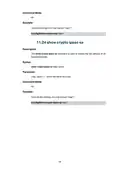
- 11. View The System Information Of Your Gateway (Ping Command → Tracert Command)
- 12. To Test The Connectivity Between The Gateway And A Tested Host (e.g., 192.168.88.100) Through The Tracert Command:
- 13. User Management Commands (Description → Syntax → Parameter → Command Mode → Example)
- 14. Dhcp Commands (Service Dhcp Server → Ip Dhcp Server Pool)
- 15. Parameter (Command Mode → Example → Description → Syntax → Network Address → Subnet Mask)
- 16. Vlan-id (Lease)
- 17. Default-gateway (Domain-name)
- 18. Parameter (Domainname → Command Mode → Config Dhcp Server Mode → Dns-server → Syntax)
- 19. Option Command (No Option Command → Parameter → Command Mode → Example)
- 20. Ip Dhcp Relay Helper-address (Show Dhcp Relay)
- 21. Show Ip Dhcp Server Pool (Show Ip Dhcp Server Status)
- 22. Show Dhcp Server Client-list (Show Dhcp Server)
- 23. Port Mirror Function Allows The Gateway To Forward Packet Copies Of The Monitored Ports To A Specific Monitoring Port. Then You Can Analyze … (Monitor Session Enable → Monitor Session Port)
- 24. Command Mode (Global Configuration Mode → Monitor Session Source Port → Syntax → Parameter → Example)
- 25. Monitor Session Mode (Show Monitor Session)
- 26. Display The Monitoring Configuration Of Monitor Session 1:
- 27. Chapter 6 (Ieee 802.1q Vlan Commands → Vlan → Description → Syntax → Parameter → Command Mode → Example)
- 28. Gateway Vlan (Name)
- 29. Gateway Port (Switchport Acceptable Frame)
- 30. Vlan Configuration (Interface Command → Command Mode → Description Command)
- 31. Syntax (Parameter → Command Mode → Interface Mode → Example → Description)
- 32. Syntax (Parameter → Command Mode → Example)
- 33. Syntax (Command Mode → Example → Description)
- 34. Nat Commands (Show Nat One-to-one → Show Nat Virtual-server)
- 35. Show Nat Virtual-server (Show Nat Alg → Nat One-to-one)
- 36. Parameter (Command Mode → Example → Description → Syntax → Command Mode → Example)
- 37. Syntax (Parameter → Command Mode → Example → Description)
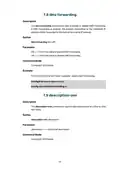
- 38. Dmz Forwarding (Description-one → Syntax → Parameter → Command Mode → Example)
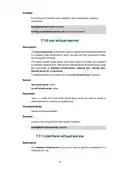
- 39. Nat Virtual-server (Interface Virtual-server → Description → Command Mode → Syntax → Parameter)
- 40. Interface Virtual-server (External Port → Command Mode → Parameter)
- 41. Internal Port (Internal Server-ip → Command Mode → Syntax → Parameter → Description → Example)
- 42. Protocol (Nat Alg)
- 43. No Nat Alg (Command Mode → Global Configuration Mode → Example)
- 44. Static Routing Commands (Show Ip Route Static → Ip Route)
- 45. Command Mode (Global Configuration Mode → Example → Syntax → Parameter)
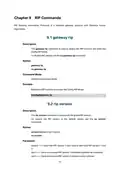
- 46. Gateway Rip (Rip Version)
- 47. Command Mode (Config Rip Mode → Description → Syntax → Parameter)
- 48. Command Mode (Config Rip Mode → Enable Auto Summary → Timers Basic Update → Timers Basic Timeout)
- 49. Command Mode (Config Rip Mode → Timers Basic Garbage-collect → Timers Basic → No Timers Basic)
- 50. Restore The Update Timer, Timeout Timer, And Garbage Timer To The Default: (Description → Syntax → Parameter → Command Mode → Example)
- 51. Command Mode (Interface Mode → Example → Description → Syntax → Parameter)
- 52. Description (Syntax → Command Mode → Example)
- 53. Ip Rip Authentication-mode (Show Ip Rip)
- 54. Command Mode (Example → Show The Detailed Information Of The Rip Settings)
- 55. Ospf Commands (Gateway Ospf → Gateway-id)
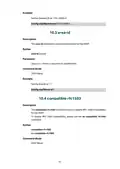
- 56. Set The Gateway Id As '192.168.88.4' (Area-id → Compatible Rfc1583)
- 57. Enablerfc1583compatibility (Ospf-network → Description → Syntax → Parameter → Commandmode → Ospf-distance)
- 58. Parameter (Command Mode → Example → Description → Syntax)
- 59. Maximum-paths (Passive-interface Default → Description → Syntax → Parameter → Command Mode → Example)
- 60. Ip Ospf Priority (Ip Ospf Hello-interval → Description → Syntax → Parameter → Command Mode → Example)
- 61. Ip Ospf Hello-interval (Ip Ospf Dead-interval → Ip Ospf Transmit-delay → Description → Syntax → Parameter → Command Mode)
- 62. Ip Ospf Transmit-delay (Ip Ospf Retransmit-interval → Ip Ospf Cost)
- 63. Command Mode (Interface Mode → Description → Syntax → Parameter)
- 64. Syntax (Parameter → Command Mode → Example → Description)
- 65. Set The Authentication Type (Set The Simple-key → Set The Ospf Network Type → Show The Ospf Link State Database)
- 66. Description (Syntax → Command Mode)
- 67. Description (Syntax → Command Mode → Example)
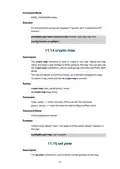
- 68. Ipsec Commands (Crypto Policy → Hash)
- 69. Syntax (Parameter → Command Mode → Example → Description → Encryption)
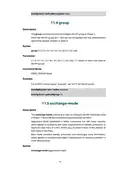
- 70. Group (Exchange-mode)
- 71. Command Mode (Ipsec_isakmp Mode → Ike-lifetime → Crypto Isakmp Key)
- 72. Syntax (Parameter → Command Mode → Example → Description)
- 73. Dpd-interval (Crypto Ipsec Transform-set → Description → Syntax → Parameter → Command Mode → Example)
- 74. Command Mode (Global Configuration Mode → Description → Syntax → Parameter → Example → Lifetime)
- 75. Encapsulation-mode (Pfs)
- 76. Command Mode (Ipsec_transform Mode → Crypto Map → Set Peer)
- 77. Syntax (Parameter → Command Mode → Example → Description)
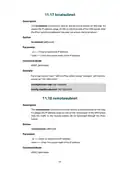
- 78. Localsubnet (Remotesubnet → Description → Syntax → Parameter → Command Mode → Example)
- 79. Negotiation-mode (Ipsec Map)
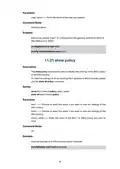
- 80. Parameter (Command Mode → Interface Mode → Syntax → Description → Example → Show Policy)
- 81. Show All Ikev2 Policy (Show Transform-set → Show All Transform-set → Show Crypto Map → Show All Crypto Map)
- 82. Command Mode (Example → Description → Syntax → Parameter)
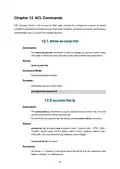
- 83. Show Access-list (Access-list Ip)
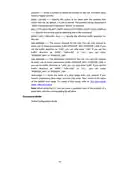
- 84. Position ({deny | Permit} → {all | Ftp | Ssh | Telnet | Smtp | Dns | Http | Pop3 | Sntp | H323 | Icmpv6} → {wan | Lan | Lan-lan | All} → {sip-address} → {dip-address} → Time-range)
- 85. Create An Access Control Rule With The Following Settings: Name: Example Priority: 1 Policy: Permit Service Type: Ftp Direction: All Source:…
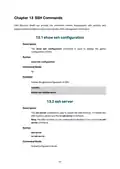
- 86. Show Ssh Configuration (Ssh Server)
- 87. Enable The Ssh Function
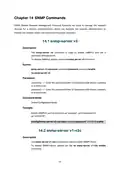
- 88. Snmp-server V3 (Snmp-server V1-v2c → Description → Syntax → Parameter → Command Mode → Example)
- 89. Snmp-server V1-v2c Enable (Snmp-server V1-v2c Host → Command Mode → Global Configuration Mode → Example → Description → Parameter)
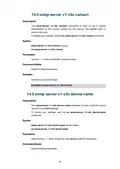
- 90. Snmp-server V1-v2c Contact (Snmp-server V1-v2c Device-name → Description → Syntax → Parameter → Command Mode → Example)
- 91. Snmp-server V1-v2c Community (Snmp-server V1-v2c Location → Command Mode → Description → Syntax → Parameter)
- 92. Parameter (Command Mode → Global Configuration Mode → Example → Description → Syntax → Command Mode)
- 93. Http And Https Commands (Ip Http Port → Ip Http Server Redirect-to-https)
- 94. Command Mode (Global Configuration Mode → Ip Http Secure-port → Ip Http Secure-server)
- 95. Enable The Https Server: (Ip Http Session Timeout → Show Ip Http Configuration)
- 96. View The Settings Of The Http Server And The Https Server
- 97. Show Time-range (Time-range Week-date Time-slice)
- 98. Time1 (Time2 → Time3 → Time4 → Command Mode → Global Configuration Mode → Example)
- 99. System-time Manual (System-time Ntp Timezone Server → Command Mode → Parameter)
- 100. Ntp-server1 (Ntp-server2)
- 101. Arp Commands (Show Arp → Description → Syntax → Command Mode → Example)
×
TP-Link Omada ER605 Gigabit VPN Router User Guide
| General | Details |
|---|---|
| Name | TP-Link Omada ER605 Gigabit VPN Router User Guide |
| Make | TP-Link |
| Language | English |
| Filetype | PDF (Download) |
| File size | 0.61 MB |
If you have any questions regarding TP-Link Omada ER605 Gigabit VPN Router User Guide, please ask here and describe the problem in detail.

TP-Link VR300 Archer Modem Router User Guide

TP-Link T150500-2-DT WiFi Router Instruction Manual

TP-Link Archer AX55 Wi-Fi 6 Router Installation Guide

TP-Link Omada ER8411 VPN Router Instructions

TP-Link Configure VDSL Router User Guide

TP-Link Archer BE805 BE19000 Tri-Band Wi-Fi 7 Router User Manual

TP-Link VR600 Wireless DSL Modem Router Installation Guide

TP-Link AX58 Dual Band Gigabit Wi-Fi 6 Router Installation Guide

TP-Link AC750 Wireless Dual Band Router Owner’s Manual

TP-Link AX6000 8-Stream Wi-Fi 6 Router Installation Guide


TP-Link ER7212PC Omada Gigabit VPN Router with PoE+ Ports and Controller Ability Installation Guide

LITE-ON WPXE8326 Wi-Fi 6E Access Point Mesh Router User Manual

ASUS ZenWiFi BE3600 Dual Band Wi-Fi Router User Guide

Cudy LT500 Wi-Fi 4G Router Installation Guide

AIR DVW-642 WiFi Router User Guide

vodafone PlusBox 340 SipTrunk Router User Guide

NIRAD Networks N200-I-SDWAN-EDGE EDGE Router Installation Guide

ZTE MF920U 4G LTE Wireless Router User Guide

D-Link DWR-M921 4G LTE Router Installation Guide

D-Link DIR-2660 AC2600 Mesh Wifi Router Installation Guide
Table of Contents
- 1. Cli Reference Guide →
- 2. Accessing The Cli - Cli Command Modes →
- 3. Ssh Commands - Snmp Commands →
- 4. Remote Assistance - System Tools →
- 5. Command Modes - User Exec Mode →
- 6. User Exec Mode - Command Modes →
- 7. One Or Several Values Can Be Typed For A Port-list Or A Vlan... →
- 8. Enable - Disable →
- 9. Enter The Global Configuration Mode From The Public Mode: - ... →
- 10. Description - Syntax →
- 11. View The System Information Of Your Gateway - Ping Command →
- 12. To Test The Connectivity Between The Gateway And A Tested Ho... →
- 13. User Management Commands - Description →
- 14. Dhcp Commands - Service Dhcp Server →
- 15. Parameter - Command Mode →
- 16. Vlan-id - Lease →
- 17. Default-gateway - Domain-name →
- 18. Parameter - Domainname →
- 19. Option Command - No Option Command →
- 20. Ip Dhcp Relay Helper-address - Show Dhcp Relay →
- 21. Show Ip Dhcp Server Pool - Show Ip Dhcp Server Status →
- 22. Show Dhcp Server Client-list - Show Dhcp Server →
- 23. Port Mirror Function Allows The Gateway To Forward Packet Co... →
- 24. Command Mode - Global Configuration Mode →
- 25. Monitor Session Mode - Show Monitor Session →
- 26. Display The Monitoring Configuration Of Monitor Session 1: →
- 27. Chapter 6 - Ieee 802.1q Vlan Commands →
- 28. Gateway Vlan - Name →
- 29. Gateway Port - Switchport Acceptable Frame →
- 30. Vlan Configuration - Interface Command →
- 31. Syntax - Parameter →
- 32. Syntax - Parameter →
- 33. Syntax - Command Mode →
- 34. Nat Commands - Show Nat One-to-one →
- 35. Show Nat Virtual-server - Show Nat Alg →
- 36. Parameter - Command Mode →
- 37. Syntax - Parameter →
- 38. Dmz Forwarding - Description-one →
- 39. Nat Virtual-server - Interface Virtual-server →
- 40. Interface Virtual-server - External Port →
- 41. Internal Port - Internal Server-ip →
- 42. Protocol - Nat Alg →
- 43. No Nat Alg - Command Mode →
- 44. Static Routing Commands - Show Ip Route Static →
- 45. Command Mode - Global Configuration Mode →
- 46. Gateway Rip - Rip Version →
- 47. Command Mode - Config Rip Mode →
- 48. Command Mode - Config Rip Mode →
- 49. Command Mode - Config Rip Mode →
- 50. Restore The Update Timer, Timeout Timer, And Garbage Timer T... →
- 51. Command Mode - Interface Mode →
- 52. Description - Syntax →
- 53. Ip Rip Authentication-mode - Show Ip Rip →
- 54. Command Mode - Example →
- 55. Ospf Commands - Gateway Ospf →
- 56. Set The Gateway Id As '192.168.88.4' - Area-id →
- 57. Enablerfc1583compati... - Ospf-network →
- 58. Parameter - Command Mode →
- 59. Maximum-paths - Passive-interface Default →
- 60. Ip Ospf Priority - Ip Ospf Hello-interval →
- 61. Ip Ospf Hello-interval - Ip Ospf Dead-interval →
- 62. Ip Ospf Transmit-delay - Ip Ospf Retransmit-interval →
- 63. Command Mode - Interface Mode →
- 64. Syntax - Parameter →
- 65. Set The Authentication Type - Set The Simple-key →
- 66. Description - Syntax →
- 67. Description - Syntax →
- 68. Ipsec Commands - Crypto Policy →
- 69. Syntax - Parameter →
- 70. Group - Exchange-mode →
- 71. Command Mode - Ipsec_isakmp Mode →
- 72. Syntax - Parameter →
- 73. Dpd-interval - Crypto Ipsec Transform-set →
- 74. Command Mode - Global Configuration Mode →
- 75. Encapsulation-mode - Pfs →
- 76. Command Mode - Ipsec_transform Mode →
- 77. Syntax - Parameter →
- 78. Localsubnet - Remotesubnet →
- 79. Negotiation-mode - Ipsec Map →
- 80. Parameter - Command Mode →
- 81. Show All Ikev2 Policy - Show Transform-set →
- 82. Command Mode - Example →
- 83. Show Access-list - Access-list Ip →
- 84. Position - {deny | Permit} →
- 85. Create An Access Control Rule With The Following Settings: N... →
- 86. Show Ssh Configuration - Ssh Server →
- 87. Enable The Ssh Function →
- 88. Snmp-server V3 - Snmp-server V1-v2c →
- 89. Snmp-server V1-v2c Enable - Snmp-server V1-v2c Host →
- 90. Snmp-server V1-v2c Contact - Snmp-server V1-v2c Device-name →
- 91. Snmp-server V1-v2c Community - Snmp-server V1-v2c Location →
- 92. Parameter - Command Mode →
- 93. Http And Https Commands - Ip Http Port →
- 94. Command Mode - Global Configuration Mode →
- 95. Enable The Https Server: - Ip Http Session Timeout →
- 96. View The Settings Of The Http Server And The Https Server →
- 97. Show Time-range - Time-range Week-date Time-slice →
- 98. Time1 - Time2 →
- 99. System-time Manual - System-time Ntp Timezone Server →
- 100. Ntp-server1 - Ntp-server2 →
- 101. Arp Commands - Show Arp →