
UTR-231 Starlink Router User Manual


Regulatory information
Starlink Wi-Fi Router, rated 100 – 240V, 50/60 Hz. For regulatory identification purposes, your product is
assigned a Regulatory Model Number which is located on the back of the product.
If required, regulatory markings for your country or region are located on the back of the unit.
For regulatory identification purposes, your product is assigned a Model No.: UTR-231
FCC ID: 2AWHPR231, IC: 26207-UTR231
To view the electronic regulatory label on a connected device (e.g., phone, tablet, PC) via the Starlink GUI.
Starting from main page of STARLINK GUI
Step 1 – access submenu “Support”
Step 2 – access submenu “Legal”
Step 3 – access submenu “Regulatory Label”
Alternatively, the regulatory markings might be located on the bottom of the unit, on the packaging, or elsewhere in
this document.
ENVIRONMENTAL SPECIFICATIONS
INDOOR
0°C - +40°C
Temperature, Operating
32°F - 86°F
Relative Humidity (noncondensing),
Operating
20% - 80%
SAFETY NOTICES
WARNING! To reduce the risk of injury, electric shock, or fire, follow basic safety precautions, including:
•
Make sure the product’s power is disconnected before accessing, moving, or installing the Starlink
dish. Starlink contains moving parts when powered on.
•
Plug the power cord into an AC outlet that is easily accessible at all times. If the power cord has a 3-pin
attachment, plug the cord into a grounded (earthed) 3-pin outlet.
•
•
Only use the AC adapter and power cord provided with the system or purchased from SpaceX.
Do not operate this product with a damaged power cord set. If the power cord is damaged, replace
before using this product.
•
•
During operation, do not allow the AC adapter to contact skin or a soft surface, such as carpet/rug or
clothing. The product and the AC adapter comply with the user-accessible surface temperature limits
defined by applicable safety standards.
Avoid using this product during an electrical storm. There is a remote risk of electric shock from
lightning.
Do not operate this product if you notice crackling, hissing, popping sounds, a strong odor, or smoke
coming from any parts of the system. Turn off the system, disconnect from power source, and contact
Starlink technical support for assistance.

| General | Details |
|---|---|
| Name | UTR-231 Starlink Router User Manual |
| Make | Starlink |
| Language | English |
| Filetype | PDF (Download) |
| File size | 0.13 MB |
 (1 votes, average: 5.00 out of 5)
 Loading...
If you have any questions regarding UTR-231 Starlink Router User Manual, please ask here and describe the problem in detail.

STARLINK Mini Kit Dish With Built In Router User Guide

STARLINK GEN 3 WIFI ROUTER Enhancing Homes Router Installation Guide

UTR-232 WiFi 6 Starlink Router Instruction Manual

STARLINK 02633101 Gen 3 Wi-Fi Router User Guide

STARLINK LJ439RBIV3M5 Mini Router Installation Guide

STARLINK Router Installation Guide

STARLINK Mini Kit Dish With Router User Guide

STARLINK Standard Gen 3 Router User Guide


Zbtlink WE2805-B 4G LTE Router User Guide

Acer 954318 Wave 7 Wi-Fi Mesh Router User Manual

ARISTA 7220R Series Enterprise WAN Router Instruction Manual

xunison Hub M50 Mesh Tower High Performance Router User Guide

WATER WORLD AC1200M Wireless Dual Frequency Router User Guide

KuWFi CPF906 4G SIM Router Instruction Manual

ASKEY EAO2522P-2 WiFi6 AP Outdoor 5G NR Router Installation Guide

TELTONIKA RUT361 Cellular Router Instruction Manual
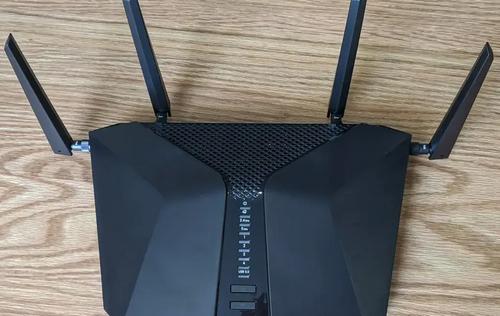
NETGEAR Nighthawk 6-Stream AX5200 WiFi Router RAX48 User Guide

GOST VG5-CG Multi Carrier Select Router User Guide