×
- 1. Gw5000a Industrial-grade Gateway Router (Product Name: Lorawan Gateway Router → Model: Gw5000a → Version: V3.4 → Company Name: Shenzhen Winext Technology Co., Ltd. → Address: Rm 505, Building B50, Zhongchuang Industrial Park, → Liuxian Rd, Taoyuan Street, Nanshan District, Shenzhen, → China → Tel: 0755-23990916 → Fax: 0755-23990906)
- 2. Packing List (Installation → Network Setting → Configuration/upgrade Of Gateway → Sim Card Installation → Installation Of Antenna → Wi-fi Setting)
- 3. Wiredconfiguration (Wirelessconfiguration → Firmwareupgradeofgateway → Faq → Fcccaution)
- 4. Shenzhen Winext Technology Co., Ltd.
- 5. Attention (Installation Guidelines → Antenna Installation → Lightning Protection → Feeder Connection → G Signal Requirements → Power Connection Sequence)
- 6. Product Introduction (Product Definition)
- 7. Interface Introduction
- 8. Power Indicator (Wi-fi Indicator → Usb Indicator → Wan Indicator → Lan Indicator → G/4g Indicator → Hardware Reset Button)
- 9. Basic Information (Restore Factory Setting)
- 10. Shenzhen Winext Technology Co., Ltd.
- 11. Shenzhen Winext Technology Co., Ltd.
- 12. Installation (Technical Parameter → Communication Interface → Electrical Specification → Working Temperature → Working Humidity → Ip Grade)
- 13. Shenzhen Winext Technology Co., Ltd.
- 14. Installation:
- 15. Sim Card Installation
- 16. Insert Sim Card Into The Card Slot With The Chip Side Upwards And The Notch Inward. (Installation Of Antenna)
- 17. Installation Of The Whole Kit
- 18. Power Supply Instruction (Powered By Poe → Powered By Solar Panel → Solar Panel Recommendation)
- 19. Network Setting (Routing Mode Of Network → Splitter (exchanger) → Dhcp Function For The Router → Assign A Fixed Ip To The Gateway)
- 20. Network/interfaces (Interface Overview → Wan → Edit → Dhcp Client → Static Address → Switch Protocol)
- 21. Advanced Settings (Wi-fi Setting → Modify Use Gateway Metric → Default Wi-fi Essid → Default Password → Modify Wi-fi Settings)
- 22. Wireless Network Interface (Interface Configuration → General Setup → Modify Essid → Save & Apply)
- 23. Wireless Security (Modify Password Of Wifi Hotspot → Check The Current Network Status → Status/overview)
- 24. Check The Status Of Wan (ethernet) (Enter 'network/load Balance/detailed Status' → Enter 'network/interfaces')
- 25. Check The Network Status Of 4g (Deploying Gateway → Qualified Lte Network Requirements)
- 26. Enable/disable Wan Port Data Entry (Access The Gateway Page Via The Wan Port Ip → Configuration As Below (default Setting) → Access The Gateway Via Lan Or Wifi)
- 27. Configuration/upgrade Of Gateway (Login → Gateway Login By Wi-fi Hotspot Of Phone/laptop → Gateway Login On Computer)
- 28. Configuration Of Gateway (Wired Configuration → Wireless Configuration)
- 29. Shenzhen Winext Technology Co., Ltd.
- 30. Configuration/lora Setting (Server Address → Enable Lora Gateway → Store The Log As Txt File → Save & Apply)
- 31. Shenzhen Winext Technology Co., Ltd.
- 32. Wirelessconfiguration (Firmwareupgradeofgateway → Checkstatusofgps → Gatewayboxclosure → Ethernetaccess → Gsimcardinstallation → Networkloragw)
- 33. Flash Firmware Verify (Checksum Verification → Re-uploading Damaged Files → Flashing The Firmware)
- 34. Gateway Will Not Work After A Power Failure (Faq → Solution: Enter The Configuration Interface Of Gateway → Network/lora Gw/status → Clear The Log Of Tf Card → Restart The Gateway → Power Supply Be Stable)
- 35. Gps (Enter192.168.3.1interface → Checkwhetherthereispositioninginformationornot → Checkwhetherthereistimesynchronizationornot → Ifgpshasnolocationinformation → Re-plugthegpsantenna → Updategpsantenna)
- 36. Nodes Cannot Access To The Network (Lora Signal And Data Rate)
- 37. Fcc Caution (Radiation Exposure Statement → Installation Guidelines → Operation Conditions → Interference Mitigation Measures)
×
Winext GW5000 A Grade Gateway Router Instructions
Shenzhen Winext Technology Co., Ltd.
1. SIM card installation
Note: Supported LTE models as below:
Open the SIM/TF card slot cover with a large screwdriver:
15
| General | Details |
|---|---|
| Name | Winext GW5000 A Grade Gateway Router Instructions |
| Make | Winext |
| Language | English |
| Filetype | PDF (Download) |
| File size | 0.8 MB |
If you have any questions regarding Winext GW5000 A Grade Gateway Router Instructions, please ask here and describe the problem in detail.


westermo MRD-405 4G LTE Router User Guide

GL iNet GL-B2200 Tri-Band Wireless Gigabit Router User Manual

eero 7 Dual Band Mesh Wi-Fi 7 Router User Guide
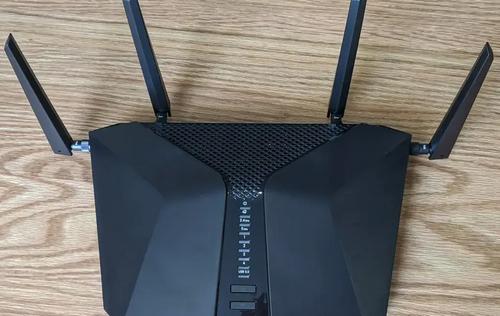
NETGEAR Nighthawk 6-Stream AX5200 WiFi Router RAX48 User Guide

Cudy WR1300 AC1200 Gigabit Dual Band Wi-Fi Router Installation Guide

TP-Link Archer AXE75 Gigabit Tri Band Wi-Fi 6E Router Installation Guide

Cudy X6 AX1800 Dual Band Gigabit Wi-Fi 6 Mesh Router Installation Guide

xunison Hub M50 Mesh Tower High Performance Router User Guide

IQ WiFi 6 Router Installation Guide

MAIYUAN AC1200M Wireless Router User Guide
Table of Contents
- 1. Gw5000a Industrial-grade Gateway Router - Product Name: Lora... →
- 2. Packing List - Installation →
- 3. Wiredconfiguration - Wirelessconfiguratio... →
- 4. Shenzhen Winext Technology Co., Ltd. →
- 5. Attention - Installation Guidelines →
- 6. Product Introduction - Product Definition →
- 7. Interface Introduction →
- 8. Power Indicator - Wi-fi Indicator →
- 9. Basic Information - Restore Factory Setting →
- 10. Shenzhen Winext Technology Co., Ltd. →
- 11. Shenzhen Winext Technology Co., Ltd. →
- 12. Installation - Technical Parameter →
- 13. Shenzhen Winext Technology Co., Ltd. →
- 14. Installation: →
- 15. Sim Card Installation →
- 16. Insert Sim Card Into The Card Slot With The Chip Side Upward... →
- 17. Installation Of The Whole Kit →
- 18. Power Supply Instruction - Powered By Poe →
- 19. Network Setting - Routing Mode Of Network →
- 20. Network/interfaces - Interface Overview →
- 21. Advanced Settings - Wi-fi Setting →
- 22. Wireless Network Interface - Interface Configuration →
- 23. Wireless Security - Modify Password Of Wifi Hotspot →
- 24. Check The Status Of Wan (ethernet) - Enter 'network/load Bal... →
- 25. Check The Network Status Of 4g - Deploying Gateway →
- 26. Enable/disable Wan Port Data Entry - Access The Gateway Page... →
- 27. Configuration/upgrad... Of Gateway - Login →
- 28. Configuration Of Gateway - Wired Configuration →
- 29. Shenzhen Winext Technology Co., Ltd. →
- 30. Configuration/lora Setting - Server Address →
- 31. Shenzhen Winext Technology Co., Ltd. →
- 32. Wirelessconfiguratio... - Firmwareupgradeofgat... →
- 33. Flash Firmware Verify - Checksum Verification →
- 34. Gateway Will Not Work After A Power Failure - Faq →
- 35. Gps - Enter192.168.3.1inte... →
- 36. Nodes Cannot Access To The Network - Lora Signal And Data Ra... →
- 37. Fcc Caution - Radiation Exposure Statement →


