
ADVANTECH SL302 SmartStart LTE Router User Manual
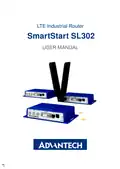
















SmartStart SL302
9. Troubleshooting
If you cannot connect to the router from your PC, your network card may be configured
in such a way that it is not possible to connect to the router. Take one or more of the
following steps in order to solve the problem:
• Make sure your PC’s network card is configured to obtain the IP address form the
DHCP server (by default the DHCP server is running in the router).
• Connect the router to the PC via Switch.
• Connect the router to the PC, start the router first and then start the PC after the
router’s initialization.
9.1 FAQ
✍ Ethernet connection fails or is not establishing.
• It is possible to turn auto negotiation off and set a rate and duplex manually on the
Ethernet interface of the router. Available on "LAN Configuration" page in the router.
✍ Mobile WAN connection fails.
• Check the signal power ("Mobile WAN status" page). If the signal power is weak,
you will have to use a better antenna. If the neighbouring cells have a similar signal
strength, you will need to use a directional antenna. For proper operation, the signal
levels have to be good.
• Try to enable automatic ping from the router, which will check the connection when
there are no data running and in the case of a failed ping, restart the connection.
This can be done on the "Mobile WAN Configuration" page in the router in the
"Check connection" section. "Enable + bind" option is to ensure the ping goes
always through Mobile WAN network interface.
✍ Mobile WAN connection cannot be established.
• Check the "Mobile WAN Configuration" – APN, name, password and IP address (all
can be blank).
• Try to enter the SIM card PIN – verify that the SIM card has the PIN code entered.
Available on "Unlock SIM Card" page in the "Administration" section.
• In a private APN it is not recommended to get the DNS settings from operator (on
"Mobile WAN" page)
• Go to "System Log" page in "Status" section and observe where the error occurs.
36

| General | Details |
|---|---|
| Name | ADVANTECH SL302 SmartStart LTE Router User Manual |
| Make | Advantech |
| Language | English |
| Filetype | PDF (Download) |
| File size | 0.46 MB |
 (1 votes, average: 5.00 out of 5)
 Loading...
If you have any questions regarding ADVANTECH SL302 SmartStart LTE Router User Manual, please ask here and describe the problem in detail.

ADVANTECH ICR-3200 Cellular Router Instruction Manual

ADVANTECH ICR-2701 Engineering Portal Cellular Router User Guide

ADVANTECH ICR-2531 LTE Router User Manual

advantech ICR-3831 RAILWAY 4G LTE ROUTER & GATEWAY User Guide

ADVANTECH ICR-2431 LTE Router User Manual

ADVANTECH ICR-2041 LTE Router User Manual


MAXVIEW Roam 5G WiFi Router User Guide

TRUEFIT BAC-5051A E Airflow Measurement System Router User Guide

Cudy LT500 4G LTE AC1200 Dual Band WiFi Router User Guide

TP-Link TL-WR940N Wireless N Router Installation Guide

PoEWit R-4 Preconfigured Enterprise-Class Router User Guide

YESKAMO IPC Router Expand NVR Wifi Area and Strengthen Camera Signal User Guide

ASUS RT-AX59U Dual Band WiFi 6 AiMesh Router User Guide

D-Link DIR-601 Wireless-N 150 Home Router Instructions

ZYXEL NR5307 5G NR Router Owner’s Manual

ASUS RT-AX82U AX5400 Dual Band WiFi Router User Guide