
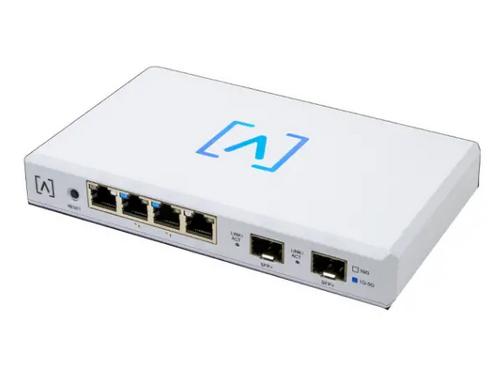
ALTA LABS ROUTE10 High Performance 10 Gbps Router User Guide


2. Position the template in the desired location
and use a pencil to mark the holes.
Vertical Mount
or
Horizontal Mount
3. Secure the Mounting Bracket to the wall
using the Mounting Screws and a Phillips
screwdriver. Be sure to use the screws
included with the product.
If mounting on drywall, use the anchors to
ensure secure mounting. Use a 6 mm drill
bit to drill the holes for the anchors and
insert them in the wall.
7

| General | Details |
|---|---|
| Name | ALTA LABS ROUTE10 High Performance 10 Gbps Router User Guide |
| Make | ALTA LABS |
| Language | English |
| Filetype | PDF (Download) |
| File size | 1.33 MB |
 (1 votes, average: 5.00 out of 5)
 Loading...
If you have any questions regarding ALTA LABS ROUTE10 High Performance 10 Gbps Router User Guide, please ask here and describe the problem in detail.

JUniPer MX304 Universal Router User Guide

Cudy GP1200 AC1200 Pon Wi-Fi Router Installation Guide

KMC CONTROLS BAC-5051AE BACnet Router Owner’s Manual

Mercury Netcomm NB16DG Fibre Router User Manual

GL iNet GL-B3000 Marble AX3000 Wireless Router User Guide

NETGEAR PR460X Multi-Gigabit Dual WAN Pro Router Installation Guide

GL iNet GL-X3000NR 5G NR WiFi 6 Router User Guide

TP-Link Archer NX600 5G CPE Router Installation Guide

TP-Link Archer AX72 AX5400 Multi-Gigabit Wi-Fi 6 Router Installation Guide

MERCUSYS MR60X AX1500 Wi-Fi 6 Router User Guide