
bond6 RGB Link Network Bonding Router User Manual

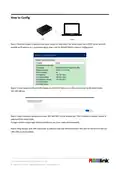
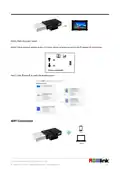


Plug the Dongle to the bond router or connect the bond router to a ethernet router, and connect the wifi in your
computer of phone.(name:RGBlink,password:provided to you)
After wifi connection,check the IP address of your laptop/phone and enter it in a browser window,and then
settings can be done to the router.(the operation steps as the same with<How to Config>)
How to Change Password
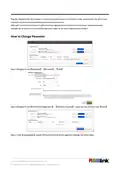
Step 1:Navigate to the【Network】--【Wireless】--【Edit】
Step 2:Navigate to the【Interface Configuration】--【Wireless Security】, revise the key and then click【Save】.
Step 3: Click【Save&Apply】,power off the bond 6 and restart again,the settings will make effect.
© Xiamen RGBlink Science & Technology Co., Ltd.
7

| General | Details |
|---|---|
| Name | bond6 RGB Link Network Bonding Router User Manual |
| Make | bond |
| Language | English |
| Filetype | PDF (Download) |
| File size | 0.31 MB |
 (1 votes, average: 5.00 out of 5)
 Loading...
If you have any questions regarding bond6 RGB Link Network Bonding Router User Manual, please ask here and describe the problem in detail.


TP-Link BE220_V1 Dual Band Wi-Fi 7 Router Installation Guide

STRONG 4GROUTER350M 4G LTE Router Instruction Manual

ASUS GT6 ROG Rapture AX10000 Tri band Gaming Mesh Router User Guide

NETGEAR MR90 Nighthawk Tri-band Mesh Wi-Fi 6E Router Owner’s Manual

TP-Link Omada ER605 Gigabit VPN Router User Guide

APRISM MI12 AX6000 Wi-Fi 6 Dual Radio Router User Guide

NRadio Technologies C2000 4G LTE Router Installation Guide

devolo 3600 5G LTE Wi-Fi 6 Router User Manual

GL iNet AX1800 Slate AX Wireless Router User Manual

D-Link DIR-X5460 AX5400 Wi-Fi 6 Router User Guide