
bond6 RGB Link Network Bonding Router User Manual

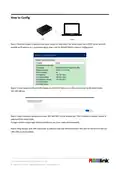
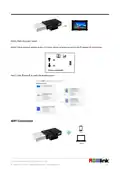
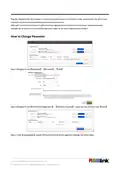


How to Apply
The bond router can work with TAO 1pro.
Connect TAO 1pro to the router via LAN port to stream to network platforms, such as YouTube, Twitter and so on.
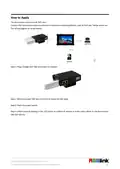
The wiring diagram as shown below:
Step 1: Plug a Dongle with SIM card inside to USB port.
Step 2: Directly connect TAO 1pro to the bond router via LAN cable.
Step 3: Press the power switch.
Step 4: Check network settings in the LCD screen to confirm IP address is in the same subnet as the bond router -
192.168.100.xxx.
© Xiamen RGBlink Science & Technology Co., Ltd.
8

| General | Details |
|---|---|
| Name | bond6 RGB Link Network Bonding Router User Manual |
| Make | bond |
| Language | English |
| Filetype | PDF (Download) |
| File size | 0.31 MB |
 (1 votes, average: 5.00 out of 5)
 Loading...
If you have any questions regarding bond6 RGB Link Network Bonding Router User Manual, please ask here and describe the problem in detail.


Juniper NETWORKS MX304 Universal Router User Guide

TP-Link Archer C54 Dual Band Wi-Fi Router Installation Guide

MOXA TN-5916 ToughNet NAT Router Installation Guide

ReadyNet AX1500M WiFi6 Wireless Router User Guide

ASUS ET12 AXE11000 Tri Band WiFi Router User Guide

DIGI EX50 5G Cellular Router Instruction Manual

TradeWinds G720 Wireless Router User Guide

NETGEAR RS600 Tri Band WiFi 7 Router User Guide

JuniPer Cloud-Ready SSR1500 Session Smart Router User Guide

ZYXEL SCR 50AXE Secure Cloud-Managed Router with AXE5400 Tri-Band Wifi 6E User Guide