
Cisco RV320 Small Gigabit Dual WAN VPN Router User Manual


Cisco RV320 Features
2
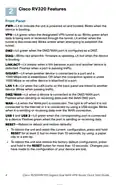
Front Panel
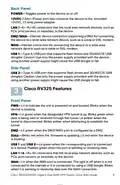
PWR—Lit to indicate the unit is powered on and booted. Blinks when the
device is booting.
VPN—Lit green when the designated VPN tunnel is up. Blinks green when
data is being sent or received through the tunnel. Lit amber when the
tunnel is disconnected. Blinks amber when attempting to establish the
tunnel.
DMZ—Lit green when the DMZ/WAN port is configured as a DMZ.
DIAG—Blinks red when the firmware is updating. Lit red when the device
is booting.
LINK/ACT—Lit steady when a link between a port and another device is
detected. Flashes when a port is passing traffic.
GIGABIT—Lit when another device is connected to a port and a
1000 Mbps link is established. Off when the connection speed is under
1000 Mbps or no other device is attached to a port.
LAN 1-4—Lit when the LAN ports on the back panel are linked to another
device. Blinks when passing traffic.
DMZ/WAN—Lit when a device is connected to the DMZ/WAN port.
Flashes when sending or receiving data over the WAN DMZ port.
WAN—Lit when the WAN port is connected. The light is off when it is not
connected to the Internet or it is connected by using a USB dongle. Blinks
when it is sending or receiving data over the WAN connection.
USB 1 and USB 2—Lit green when the corresponding port is connected
to a device. Flashes green when the port is sending or receiving data.
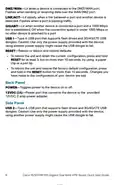
RESET—Reboot or reboot and restore defaults:
•
•
To reboot the unit and retain the current configuration, press and hold
RESET for at least 3, but no more than 10 seconds, by using a paper
clip or a pen tip.
To reboot the unit and restore the factory default configuration, press
and hold in the RESET button for more than 10 seconds. Changes you
have made to the configuration of your device are lost.
4
Cisco RV320/RV325 Gigabit Dual WAN VPN Router Quick Start Guide

| General | Details |
|---|---|
| Name | Cisco RV320 Small Gigabit Dual WAN VPN Router User Manual |
| Make | Cisco |
| Language | English |
| Filetype | PDF (Download) |
| File size | 0.15 MB |
 (1 votes, average: 5.00 out of 5)
 Loading...
If you have any questions regarding Cisco RV320 Small Gigabit Dual WAN VPN Router User Manual, please ask here and describe the problem in detail.

CISCO cBR Series Converged Broadband Router User Guide

Cisco Router RV345 / RV345P User Guide

Cisco RV160W Router User Guide

Cisco RV260W Router User Guide

Cisco RV260P Router User Guide

CISCO RV320 Gigabit Dual WAN VPN Router User Guide

Cisco Router RV345/RV345P User Guide

Cisco RV160 Router User Guide

cisco RV340 Router User Guide


Taiko TAP0016 Audio Extreme Router User Manual

TP-Link TLMR6400 Wireless 4G LTE Router Installation Guide

TELTONIKA Networks RUT951 4G LTE Router User Guide

ASUS XD4S AX1800 Dual Band WiFi Router User Guide
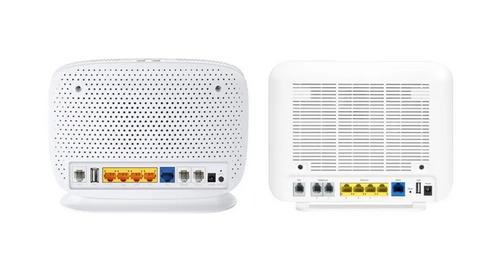
more FTTP BYO Router Installation Guide

Ningbo Sunvot Technology Co Ltd LC600-202302 4G LTE CPE Router User Guide

Rockwell CCR-3000 Router User Guide

Cudy LT400E Wi-Fi Router Installation Guide

ASKEY NCM2000B2-D299 5G Home Router User Guide

TP-Link TL-WR902AC Mbps Wireless Portable Mini Travel Router Owner’s Manual