
LINKSYS AX1800 Dual-Band WiFi 6 Router E7350 User Guide






















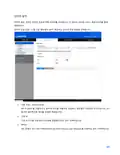
























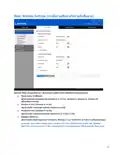










Network Name (SSID)
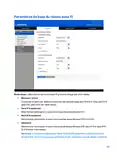
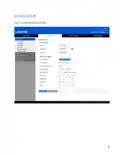
The Service Set Identifier (SSID) is a name used by devices to connect to a wireless network. SSIDs
are case-sensitive and must not exceed 32 characters. The default SSIDs for the 2.4 GHz and 5 GHz
networks are LinksysXXXXX and LinksysXXXXX_5GHz, respectively. The Xs represent the last five
digits of the router’s serial number, which can be found on the bottom of the router. If you changed
the SSID, both bands have the new SSIDs. You may give them different names through the browser-
based utility.
Note—If you restore the router’s factory default settings (by pressing the Reset button or
using the Administration > Factory Defaults screen), the Network Name will return to its
default value. Change the Network Name back to its original name, or you will have to
reconnect all devices on your wireless network to the new network name.
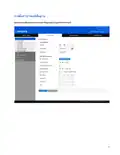
Channel Width
Keep the default, Auto (20 MHz or 40 MHz), for best performance in a 2.4 GHz network using
Wireless-B, Wireless-G and Wireless-N (2.4 GHz) devices. For a channel width of 20 MHz, select 20
MHz only. For the best performance in a 5 GHz network, keep the default 20, 40 or 80 MHz.
Channel
Select the channel from the drop-down list. Keep the default, Auto, if you are not sure which channel
to select.
SSID Broadcast
Keep the default, Enabled, to broadcast the router’s SSID. When wireless clients survey the local area
for wireless networks to associate with they will detect the SSID broadcast by the router. Attempting
to hide your Wi-Fi name does not make your Wi-Fi more secure. Anyone truly interested in accessing
your network can find it even if you turn off this feature. If you still do not want to broadcast the
router’s SSID, select Disabled.
13

Wireless Security
The router offers the following wireless security options:
WPA3 Personal / WPA2 Personal / WPA2 Enterprise (WPA stands for Wi-Fi Protected Access.)
Security Option
Strength
WPA3 Personal
Strongest
WPA3/WPA2 Personal
WPA2 Personal
WPA2 Enterprise
Security Option Settings
WPA2 Personal
If you select WPA2 Personal, each device in your wireless network MUST use WPA2 Personal and the
same passphrase.
Passphrase----Enter a passphrase of 8-63 characters. This is the Wi-Fi password that provides
access to the network. It can be the same as entered in setup.
Disabled
If you choose to disable wireless security, you will be informed that wireless security is disabled when
you first attempt to access the internet. You will be given the option to enable wireless security, or
confirm that you understand the risks but still wish to proceed without wireless security.
14

| General | Details |
|---|---|
| Name | LINKSYS AX1800 Dual-Band WiFi 6 Router E7350 User Guide |
| Make | Linksys |
| Language | English |
| Filetype | PDF (Download) |
| File size | 2.66 MB |
 (1 votes, average: 5.00 out of 5)
 Loading...
If you have any questions regarding LINKSYS AX1800 Dual-Band WiFi 6 Router E7350 User Guide, please ask here and describe the problem in detail.

LINKSYS EA7500 AC1900 Max Stream Wifi Router User Guide

Linksys WRT300N Wireless-N Broadband Router User Guide

LINKSYS MX4200 Router Installation Guide

LINKSYS N600 Dual Band Router User Guide

LINKSYS WRT54G Wireless G Router Instructions

LINKSYS E2500 Dual Band Router User Guide

LINKSYS AX3200 Dual-Band Gigabit Wi-Fi 6 Router User Guide

LINKSYS FGW5500 5G WiFi 6 Router User Guide

LINKSYS 750MR7500 Hydra Pro 6E Mesh Router User Guide

LINKSYS E900 Wi-Fi Router User Manual


TP-Link SERCOMM DM1000 Mesh Wi-Fi Router User Guide

ASUS ExpertWiFi EBR63 Wireless AX3000 Dual-Band Router User Guide

NETGEAR CBR750 Tri Band Mesh WiFi Router User Guide

COOSPO RC905 Router User Manual
cradlepoint R920 Series Ruggedized Router User Guide

HNK RAX1810 Wi-Fi Router User Manual

TP-Link TL-WR802N N300 WLAN Nano Router User Guide

QiXiang Technology QX210 Cellular Router Owner’s Manual
LINKSYS E2500 Dual Band Router User Guide

MikroTik G8-b Wireless Router User Guide