
MAGNADYNE RV2458 Router User Guide

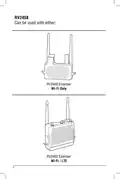


RV2458 Software Quickstart Guide
Step 13
Step 14
If the password was not typed
correctly a pop-up window will
appear stating that the connection
to the Network failed. Click the
OK button. The unit will return to
Step 7 and scan again.
At this point you have successfully
connected to the WiFi Host.
If scan for WiFi is selected
return to Step 9. If LTE is
selected proceed to Step 15.
Double check that you are typing
the correct Network password in.
10

| General | Details |
|---|---|
| Name | MAGNADYNE RV2458 Router User Guide |
| Make | MAGNADYNE |
| Language | English |
| Filetype | PDF (Download) |
| File size | 0.28 MB |
 (1 votes, average: 5.00 out of 5)
 Loading...
If you have any questions regarding MAGNADYNE RV2458 Router User Guide, please ask here and describe the problem in detail.


BEC MX-241NP 4G LTE CBRS Wi-Fi Router User Guide

D-Link G415 4G Router Instructions

MSA Safety FS-ROUTER-BAC2 FieldServer BACnet Router Instructions

HQTelecom HQ-3232B-911 Call Re Router Instruction Manual

Tenda RX9 Dual Band Gigabit Wi-Fi 6 Router Instruction Manual

ASUS RT-BE96U Tri Band WiFi Router User Guide

ASUS EBM68 Tri Band WiFi Router User Guide

peplink PLAX23 Pepwave Wireless Router User Guide

NIGHTHAWK Router User Manual

QiXiang Technology QX210 Cellular Router Owner’s Manual