
MAGNADYNE RV2458 Router User Guide

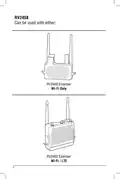


RV2458 Software Quickstart Guide
Step 1
Step 2
Press power button on the
RV2458 to power up the Router
(approximately 2 min).
Go to the WiFi setting on your device
(phone, tablet, laptop, etc., make
sure your WiFi is turned on) and
click on the RV2458-2.4G Network.
NOTE: If your phone is being used as a
hot spot connection it will not be able
to be used as a configuration device.
Power
Blue & Solid
Extender Blue & Flashing
A second device will be required.
Router
Blue & Flashing
4

| General | Details |
|---|---|
| Name | MAGNADYNE RV2458 Router User Guide |
| Make | MAGNADYNE |
| Language | English |
| Filetype | PDF (Download) |
| File size | 0.28 MB |
 (1 votes, average: 5.00 out of 5)
 Loading...
If you have any questions regarding MAGNADYNE RV2458 Router User Guide, please ask here and describe the problem in detail.


Juniper NETWORKS PTX10001-36MR Packet Transport Router User Guide

Cudy AX1800 WiFi 6 Mesh Router Instructions

TP-Link Archer MR600 Wireless 4G LTE Router Installation Guide

STRONG REPEATERAX3000 Wi-Fi 6 Repeater 3000 Router User Guide

TP-Link AXE5400 Tri Band Wi-Fi 6E Gaming Router Installation Guide

Cudy LT500D Dual Band Unlocked 4G LTE Modem Router Installation Guide

Getic MikroTik CCR2004-16G-2S+PC Cloud Core Router User Manual

NETGEAR XR300 Nighthawk Gaming Router User Guide

robustel R3000 Lite Dual-SIM VPN Router User Manual

Tenda AC19 Dual Band Gigabit WiFi Router Installation Guide