×
- 1. Rv2458 Router Quickstart Guide
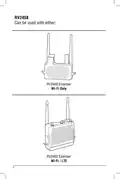
- 2. Rv2458 (Can Be Used With Either: → Rv2400 Extender → Wi-fi Only → Rv2402 Extender → Wi-fi / Lte)
- 3. How To Activate Your Data Plan (Important: Access To The Internet Is Required For Lte Data Plan Activation → Iccid # → Imei#)
- 4. Rv2458softwarequickstartguide (Press Power Button On The Rv2458 To Power Up The Router (approximately 2 Min). → Go To The Wifi Setting On Your Device (phone, Tablet, Laptop, Etc., Make Sure Your Wifi Is Turned On) And Click On The Rv2458-2.4g Network. → Note: If Your Phone Is Being Used As A Hot Spot Connection It Will Not Be Able To Be Used As A Configuration Device.)
- 5. In The Password Field Type In The Password Rv2458wifi And Click The Join Button. Wait Until Your Device Is Connected To The Rv2458-2.4g Netw…
- 6. Go To Your Web Browser And In The Address Field Type In 192.168.10.1 And Click Go Or Hit Enter. The Login Screen Will Open. In The Password …
- 7. If Wifi Is Selected Proceed To Step 8. If Lte Is Selected Proceed To Step 15.
- 8. The Available Wifi List (Please Acquire Password From Wifi Host At Your Location → If The Unit Will Not Connect At This Step → Start Again From Step 1 And Wait 2 Minutes For Boot Cycle To Complete → If The Scroll Bar Isnt Showing And You Are Using A Mac Computer)
- 9. The Connecting Countdown (Login Screen → Password Field → Login Button → Successful Login → Wait 2 Minutes → Failed Connection)
- 10. Rv2458 Software Quickstart Guide (If The Password Was Not Typed Correctly A Pop-up Window Will Appear Stating That The Connection To The Network Failed. Click The Ok Button.)
- 11. If You Are Using The Recommended At&t Preferred Plan, Then Click The Start Lte Button To Begin The Lte Connection. If Using A Different Carr…
- 12. Login Procedure (Password Requirements → Successful Login Confirmation)
- 13. At This Point You Have A Successful Connection To The Lte Carrier.
- 14. Rv2458 Software Quickstart Guide
- 15.
- 16. One (1) Year Limited Warranty (Defective Merchandise Should Be Returned To The Original Point Of Purchase → Return Authorization Must Be Obtained Before Sending)
×
MAGNADYNE RV2458 Router User Guide
| General | Details |
|---|---|
| Name | MAGNADYNE RV2458 Router User Guide |
| Make | MAGNADYNE |
| Language | English |
| Filetype | PDF (Download) |
| File size | 0.28 MB |
If you have any questions regarding MAGNADYNE RV2458 Router User Guide, please ask here and describe the problem in detail.


NETGEAR RAX36 Nighthawk AX4 4-Stream AX3000 Wi-Fi Router Owner’s Manual

FIRSTNUM CPE C1 WiFi Router User Manual

WATER WORLD AC1200M Wireless Dual Frequency Router User Guide

TP-Link TL-WR846N 300Mbps Wireless Router Instruction Manual

ASUS BE3600 Dual Band WiFi Router User Guide

ERICSSON R980-5GD Mobile Router User Manual

TP-Link TL-MR110 Outdoor Router Installation Guide

Spectrum 20230810 WiFi 6E Wall Mounted Router User Guide

TUGE TR10NA IOT 4G Router User Guide

FLEX FX4221 24V Trim Router Instruction Manual
Table of Contents
- 1. Rv2458 Router Quickstart Guide →
- 2. Rv2458 - Can Be Used With Either: →
- 3. How To Activate Your Data Plan - Important: Access To The In... →
- 4. Rv2458softwarequickstartguide - Press Power Button On The Rv... →
- 5. In The Password Field Type In The Password Rv2458wifi And Cl... →
- 6. Go To Your Web Browser And In The Address Field Type In 192.... →
- 7. If Wifi Is Selected Proceed To Step 8. If Lte Is Selected Pr... →
- 8. The Available Wifi List - Please Acquire Password From Wifi ... →
- 9. The Connecting Countdown - Login Screen →
- 10. Rv2458 Software Quickstart Guide - If The Password Was Not T... →
- 11. If You Are Using The Recommended At&t Preferred Plan, Then C... →
- 12. Login Procedure - Password Requirements →
- 13. At This Point You Have A Successful Connection To The Lte Ca... →
- 14. Rv2458 Software Quickstart Guide →
- 15. Page 15 →
- 16. One (1) Year Limited Warranty - Defective Merchandise Should... →


