
Shenzhen 802.11AX Wi-Fi 6 1800M Wireless Router Installation Guide


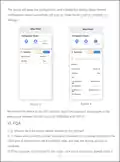



5. Q: How to utilize the mesh networking feature of a router?
A: 1) Please ensure that the router is connected to the internet after staꢀup, and the
other router is simply powered on.
2) Long press the WPS/MESH button on both routers for 3 seconds within 30
seconds, release it when the indicator lights turn blue and staꢀ flashing. This
indicates the entꢃ into the networking state. A green flashing light afterwards
signifies the successful mesh networking of multiple routers.
Note: It is recommended to operate the mesh networking within a 3-meter range.
After successful networking, the WiFi name will automatically unify.ꢂ
6. Q: Does the router suppoꢀ the dual-band convergence function? How to
connect to the router's 5GHz WiFi?
A: The router suppoꢀs the dual-band convergence function, which is disabled by
default. The steps are as follows:
1) Connect the terminal to the router's WiFi.
2) Enter '192.168.100.1' in the browser to log in to the router's management page.
In the 'Setting-Wireless-WiFi' management page, enable the 'Dual frequency in
one' function and click the [Apply] button. Once activated, the 2.4GHz/5GHz WiFi
names are the same, allowing you to change the name and password for the
dual-band convergence WiFi. After successfully changing the settings, connect to
the new WiFi name and enter the password to access the Internet, automatically
connecting you to the faster WiFi signal.
If you wish to specifically connect to the 5GHz WiFi, disable the 'Dual frequency in
one' function, set different names for the 2.4GHz/5GHz WiFi, and the terminal will
be able to connect to the router's 5GHz WiFi.ꢂ
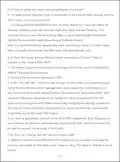
7. Q: How can I change the WiFi countꢃ region code?
A: Different countries have different WiFi frequencies, so you need to change the
countꢃ code based on the region your router is using. The steps to change it are as
follows:
- 6 -

| General | Details |
|---|---|
| Name | Shenzhen 802.11AX Wi-Fi 6 1800M Wireless Router Installation Guide |
| Make | Shenzhen |
| Language | English |
| Filetype | PDF (Download) |
| File size | 0.25 MB |
 (1 votes, average: 5.00 out of 5)
 Loading...
If you have any questions regarding Shenzhen 802.11AX Wi-Fi 6 1800M Wireless Router Installation Guide, please ask here and describe the problem in detail.


D-Link R3 AX3000 MU-MIMO WiFi Gigabit Router Installation Guide

ASUS TUF-AX4200 Dual Band WiFi 6 Gaming Router User Guide

D-LINK DWR-978 5G AC2600 Wi-Fi Router User Guide

HNK Flow AX1501 Dual Band Wi-Fi 6 AX1500 Router User Guide

TP-Link BE3600 Wi-Fi 7 Portable Router User Guide

Teltonika RUT955 Dual SIM 4G LTE and WiFi Cellular Router User Guide

Beijer ELECTRONICS MAEN327 Cloud VPN Router User Guide

TP-Link AX5400 Multi Gigabit Wi-Fi 6 Router Installation Guide

LANCOM Systems 1780EW-4G+ High Performance Mobile VPN Router User Guide

Vantron R102 Router Instruction Manual