
Home > SIERRA WIRELESS > SIERRA WIRELESS XR80 5G Cellular Router Instructions
SIERRA WIRELESS XR80 5G Cellular Router Instructions



AirLink OS 4.0
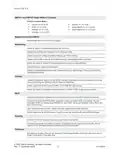
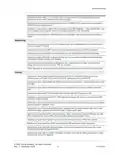
Resolved an issue with slow initialization of the AirLink OS UI.
Resolved error-handling issues with the Update Software processing window by adding a “close”
button when there is an error or failure.
Resolved an issue in a table field where overlong text would overlap the clipboard option icon.
Resolved an issue with a 64kb limitation with uploading certificates to ALMS. A warning message
indicates when the file is too large.
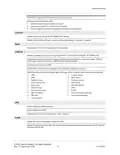
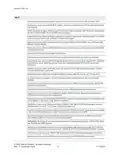
Resolved an issue where clicking to acknowledge notifications was broken when viewing
notifications in ALMS.
Resolved an issue where the DELETE button on the Edit SSID page did not delete the SSID.
Resolved an issue where some dropdown elements were showing incorrect configuration options.
For example, Multi-WAN configuration wasn’t presenting the correct WAN interfaces to include when
configuring certain rules.
Resolved an issue where Warning signs in the UI were only visible only when moving the mouse
over a heading.
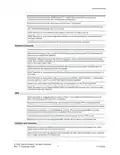
Resolved an issue where clicking the link to System > MCU navigated to System > NTP.
Resolved an issue where units entered for a setting were not converted to the default scale for that
unit (V to mV, for example).
Resolved an issue where a tooltip containing a hyperlink did not appear in the UI.
Resolved an issue where, after configuring the “Secret” field in the Create Server or Update Server
page (for configuring a Remote Authentication server under Web > Authentication), the field showed
as empty (instead of *******, as expected for a password string) after logging out, logging in, and
viewing the Update Server page again.
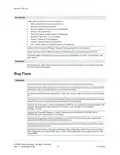
Known Issues
Cellular
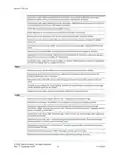
An issue exists in Multi-APN mode where the default APN was connected even when it wasn't
included in the APN list. To remedy the issue, configure Manual APN mode using one of the APNs to
be used in multi-APN mode and then configure Multi-APN mode with all required APNs defined.
An issue exists where, after a firmware upgrade, the Radio Module Firmware upgrade for the XP
Cellular interface did not occur. The new Radio Module Firmware did not take effect until the router
was rebooted again.
Configuring different Preferred Technology settings for two Multi-APN virtual interfaces causes “No
Service” on the first virtual APN to be configured.
For XR90/XR80 configured with Cellular Multi-APN mode, an issue exists where, after an upgrade, a
reset to factory defaults, and a template application, the Cellular LED may flash red even though the
Cellular interfaces (including Virtual interfaces) are connected and passing traffic. To restore the
Cellular LED behavior, disable/enable the Cellular interface or reboot the router.
XR80: An issue exists where disabling a Cellular interface, the Media Status remains “up” and
Adapter Status remains “Connected”. To disable the interface and restore correct status, reboot the
router.
An issue exists where ALMS can persist in reporting the cellular Adapter Status as “No Service”
when the cellular interface is connected and reporting the correct status to ALMS.
© 2022 Sierra Wireless. All rights reserved.
Rev. 1 December 2022
10
41114504

| General | Details |
|---|---|
| Name | SIERRA WIRELESS XR80 5G Cellular Router Instructions |
| Make | SIERRA WIRELESS |
| Language | English |
| Filetype | PDF (Download) |
| File size | 0.22 MB |
 (1 votes, average: 5.00 out of 5)
 Loading...
If you have any questions regarding SIERRA WIRELESS XR80 5G Cellular Router Instructions, please ask here and describe the problem in detail.
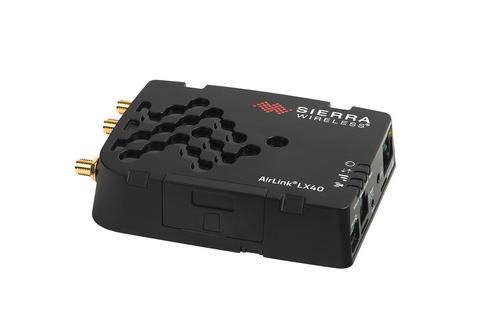
SIERRA WIRELESS AirLink LX40 Enterprise LTE Router User Guide


dahua AX1500 Wi-Fi6 Wireless Router Instruction Manual

GEWISS GW A9707 KNX/IP Router Installation Guide

Ridgid R860443 18-VOLT CORDLESS COMPACT ROUTER User Guide

ASUS BE3600 Dual Band WiFi Router User Guide

TP-Link AX3000 WiFi 6 One Mesh Router Instruction Manual
Milesight UR35 Dual SIM Router User Guide

TP-Link AX3000 Wi-Fi 6 Air Router Installation Guide
Anywhere AX50 Series Dual Band Gigabit Wi-Fi 6 Router User Guide
eero Outdoor 7 Dual Band Mesh Wi-fi Router Installation Guide

ASUS XD5 AX3000 Dual Band WiFi Router User Guide