
Home > SIERRA WIRELESS > SIERRA WIRELESS XR80 5G Cellular Router Instructions
SIERRA WIRELESS XR80 5G Cellular Router Instructions



AirLink OS 4.0
AirLink OS
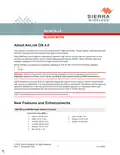
Added various revisions to the user interface:
•
•
•
•
•
•
•
•
•
Better visualization of connectivity status
Second-Level Section Headings
Show IP address in hover icon for all WAN links
Various color adjustments
Show VPN status in WAN section of dashboard
Change to “cell tower” icon for cellular
Rename “bridge” to “LAN segment”
“Nested” representation for multi-WAN
Use “ALMS” instead of LWM2M for device management
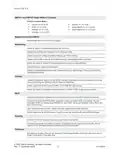
Added a “Reset to Factory Defaults” step after downgrading AirLink OS software.
Added contextual help for WAN Auto-Detect (Enable/Disable) and LAN Segment (in Wi-Fi).
Added the ability to add text (for a warning message or acceptable use policy, for example) to the
login screen.
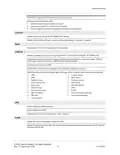
Templates
Prevented known SIM entries from being added to a template by default when creating a template
from the current configuration.
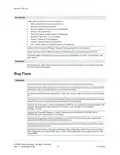
Bug Fixes
Templates
Resolved an issue where Radio Module firmware could not be added to the template.
Resolved an issue where some status items could not be selected for inclusion in a template (either
created from the current configuration, or created from scratch).
Resolved an issue where the values for the “build” and “version” fields were reversed in the template
file.
Resolved an issue where device-defined firewall rules for multi-APN interfaces prevented a template
created from current configuration from being applied to same device.
Resolved an issue where a template generated in ALMS would overwrite an existing template if the
template names shared a text substring. For example, new_template would overwrite
template_June-28.
Resolved an issue with Telemetry > Custom Reports where GENERATE THIS REPORT AT
POWER ON could not be added to a template.
Resolved an issue where creating a template on an XR80-CAT20 device and then applying the
template to an XR80-5G device caused validation errors.
Resolved an issue where a template containing Firewall and Port Forwarding rules (for Bandwidth
Limiting) could not be applied.
Resolved an issue where a template containing a SIM configuration could not be used to modify a
SIM configuration on another XR90 (that is, when a SIM configuration was already present on the
target XR90).
© 2022 Sierra Wireless. All rights reserved.
Rev. 1 December 2022
4
41114504

| General | Details |
|---|---|
| Name | SIERRA WIRELESS XR80 5G Cellular Router Instructions |
| Make | SIERRA WIRELESS |
| Language | English |
| Filetype | PDF (Download) |
| File size | 0.22 MB |
 (1 votes, average: 5.00 out of 5)
 Loading...
If you have any questions regarding SIERRA WIRELESS XR80 5G Cellular Router Instructions, please ask here and describe the problem in detail.
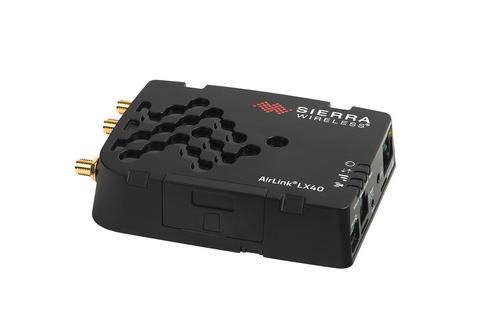
SIERRA WIRELESS AirLink LX40 Enterprise LTE Router User Guide


Cudy WR3600E Gigabit Wi-Fi 7 Router Installation Guide

HNK Flow AX1501 Dual Band Wi-Fi 6 AX1500 Router User Guide

Amlogic S905W Android 7.0 TV Box y WiFi Router User Guide

Hongdian H8922 3G/4G Router User Guide

TP-Link TLMR6400 Wireless 4G LTE Router Installation Guide

Tenda 4G05 Wi-Fi N300 4G LTE Router Installation Guide

NETGEAR CBR750 Tri Band Mesh WiFi Router User Guide

Keep Your Home IP MA-B256 Router Owner’s Manual

motorola MQ20 Wi-Fi 6E Tri Band Mesh Router User Guide

TP-Link Tri-Band Wi-Fi 6E Router User Guide