
Home > SIERRA WIRELESS > SIERRA WIRELESS XR80 5G Cellular Router Instructions
SIERRA WIRELESS XR80 5G Cellular Router Instructions
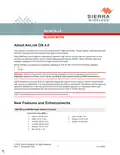
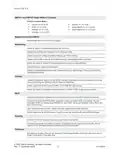
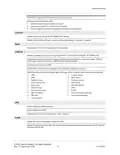
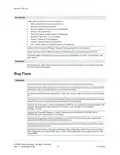



AirLink OS 4.0
Wi-Fi
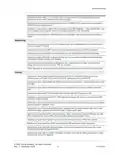
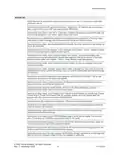
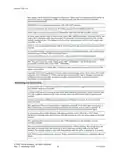
Resolved an issue where the router could not connect to an access point with a hidden SSID.
Resolved an issue where XR90 Wi-Fi couldn’t connect to 2.4GHz Cisco IW3702 when Voice ACM
was enabled.
XR90: Resolved an issue where Access Point mode could be enabled, with the router broadcasting
the Wi-Fi module SSID, when no SSID was configured.
Resolved an issue where an invalid configuration could be saved when configuring Wi-Fi from Client
mode to Access Point mode, and then to Client mode again.
Resolved an issue where it was possible to configure identical SSIDs (SSID name and band) with
different Security Modes.
Resolved an issue where a WPA2-Enterprise Access Point could be configured without a RADIUS
authentication server.
Improved Wi-Fi reconnect time after a disconnect.
Resolved an issue where the Wi-Fi module could crash at startup if n/ac mode was selected.
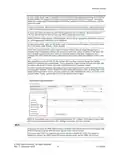
Resolved an issue where a WPA2-Enterprise Access Point could not get the Secret from a RADIUS
authentication server when the Access Point was configured before the RADIUS server was
configured.
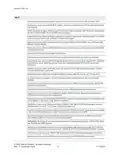
Resolved an issue where an iPhone could not connect to the router Access Point when no other
non-iOS devices were connected.
Resolved an issue where Intel AX200 throughput dropped after five minutes of TCP downlink.
To reduce power consumption, the Wi-Fi reference clock is disabled when Wi-Fi is thermally
disabled.
Resolved an issue where the router could not connect to a WPA2 Enterprise network using PEAP
without a root certificate.
Resolved an issue where a RADIUS server could be configured without a shared secret.
Resolved an issue where it was possible to delete a RADIUS server despite being included in a
WPA2-Enterprise Access Point configuration.
Resolved an issue where RADIUS/LDAP/TACACS+ server configurations saved in a template could
not be applied to the router using “Reset to Template”.
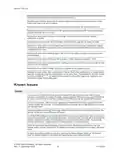
Resolved an issue where adding more than 6 SSIDs in the Client SSID Database table caused a
Datastore error in the UI. The number of SSIDs is limited to 6.
Resolved an issue where a client SSID configured with WPA2/3 transition mode appeared as offline
in the client SSID database even when the router was connected to the SSID.
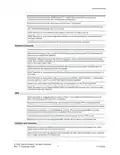
Resolved an issue where various devices sometimes failed to connect to an XR80 Access Point
when additional APs on the router were disabled/enabled.
XR80/XR90: Resolved an issue where the router did not support connecting to a WPA2-PSK SSID
with SHA256 and PMF required.
Resolved an issue where access points remained disabled after switching a router Wi-Fi interface
from Client mode to Access Point mode with “DISABLE APS ON CLIENT ASSOCIATION” enabled.
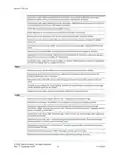
Resolved an issue where an XR80 briefly broadcast an SSID containing nonstandard characters.
Resolved an issue where an XR80 could not connect to a 2.4GHz WPA3 access point.
© 2022 Sierra Wireless. All rights reserved.
Rev. 1 December 2022
6
41114504

| General | Details |
|---|---|
| Name | SIERRA WIRELESS XR80 5G Cellular Router Instructions |
| Make | SIERRA WIRELESS |
| Language | English |
| Filetype | PDF (Download) |
| File size | 0.22 MB |
 (1 votes, average: 5.00 out of 5)
 Loading...
If you have any questions regarding SIERRA WIRELESS XR80 5G Cellular Router Instructions, please ask here and describe the problem in detail.
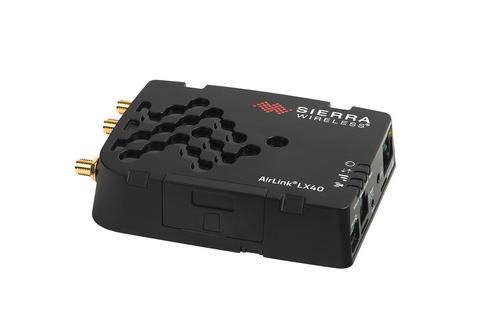
SIERRA WIRELESS AirLink LX40 Enterprise LTE Router User Guide


MOXA TN-4900 Series Gigabit Security Router Owner’s Manual

TP-Link X10-4G Deco Router Installation Guide

TP-Link AX6600 Tri-Band WiFi 6 Gaming Router Installation Guide
HNK RAX1810 Smart Wi-Fi Router User Manual

MERCKU M6a Plus WiFi 6 Mesh Router User Guide

TP-Link C5400X Wireless Router Installation Guide
mobile beacon FX 2000 5G Router User Guide

MikroTik Chateau LTE18 ax Dual Band Wireless Router User Manual

Cudy LT500 Wi-Fi 4G Router Installation Guide

DrayTek VDSL2 Security Router User Guide