
STARLINK Mini Kit Dish With Built In Router User Guide


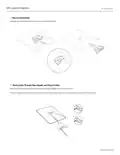


PIPE ADAPTER INSTALL
3 | Install Pipe Adapter
Slide the mount into your Starlink until it clicks into place.
4 | Mount Starlink to Pipe
Loosen the locking thumbscrew and slide the Pipe Adapter onto your mounting pipe. Temporarily tighten the thumbscrew to
stabilize Starlink onto pipe.
Connect the other end of the Starlink cable to the power supply and plug it into power outlet.
support.starlink.com

| General | Details |
|---|---|
| Name | STARLINK Mini Kit Dish With Built In Router User Guide |
| Make | Starlink |
| Language | English |
| Filetype | PDF (Download) |
| File size | 0.36 MB |
 (1 votes, average: 5.00 out of 5)
 Loading...
If you have any questions regarding STARLINK Mini Kit Dish With Built In Router User Guide, please ask here and describe the problem in detail.

STARLINK GEN 3 WIFI ROUTER Enhancing Homes Router Installation Guide

UTR-231 Starlink Router User Manual

UTR-232 WiFi 6 Starlink Router Instruction Manual

STARLINK 02633101 Gen 3 Wi-Fi Router User Guide

STARLINK LJ439RBIV3M5 Mini Router Installation Guide

STARLINK Router Installation Guide

STARLINK Mini Kit Dish With Router User Guide

STARLINK Standard Gen 3 Router User Guide


TP-Link Omada Network Router Installation Guide

ASUS ZenWiFi BT10 BE18000 Tri Band WiFi Router User Guide

Superbox S3PRO Router User Guide

GL iNet GL-SFT1200 AC1200 Opal Wireless Travel Router User Manual
VEVOR XBJHGYCYSDS643WCHV0 60 Inches 152.4cm Router User Guide

AKYPACH A2 Wood Router Instruction Manual

NETGEAR RAX40v2 Nighthawk AX4 4-Stream AX3000 WiFi Router User Manual

dahua DH-MAX18-3 MAX18 Mesh Wireless Router User Guide

TP-Link ER7206 V2 Omada Gigabit VPN Router User Guide

MERCUSYS 300Mbps Enhanced Wireless N Router MW325R User Manual