
Tenda N300 Wi-Fi 4G LTE Router User Guide




Document Version: V1.1
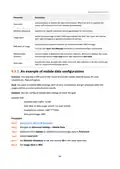
Parameter
Description
Used to enable or disable the data limit function. When the limit is reached, the
router will disconnect from the internet automatically.
Data Limit
Monthly Allowance
Usage Alert
Specifies the specific maximum data usage allowed for each month.
When the percentage of data traffic used reaches the limit, the router will send an
alert SMS message to a specified smartphone number.
Specifies the smartphone number for receiving the alert SMS message.
SMS Alert of Usage
You can click Send Test Message to test the smartphone number you entered.
Monthly Data
Statistics
Used to enable or disable the Monthly Data Statistics. When it is enabled, the router
will clear the data of Total Used at the date specified in Start Date.
Specifies the date at which the router clears the data statistics of the last month and
start to record in the following month.
Start Date
9.3.2 An example of mobile data configurations
Scenario: You inserted a SIM card in the router to provide mobile internet access for your
smartphone, iPad and laptop.
Goal: You want to receive SMS message alert on your smartphone and get prepared when the
usage reaches a certain amount every month.
Solution: You can configure mobile data settings to reach the goal.
Assume that:
−
Available data traffic: 10 GB
−
Start date of data usage record: 1st each month
−
Smartphone number: 188****5555
−
Alert percentage: 80%
Procedure:
Step 2 Navigate to Advanced Settings > Mobile Data.
Step 3 (Optional) Click Update to update the current usage data in Total Used.
Step 4 Enable Data Limit.
Step 5 Set Monthly Allowance to 10, and choose GB in the drop-down box.
Step 6 Set Usage Alert to 80%.
84

| General | Details |
|---|---|
| Name | Tenda N300 Wi-Fi 4G LTE Router User Guide |
| Make | Tenda |
| Language | English |
| Filetype | PDF (Download) |
| File size | 3.1 MB |
 (1 votes, average: 5.00 out of 5)
 Loading...
If you have any questions regarding Tenda N300 Wi-Fi 4G LTE Router User Guide, please ask here and describe the problem in detail.

Tenda AXE5700 Wi-Fi 6E Router User Manual

Tenda AX1800 Wi-Fi 6 5G NR Router User Manual

Tenda RX2LP Dual Band Gigabit Wi-Fi 6 Router Installation Guide

Tenda TX2L ProV1.0 WiFi 6 Router Installation Guide

Tenda RX12V1.0 Wi-Fi 6 6E Router Installation Guide

Tenda 4G09V1.0 Wifi Router User Manual

Tenda AC19 Dual Band Gigabit WiFi Router Installation Guide

Tenda 4G06V1.0 4G LTE and VoLTE Router User Guide

Tenda 4G03 N300 Wi-Fi 4G LTE Router Installation Guide

Tenda N300 WiFi VDSL/ADSL Modem Router V300 Installation Guide


peplink MAX BR1 Pro 5G Pepwave Router User Manual

ASUS ZenWiFi XD4S AX1800 Dual Band WiFi Router User Guide

cradlepoint R2100 Series 5G Ruggedized Router User Guide

ASUS GS-AX3000 Dual Band Gaming Router User Guide

Cudy GP1200V xPON Wi-Fi Router Installation Guide

TP-Link XGB430v Pro BE7200 Dual-Band Wi-Fi 7 XGS-PON Router Owner’s Manual

tp-Link BE6500 Dual Band Wi-Fi 7 Router Installation Guide

D-Link DIR-615 Wireless Router User Manual
Tenda AX1800 Wi-Fi 6 5G NR Router User Manual

ASKEY MAX2V1K Charter WiFi 6E MDU Router User Guide