
×
- 1. Quick Installation Guide (G Cpe Router)
- 2. The Html Code Provided Does Not Contain Any Specific Subheadings Related To Installation, Setup, Or Configuration. Therefore, I Will Take Th… (Contents)
- 3. Connect The Hardware (Insert The Sim Card Into The Slot Until You Hear A Click. → Connect The Power Adapter And Turn On The Router. → Make Sure The Internet Led Is On, Indicating The Router Is Connected To The Internet Successfully. → Connect Your Device To The Router (wired Or Wireless). → The Default Ssid And Password Are Printed On The Product Label At The Bottom Of The Router.)
- 4. Customize The 5g/4g+ Router (Follow The Step-by-step Instructions On The Quick Setup Page To Complete The Initial Configuration. → Faq (frequently Asked Questions))
- 5. Verify Sim Card Compatibility (Check Lan Connection → Check Isp Parameters → Check Pin Settings → Check Data Limit → Check Mobile Data)
- 6. Check The Data Roaming (How To Restore The Router To Its Factory Default Settings? → What Can I Do If I Forget The Password Of The Web Management Page? → What Can I Do If I Forget My Wireless Network Password?)
- 7. Свързване На Хардуера (Поставете Sim Картата В Слота → Свържете Захранващия Адаптер И Включете Рутера → Уверете Се, Че Led Индикаторът За Интернет Свети → Свържете Вашето Устройство Към Рутера)
- 8. Персонализирайте 5g/4g+ Рутера (Уверете Се, Че Вашият Компютър Е Свързан Към Рутера → Въведете Http://tplinkmodem.net Или Http://192.168.1.1 В Адресната Лента На Уеб Браузър → Следвайте Инструкциите Стъпка По Стъпка На Страницата За Бърза Настройка → Чзв (често Задавани Въпроси) → Какво Да Направя, Ако Не Мога Да Вляза В Страницата За Уеб Управление? → Какво Да Направя, Ако Нямам Достъп До Интернет?)
- 9. Проверете Дали Вашата Sim Карта Е 5g/4g Или Wcdma Карта. (Проверете Lan Връзката: → Проверете Параметрите На Вашия Isp: → Проверете Настройките На Pin: → Проверете Лимита За Данни: → Проверете Мобилните Данни:)
- 10. Проверете Роуминга На Данни (Как Да Възстановя Фабричните Настройки На Рутера? → Какво Да Направя, Ако Забравя Паролата На Страницата За Уеб Управление? → Какво Да Направя, Ако Забравя Паролата Си За Безжичната Мрежа?)
- 11. Připojení Hardwaru (Zasuňte Sim Kartu Do Slotu → Připojte Napájecí Adaptér A Zapněte Router → Zkontrolujte, Zda Svítí Led Pro Internet → Připojte Své Zařízení K Routeru → Výchozí Ssid A Heslo)
- 12. Přizpůsobení Nastavení 5g/4g+ Routeru (Postupujte Podle Pokynů Na Stránce Rychlého Nastavení A Dokončete Prvotní Konfiguraci. → Faq (nejčastější Otázky))
- 13. Jak Mám Postupovat, Když Se Nemohu Připojit K Internetu? (Zkontrolujte Připojení Lan → Zkontrolujte Parametry Uvedené Poskytovatelem Internetových Služeb → Zkontrolujte Nastavení Pin → Zkontrolujte Datový Limit)
- 14. Zkontrolujte Mobilní Data: (Zkontrolujte Datový Roaming: → Jak Vrátím Konfiguraci Routeru Do Jeho Výchozího Tovární Nastavení? → Jak Mám Postupovat, Když Zapomenu Heslo Pro Přihlášení Na Stránku Webové Správy? → Jak Mám Postupovat, Když Zapomenu Heslo Pro Bezdrátovou Síť?)
- 15. Жабдықты Қосыңыз (Sim Картасын Саңылауға Батырмасын Естігенше Салыңыз. → Қуат Адаптерін Жалғап, Маршрутизаторды Қосыңыз. → Интернет Желісінің Қосулы Екеніне Көз Жеткізіңіз. → Құрылғыны Маршрутизаторға Қосыңыз (сымды Немесе Сымсыз). → Әдепкі Ssid Және Құпия Сөз Маршрутизатордың Төменгі Жағындағы Өнімнің Жапсырмасында Басылған. → Ескертпе: Суреттер Тек Көрсету Үшін.)
- 16. G / 4g + Маршрутизаторын Теңшеңіз (Компьютердің Маршрутизаторға Қосылғанын Тексеріңіз → Веб-браузердің Мекенжай Жолағына Енгізіңіз → Бастапқы Конфигурацияны Аяқтау Үшін Жылдам Орнату Бетіндегі Қадамдық Нұсқауларды Орындаңыз → Ескертпе: Маршрутизаторды Кабельдік Қосылымдар Үшін Сымсыз Маршрутизатор Режимінде Де Пайдалануға Болады → Жқс (жиі Қойылатын Сұрақтар) → Веб-басқару Бетіне Кіре Алмасам Не Істеуім Керек?)
- 17. Sim Картанызды 5g/4g Немесе Wcdma Картасы Екенін Тексеріңіз. (Isp Параметрлеріңізді Тексеріңіз. → Pin Параметрлерін Тексеріңіз. → Деректер Шегін Тексеріңіз. → Мобильді Деректерді Тексеріңіз.)
- 18. Деректер Роумингін Тексеріңіз: (Маршрутизаторды Зауыттық Әдепкі Параметрлерге Қалай Қалпына Келтіруге Болады? → Веб-басқару Бетінің Құпия Сөзін Ұмытып Қалсам Не Істей Аламын? → Сымсыз Желі Құпия Сөзін Ұмытып Қалсам Не Істей Аламын? → Ескертпе: Ақаулықтарды Жою Бойынша Қосымша Анықтама Алу Үшін Біздің Веб-сайттағы Жқс Бөлімін Қараңыз.)
- 19. Aparatinės Įrangos Prijungimas (Prijunkite Maitinimo Adapterį Ir Įjunkite Maršrutų Parinktuvą → Patikrinkite, Ar Šviečia Interneto Led → Prijunkite Prietaisą Prie Maršruto Parinktuvo → Numatytasis Ssid Ir Slaptažodis Atspausdinti Ant Produkto Etiketės)
- 20. G/4g+ Maršruto Parinktuvo Tinkinimas (Interneto Naršyklės Adreso Juostoje Įveskite → Sekite Žingsnį Po Žingsnio Quick Setup Puslapyje → Duk (dažniausiai Užduodami Klausimai))
- 21. Ką Daryti, Jeigu Negaliu Prisijungti Prie Interneto? (Patikrinkite Lan Jungtį: → Patikrinkite Savo Isp Parametrus: → Patikrinkite Pin Kodo Nustatymus: → Patikrinkite Duomenų Kiekio Apribojimus: → Patikrinkite Mobiliuosius Duomenis:)
- 22. Įjunkite Mobiliuosius Duomenis, Kad Pasiektumėte Internetą. (Kaip Atkurti Gamyklinius Maršrutų Parinktuvo Nustatymus? → Ką Galiu Padaryti, Jei Pamiršau Valdymo Puslapio Slaptažodį? → Ką Daryti, Jei Pamiršau Belaidžio Ryšio Tinklo Slaptažodį?)
- 23. Csatlakoztassa A Hardvert (Helyezze Be A Sim-kártyát A Nyílásba → Csatlakoztassa A Hálózati Adaptert → Kapcsolja Be Az Útválasztót → Csatlakoztassa A Készüléket A Routerhez → Alapértelmezett Ssid És Jelszó)
- 24. Győződjön Meg Arról, Hogy Számítógépe Csatlakozik Az Útválasztóhoz (Írja Be A Http://tplinkmodem.net Vagy A Http://192.168.1.1 Címet A Webböngésző Címsorába → A Kezdeti Konfiguráció Befejezéséhez Kövesse A Gyorsbeállítás Oldalon Található Lépésenkénti Utasításokat → Gyik (gyakran Ismételt Kérdések) → Mi A Teendő, Ha Nem Tudom Elérni A Webkezelő Oldalt?)
- 25. Indítsa Újra A Routert (Tiltsa Le, Majd Engedélyezze Az Aktív Hálózati Adaptert → Ellenőrizze A Sim-kártyát → Ellenőrizze A Lan Csatlakozást → Ellenőrizze Az Internetszolgáltató Paramétereit → Ellenőrizze A Pin Beállítását → Ellenőrizze Az Adatforgalmi Korlátot)
- 26. Ellenőrizze A Mobil Adatokat: (Ellenőrizze Az Adatroamingot: → Hogyan Lehet Visszaállítani A Router Gyári Beállításait? → Mit Tehetek, Ha Elfelejtettem A Webkezelő Oldal Jelszavát? → Mit Tehetek, Ha Elfelejtettem A Vezeték Nélküli Hálózati Jelszavamat?)
- 27. Podłącz Urządzenie (Upewnij Się, Że Dioda Led Internet Świeci Się → Połącz Swoje Urządzenie Z Routerem → Domyślne Ssid I Hasło → Ilustracja Służy Wyłącznie Celom Demonstracyjnym)
- 28. Skonfiguruj Router 5g/4g+ (Szybka Konfiguracja → Faq (często Zadawane Pytania))
- 29. Sprawdź, Czy Twoja Karta Sim Jest Kartą 5g/4g Lub Wcdma. (Sprawdź Połączenie Lan: → Sprawdź Parametry Twojego Operatora: → Sprawdź Ustawienia Pin: → Sprawdź Limit Danych: → Sprawdź Dane Komórkowe:)
- 30. Włącz Dane Komórkowe, Aby Uzyskać Dostęp Do Internetu. (Sprawdź Roaming Danych: → Jak Mogę Przywrócić Router Do Jego Domyślnych Ustawień Fabrycznych? → Co Mogę Zrobić, Jeśli Nie Pamiętam Hasła Do Strony Konfiguracyjnej? → Co Mogę Zrobić, Jeśli Nie Pamiętam Hasła Do Mojej Sieci Bezprzewodowej? → Uwaga: Więcej Pomocy Znajdziesz W Poradnikach Faq Na Naszej Stronie Internetowej: Https://www.tp-link.com.)
- 31. Физическое Подключение (Подключите Адаптер Питания → Убедитесь, Что Горит Индикатор Подключения К Интернету → Подключите Устройство К Роутеру → Имя Сети Wi-fi (ssid) И Пароль По Умолчанию)
- 32. Настройка Роутера 4g+ (5g) (Быстрой Настройки → Часто Задаваемые Вопросы (faq))
- 33. Убедитесь, Что Вы Находитесь В Зоне Обслуживания Оператора. (Проверьте Подключение Lan: → Проверьте Настройки Провайдера: → Проверьте Настройки Pin-кода: → Проверьте Лимит Трафика: → Проверьте Мобильные Данные: → Проверьте Роуминг Данных:)
- 34. Как Восстановить Заводские Настройки Роутера? (Что Делать, Если Я Забыл Пароль От Веб-интерфейса Управления? → Что Делать, Если Я Забыл Пароль От Wi-fi Сети?)
- 35. Conectarea Fizică (Introdu Cartela Sim În Slot → Conectează Adaptorul De Alimentare → Asigură-te Că Led-ul Internet Este Aprins → Conectează Dispozitivul La Router → Ssid-ul Și Parola Implicite)
- 36. Personalizează Routerul 5g/4g+ (Configurare Rapidă → Întrebări Frecvente (faq))
- 37. Verifică Dacă Cartela Sim Este 5g/4g Sau Wcdma. (Verifică Conexiunea Lan: → Verifică Parametrii Isp: → Verifică Setările Pin: → Verifică Limita De Date: → Verifică Datele Mobile: → Verifică Roamingul De Date:)
- 38. Confirmă Cu Isp-ul Tău Dacă Te Afli Într-o Zonă De Servicii De Roaming. Dacă Ești, Deschide Un Browser Web Și Conectează-te La Pagina De Admi…
- 39. Zapojenie Hardvéru (Sim Kartu Zasúvajte Do Zásuvky → Pripojte Napájací Adaptér A Zapnite Router → Skontrolujte, Či Svieti Led Kontrolka Pripojenia Na Internet → Prepojte Svoje Zariadenie So Routerom → Predvolený Ssid A Heslo Sú Vytlačené Na Produktovom Štítku)
- 40. Prispôsobenie 5g/4g+ Routera (Rýchle Nastavenie → Najčastejšie Otázky)
- 41. Overte, Či Máte Sim Kartu Typu 5g/4g Alebo Wcdma (Skontrolujte Pripojenie Siete Lan → Skontrolujte Parametre Poskytovateľa Isp → Skontrolujte Nastavenia Pin Kódu → Skontrolujte Dátový Limit → Skontrolujte Dátové Mobilné Pripojenie)
- 42. Zapnite Dátové Mobilné Pripojenie, Aby Ste Mali Prístup Na Internet. (Skontrolujte Dátový Roaming: → Ako Obnovím Predvolené Nastavenia Routera Z Výroby? → Čo Mám Robiť, Ak Zabudnem Heslo Stránky Na Webovú Správu? → Ako Mám Postupovať, Ak Zabudnem Heslo Do Bezdrôtovej Siete?)
- 43. Povežite Hardver (Ubacite Sim Karticu → Priključite Mrežni Ispravljač → Uverite Se Da Led Indikator Internet Svetli → Povežite Uređaj Na Ruter → Podrazumevani Ssid I Lozinka)
- 44. Prilagodite 5g/4g+ Ruter (Brzo Podešavanje → Česta Pitanja)
- 45. Uverite Se Da Je Sim Kartica Tipa 5g/4g Ili Wcdma. (Proverite Lan Vezu: → Proverite Parametre Svog Dobavljača Usluga Interneta: → Proverite Postavke Za Pin: → Proverite Ograničenje Podataka: → Proverite Mobilne Podatke:)
- 46. Omogućite Mobilne Podatke Da Biste Pristupili Internetu. (Kako Da Vratim Ruter Na Podrazumevane Fabričke Postavke? → Šta Da Radim Ako Zaboravim Lozinku Veb-stranice Za Upravljanje? → Šta Da Radim Ako Zaboravim Lozinku Za Bežičnu Mrežu?)
- 47. Підключення Обладнання (Підключіть Адаптер Живлення Та Увімкніть Роутер → Переконайтесь, Що Індикатор Інтернету Світиться → Підключіть Пристрій До Роутера → Ssid Та Пароль За Замовчуванням)
- 48. Налаштування Маршрутизатора 5g/4g+ (Дотримуйтесь Покрокових Інструкцій На Сторінці Швидкого Налаштування → Faq (поширені Запитання))
- 49. Вимкніть, А Потім Увімкніть Активний Мережевий Адаптер І Повторіть Спробу. (Що Робити, Якщо Я Не Можу Отримати Доступ До Інтернету? → Переконайтеся, Що Ваша Sim-карта Підтримує 5g/4g Або Wcdma. → Переконайтеся, Що Ваша Sim-карта Знаходиться В Зоні Обслуговування Вашого Провайдера. → Перевірте Підключення До Локальної Мережі. → Перевірте Параметри Вашого Провайдера. → Перевірте Налаштування Pin-коду.)
- 50. Перевірте Мобільні Дані: (Перевірте Роумінг Даних: → Як Відновити Заводські Налаштування Маршрутизатора? → Що Робити, Якщо Я Забув Пароль До Веб-сторінки Керування? → Що Робити, Якщо Я Забув Пароль До Бездротової Мережі?)
- 51. Ühendage Riistvara (Sisestage Sim-kaart Pilusse → Ühendage Toiteadapter Ja Lülitage Ruuter Sisse → Veenduge, Et Interneti Led-lamp Põleb → Ühendage Oma Seade Ruuteriga)
- 52. Kohandage 5g/4g+ Ruuter (Esmase Konfiguratsiooni Lõpetamiseks Järgige Kiirseadistuselehel Toodud Üksikasjalikke Juhiseid → Kkk (korduma Kippuvad Küsimused))
- 53. Mida Teha, Kui Ma Ei Pääse Internetti? (Veenduge, Et Teie Sim-kaart On 5g-/4g- Või Wcdma-kaart. → Kontrollige Kohtvõrguühendust: → Kontrollige Oma Internetiteenuse Pakkuja Parameetreid: → Kontrollige Pin-sätteid: → Andmepiirangu Kontrollimine: → Mobiilsete Andmete Kontrollimine:)
- 54. Avage Veebibrauser Ja Logige Veebihalduse Lehele. (Internetti Pääsemiseks Lubage Mobiilne Andmeside. → Andmerändluse Kontrollimine: → Ruuteri Taastamiseks Vt Osast Kkk>k3 Ja Kasutage Nii Kasutajanimeks Kui Parooliks Sõna Admin' Või Looge Sisselogimiseks Uus Parool. → Ruuteri Tootesildile On Trükitud Juhtmeta Võrgu Vaikimisi Parool. → Logige Ruuteri Veebihalduse Lehele Ja Minge Parooli Taastamiseks Või Lähtestamiseks Jaotisse Basic > Wireless (põhiandmed > Juhtmevaba). → Lisateavet Veaotsingu Kohta Leiate Osast Kkk Meie Veebilehel.)
- 55. Povezivanje Hardvera (Umećite Sim Karticu U Utor Dok Ne Čujete Zvuk Klik'. → Povežite Adapter Za Napajanje I Uključite Usmjerivač. → Provjerite Svijetli Li Led Za Internet, Što Znači Da Je Usmjerivač Uspješno Povezan S Internetom. → Povežite Uređaj S Usmjerivačem (žičanim Ili Bežičnim Putem). → Zadani Ssid I Lozinka Tiskani Su Na Naljepnici Proizvoda S Donje Strane Usmjerivača.)
- 56. Prilagodite5g/4g+usmjerivač (Provjeriteje Liračunalo Povezano Susmjerivačem → Unesitehttp://tplinkmodem.netilihttp://192.168.1.1 → Slijeditenavedene Korake Na Straniciquicksetup(brzapostava) → Napomena:usmjerivačse Može Upotrebljavati → Čestopostavljena Pitanja)
- 57. Provjerite Je Li Vaša Sim Kartica 5g/4g Ili Wcdma Kartica. (Provjerite Lan Vezu. → Provjerite Parametre Pružatelja Internetskih Usluga. → Provjerite Postavke Pin-a. → Provjerite Ograničenje Podataka. → Provjerite Mobilne Podatke.)
- 58. Provjerite Podatkovni Roaming (Kako Vratiti Izvorne Tvorničke Postavke Usmjerivača? → Što Mogu Učiniti Ako Zaboravim Lozinku Mrežne Stranice Za Upravljanje? → Što Mogu Učiniti Ako Zaboravim Lozinku Bežične Mreže? → Dodatna Pomoć Za Rješavanje Problema)
- 59. Pievienojiet Aparatūru (Ievietojiet Sim Karti Slotā → Pievienojiet Strāvas Adapteri Un Ieslēdziet Maršrutētāju → Savienojiet Ierīci Ar Maršrutētāju (vadu Vai Bezvadu) → Noklusējuma Ssid Un Parole Ir Uzdrukāta Uz Produkta Etiķetes)
- 60. Pielāgojiet 5g/4g+ Maršrutētāju (Ievadiet Tīmekļa Pārlūkprogrammas Adreses Joslā → Ātrās Iestatīšanas Lapā Sniegtie Soli Pa Solim Norādījumi → Maršrutētāju Var Izmantot Bezvadu Maršrutētāja Režīmā → Buj (bieži Uzdotie Jautājumi) → Kas Man Jādara, Ja Nevaru Piekļūt Tīmekļa Pārvaldības Lapai?)
- 61. Ko Darīt, Ja Nevaru Piekļūt Internetam? (Pārbaudiet Lan Savienojumu → Pārbaudiet Savus Isp Parametrus → Pārbaudiet Pin Iestatījumus → Pārbaudiet Datu Ierobežojumu → Pārbaudiet Mobilos Datus)
- 62. Iespējojiet Mobilos Datus, Lai Piekļūtu Internetam (Kā Atjaunot Maršrutētāja Rūpnīcas Noklusējuma Iestatījumus? → Ko Darīt, Ja Esmu Aizmirsis Tīmekļa Pārvaldības Lapas Paroli? → Ko Darīt, Ja Esmu Aizmirsis Bezvadu Tīkla Paroli?)
- 63. Priključitev Strojne Opreme (Vstavite Sim-kartico V Režo → Priključite Napajalni Adapter In Vklopite Usmerjevalnik → Prepričajte Se, Da Svetlobna Dioda Za Internet Sveti → Napravo Povežite Z Usmerjevalnikom (žično Ali Brezžično) → Privzeta Ssid In Geslo Sta Natisnjena Na Oznaki Izdelka)
- 64. Zagotovite, Da Je Vaš Računalnik Povezan Z Usmerjevalnikom (žično Ali Brezžično). (Za Izvedbo Začetne Konfiguracije Sledite Navodilom Na Strani Quick Setup. → Faq (pogosta Vprašanja) → Kaj Naj Storim, Če Ne Morem Dostopati Do Strani Za Spletno Upravljanje? → Kaj Lahko Storim, Če Nimam Internetnega Dostopa?)
- 65. Preverite, Ali Je Vaša Sim-kartica Znotraj Vašega Območja Storitev Is (Preverite Svoje Parametre Isp → Preverite Nastavitve Pin → Preverite Omejitev Podatkov → Preverite Podatke Na Mobilnem Telefonu → Preverite Podatkovno Gostovanje)
- 66. Pri Svojem Isp Preverite, Ali Ste Na Območju Storitev Gostovanja. Če Ste, Odprite Spletni Brskalnik In Se Prijavite Na Stran Za Spletno Upra…
- 67. The Provided Html Code Does Not Contain Any Specific Subheadings Related To Installation/setup/configuration. Therefore, I Will Take The Fir… (Tp-link Hereby Declares That The Device Is In Compliance With The Essential Requirements And Other Relevant Provisions Of Directives 2014/53/eu, 2009/125/ec, 2011/65/eu And (eu)2015/863.)
- 68.
- 69. Pełna Deklaracja Zgodności Ue Znajduje Się Na Stronie Https://www.tp-link.com/en/support/ce/.
- 70. Safety Information
- 71. Bezpečnostní Informace (Ohutusalane Teave)
- 72. Seadme Kasutamiseks Lugege Läbi Ja Järgige Ülaltoodud Ohutusalast Teavet. Me Ei Saa Garanteerida, Et Seadme Valesti Kasutamine Ei Põhjustaks…
- 73. Адаптер Құрылғыға Жақын Орнатылуы Және Оңай Қолжетімді Болуы Қажет. (Ierīci Nedrīkst Pakļaut Ūdens, Uguns, Mitruma Vai Karstas Vides Ietekmei. → Nemēģiniet Izjaukt, Remontēt Vai Pārveidot Ierīci. → Ierīces Uzlādēšanai Nelietojiet Bojātu Uzlādes Ierīci Vai Bojātu Usb Kabeli. → Lietojiet Tikai Ražotāja Ieteiktās Uzlādes Ierīces. → Nelietojiet Ierīci Vietās, Kur Bezvadu Ierīču Lietošana Ir Aizliegta.)
- 74. Atsargumo Priemonės (Įrenginio Vieta → Tinkamas Įkrovimas → Naudojimo Apribojimai)
- 75. Instalacja I Użytkowanie Urządzenia (Środki Ostrożności → Zasady Bezpieczeństwa → Ograniczenia W Użytkowaniu)
- 76. Правила И Условия Монтажа Технического Средства, Его Подключения К Электрической Сети И Другим Техническим Средствам, Пуска, Регулирования И… (Правила И Условия Хранения, Перевозки, Реализации И Утилизации. → Информация О Мерах, Которые Следует Предпринять При Обнаружении Неисправности Технического Средства.)
- 77. Varnostne Informacije (Bezbednosne Informacije → Adaptér Je Potrebné Nainštalovať V Blízkosti Zariadenia Tak, Aby Bol Ľahko Dostupný → Naprava Naj Se Nahaja Izven Dosega Vode, Ognja, Vlage Oziroma Vročih Pogojev → Naprave Ne Poizkušajte Razstavljati, Popravljati Oziroma Spreminjati → Za Polnjenje Naprave Ne Uporabljajte Poškodovanega Polnilca Ali Kablov Usb → Ne Uporabljajte Nepriporočljivih Polnilcev)
- 78. Informacija Regarding Safety (Adapter Installation Requirements → Usage Restrictions For Wireless Devices → Recommendations For Charging Devices → Precautions Against Water And Fire Hazards → Guidelines For Device Handling And Maintenance)
×
TP-Link 5G AX1800 Wireless Dual-Band Gigabit Router Installation Guide

















Polski
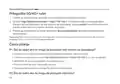
Skonfiguruj Router 5G/4G+
1
Upewnij się, że Twój komputer jest połączony z routerem (przewodowo lub bezprzewodowo).
2
podstawie faktycznej strony logowania do panelu zarządzania: użyj domyślnego admin jako
nazwy użytkownika i hasła, lub utwórz nowe hasło, aby się zalogować.
3
Postępuj zgodnie z instrukcjami krok po kroku na stronie Szybkiej konfiguracji, aby
wykonać wstępną konfigurację.
Uwaga: Router może być również używany (lub skonfigurowany) w trybie routera bezprzewodowego do połączeń Kablowych.
Więcej informacji można uzyskać w Poradniku użytkownika, który można znaleźć na stronie www.tp-link.com.pl.
FAQ (Często zadawane pytania)
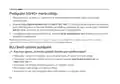
Q1. Co mogę zrobić, jeśli nie mogę uzyskać dostępu do strony konfiguracyjnej?
• Sprawdź, czy komputer jest ustawiony, aby automatycznie pobierał adres IP od routera.
wprowadzony do przeglądarki.
• Użyj innej przeglądarki internetowej i spróbuj ponownie.
• Uruchom ponownie swój router i spróbuj ponownie.
• Wyłącz, a następnie włącz ponownie aktywną kartę sieciową i spróbuj ponownie.
Q2. Co mogę zrobić, jeśli nie mogę uzyskać dostępu do internetu?
26

| General | Details |
|---|---|
| Name | TP-Link 5G AX1800 Wireless Dual-Band Gigabit Router Installation Guide |
| Make | TP-Link |
| Language | English |
| Filetype | PDF (Download) |
| File size | 1.41 MB |
 (1 votes, average: 5.00 out of 5)
 Loading...
If you have any questions regarding TP-Link 5G AX1800 Wireless Dual-Band Gigabit Router Installation Guide, please ask here and describe the problem in detail.

TP-Link Archer AX55 Wi-Fi 6 Router Installation Guide

TP-Link VR300 Archer Modem Router User Guide

TP-Link T150500-2-DT WiFi Router Instruction Manual

TP-Link Omada ER8411 VPN Router Instructions

TP-Link Configure VDSL Router User Guide

TP-Link Archer BE805 BE19000 Tri-Band Wi-Fi 7 Router User Manual

TP-Link VR600 Wireless DSL Modem Router Installation Guide

TP-Link AX58 Dual Band Gigabit Wi-Fi 6 Router Installation Guide

TP-Link AC750 Wireless Dual Band Router Owner’s Manual

TP-Link AX6000 8-Stream Wi-Fi 6 Router Installation Guide


trend T8EK Electric Router Instruction Manual

HNK RAX1810 Wi-Fi Router User Manual

TP-Link NX200 5G CPE Router Installation Guide

ERICSSON S400-C6-NA Wireless Router User Guide

STARLINK LJ439RBIV3M5 Mini Router Installation Guide

TP-Link Deco X20 Router Installation Guide

Imou AX3000 300 Mbps Wi-Fi 4G LTE Router User Guide

WEWINS M46Q 5G Mobile Router User Manual

Tenda 5G03 Wi-Fi 6 5G NR Router Installation Guide

ZYXEL 1WSM20 Multy M1 Router Instructions
Table of Contents
- 1. Quick Installation Guide - G Cpe Router →
- 2. The Html Code Provided Does Not Contain Any Specific Subhead... →
- 3. Connect The Hardware - Insert The Sim Card Into The Slot Unt... →
- 4. Customize The 5g/4g+ Router - Follow The Step-by-step Instru... →
- 5. Verify Sim Card Compatibility - Check Lan Connection →
- 6. Check The Data Roaming - How To Restore The Router To Its Fa... →
- 7. Свързване На Хардуера - Поставете Sim Картата В Слота →
- 8. Персонализирайте 5g/4g+ Рутера - Уверете Се, Че Вашият Компю... →
- 9. Проверете Дали Вашата Sim Карта Е 5g/4g Или Wcdma Карта. - П... →
- 10. Проверете Роуминга На Данни - Как Да Възстановя Фабричните Н... →
- 11. Připojení Hardwaru - Zasuňte Sim Kartu Do Slotu →
- 12. Přizpůsobení Nastavení 5g/4g+ Routeru - Postupujte Podle Pok... →
- 13. Jak Mám Postupovat, Když Se Nemohu Připojit K Internetu? - Z... →
- 14. Zkontrolujte Mobilní Data: - Zkontrolujte Datový Roaming: →
- 15. Жабдықты Қосыңыз - Sim Картасын Саңылауға Батырмасын Естіген... →
- 16. G / 4g + Маршрутизаторын Теңшеңіз - Компьютердің Маршрутизат... →
- 17. Sim Картанызды 5g/4g Немесе Wcdma Картасы Екенін Тексеріңіз.... →
- 18. Деректер Роумингін Тексеріңіз: - Маршрутизаторды Зауыттық Әд... →
- 19. Aparatinės Įrangos Prijungimas - Prijunkite Maitinimo Adapte... →
- 20. G/4g+ Maršruto Parinktuvo Tinkinimas - Interneto Naršyklės A... →
- 21. Ką Daryti, Jeigu Negaliu Prisijungti Prie Interneto? - Patik... →
- 22. Įjunkite Mobiliuosius Duomenis, Kad Pasiektumėte Internetą. ... →
- 23. Csatlakoztassa A Hardvert - Helyezze Be A Sim-kártyát A Nyíl... →
- 24. Győződjön Meg Arról, Hogy Számítógépe Csatlakozik Az Útválas... →
- 25. Indítsa Újra A Routert - Tiltsa Le, Majd Engedélyezze Az Akt... →
- 26. Ellenőrizze A Mobil Adatokat: - Ellenőrizze Az Adatroamingot... →
- 27. Podłącz Urządzenie - Upewnij Się, Że Dioda Led Internet Świe... →
- 28. Skonfiguruj Router 5g/4g+ - Szybka Konfiguracja →
- 29. Sprawdź, Czy Twoja Karta Sim Jest Kartą 5g/4g Lub Wcdma. - S... →
- 30. Włącz Dane Komórkowe, Aby Uzyskać Dostęp Do Internetu. - Spr... →
- 31. Физическое Подключение - Подключите Адаптер Питания →
- 32. Настройка Роутера 4g+ (5g) - Быстрой Настройки →
- 33. Убедитесь, Что Вы Находитесь В Зоне Обслуживания Оператора. ... →
- 34. Как Восстановить Заводские Настройки Роутера? - Что Делать, ... →
- 35. Conectarea Fizică - Introdu Cartela Sim În Slot →
- 36. Personalizează Routerul 5g/4g+ - Configurare Rapidă →
- 37. Verifică Dacă Cartela Sim Este 5g/4g Sau Wcdma. - Verifică Con... →
- 38. Confirmă Cu Isp-ul Tău Dacă Te Afli Într-o Zonă De Servicii D... →
- 39. Zapojenie Hardvéru - Sim Kartu Zasúvajte Do Zásuvky →
- 40. Prispôsobenie 5g/4g+ Routera - Rýchle Nastavenie →
- 41. Overte, Či Máte Sim Kartu Typu 5g/4g Alebo Wcdma - Skontrolu... →
- 42. Zapnite Dátové Mobilné Pripojenie, Aby Ste Mali Prístup Na I... →
- 43. Povežite Hardver - Ubacite Sim Karticu →
- 44. Prilagodite 5g/4g+ Ruter - Brzo Podešavanje →
- 45. Uverite Se Da Je Sim Kartica Tipa 5g/4g Ili Wcdma. - Proveri... →
- 46. Omogućite Mobilne Podatke Da Biste Pristupili Internetu. - K... →
- 47. Підключення Обладнання - Підключіть Адаптер Живлення Та Увім... →
- 48. Налаштування Маршрутизатора 5g/4g+ - Дотримуйтесь Покрокових... →
- 49. Вимкніть, А Потім Увімкніть Активний Мережевий Адаптер І Пов... →
- 50. Перевірте Мобільні Дані: - Перевірте Роумінг Даних: →
- 51. Ühendage Riistvara - Sisestage Sim-kaart Pilusse →
- 52. Kohandage 5g/4g+ Ruuter - Esmase Konfiguratsiooni Lõpetamise... →
- 53. Mida Teha, Kui Ma Ei Pääse Internetti? - Veenduge, Et Teie S... →
- 54. Avage Veebibrauser Ja Logige Veebihalduse Lehele. - Internet... →
- 55. Povezivanje Hardvera - Umećite Sim Karticu U Utor Dok Ne Čuj... →
- 56. Prilagodite5g/4g+usmjerivač - Provjeriteje Liračunalo Poveza... →
- 57. Provjerite Je Li Vaša Sim Kartica 5g/4g Ili Wcdma Kartica. -... →
- 58. Provjerite Podatkovni Roaming - Kako Vratiti Izvorne Tvornič... →
- 59. Pievienojiet Aparatūru - Ievietojiet Sim Karti Slotā →
- 60. Pielāgojiet 5g/4g+ Maršrutētāju - Ievadiet Tīmekļa Pārlūkpro... →
- 61. Ko Darīt, Ja Nevaru Piekļūt Internetam? - Pārbaudiet Lan Sav... →
- 62. Iespējojiet Mobilos Datus, Lai Piekļūtu Internetam - Kā Atja... →
- 63. Priključitev Strojne Opreme - Vstavite Sim-kartico V Režo →
- 64. Zagotovite, Da Je Vaš Računalnik Povezan Z Usmerjevalnikom (... →
- 65. Preverite, Ali Je Vaša Sim-kartica Znotraj Vašega Območja St... →
- 66. Pri Svojem Isp Preverite, Ali Ste Na Območju Storitev Gostov... →
- 67. The Provided Html Code Does Not Contain Any Specific Subhead... →
- 68. Page 68 →
- 69. Pełna Deklaracja Zgodności Ue Znajduje Się Na Stronie Https:... →
- 70. Safety Information →
- 71. Bezpečnostní Informace - Ohutusalane Teave →
- 72. Seadme Kasutamiseks Lugege Läbi Ja Järgige Ülaltoodud Ohutus... →
- 73. Адаптер Құрылғыға Жақын Орнатылуы Және Оңай Қолжетімді Болуы... →
- 74. Atsargumo Priemonės - Įrenginio Vieta →
- 75. Instalacja I Użytkowanie Urządzenia - Środki Ostrożności →
- 76. Правила И Условия Монтажа Технического Средства, Его Подключ... →
- 77. Varnostne Informacije - Bezbednosne Informacije →
- 78. Informacija Regarding Safety - Adapter Installation Requirem... →