
×
- 1. Quick Installation Guide (G Cpe Router)
- 2. The Html Code Provided Does Not Contain Any Specific Subheadings Related To Installation, Setup, Or Configuration. Therefore, I Will Take Th… (Contents)
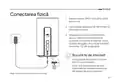
- 3. Connect The Hardware (Insert The Sim Card Into The Slot Until You Hear A Click. → Connect The Power Adapter And Turn On The Router. → Make Sure The Internet Led Is On, Indicating The Router Is Connected To The Internet Successfully. → Connect Your Device To The Router (wired Or Wireless). → The Default Ssid And Password Are Printed On The Product Label At The Bottom Of The Router.)
- 4. Customize The 5g/4g+ Router (Follow The Step-by-step Instructions On The Quick Setup Page To Complete The Initial Configuration. → Faq (frequently Asked Questions))
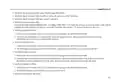
- 5. Verify Sim Card Compatibility (Check Lan Connection → Check Isp Parameters → Check Pin Settings → Check Data Limit → Check Mobile Data)
- 6. Check The Data Roaming (How To Restore The Router To Its Factory Default Settings? → What Can I Do If I Forget The Password Of The Web Management Page? → What Can I Do If I Forget My Wireless Network Password?)
- 7. Свързване На Хардуера (Поставете Sim Картата В Слота → Свържете Захранващия Адаптер И Включете Рутера → Уверете Се, Че Led Индикаторът За Интернет Свети → Свържете Вашето Устройство Към Рутера)
- 8. Персонализирайте 5g/4g+ Рутера (Уверете Се, Че Вашият Компютър Е Свързан Към Рутера → Въведете Http://tplinkmodem.net Или Http://192.168.1.1 В Адресната Лента На Уеб Браузър → Следвайте Инструкциите Стъпка По Стъпка На Страницата За Бърза Настройка → Чзв (често Задавани Въпроси) → Какво Да Направя, Ако Не Мога Да Вляза В Страницата За Уеб Управление? → Какво Да Направя, Ако Нямам Достъп До Интернет?)
- 9. Проверете Дали Вашата Sim Карта Е 5g/4g Или Wcdma Карта. (Проверете Lan Връзката: → Проверете Параметрите На Вашия Isp: → Проверете Настройките На Pin: → Проверете Лимита За Данни: → Проверете Мобилните Данни:)
- 10. Проверете Роуминга На Данни (Как Да Възстановя Фабричните Настройки На Рутера? → Какво Да Направя, Ако Забравя Паролата На Страницата За Уеб Управление? → Какво Да Направя, Ако Забравя Паролата Си За Безжичната Мрежа?)
- 11. Připojení Hardwaru (Zasuňte Sim Kartu Do Slotu → Připojte Napájecí Adaptér A Zapněte Router → Zkontrolujte, Zda Svítí Led Pro Internet → Připojte Své Zařízení K Routeru → Výchozí Ssid A Heslo)
- 12. Přizpůsobení Nastavení 5g/4g+ Routeru (Postupujte Podle Pokynů Na Stránce Rychlého Nastavení A Dokončete Prvotní Konfiguraci. → Faq (nejčastější Otázky))
- 13. Jak Mám Postupovat, Když Se Nemohu Připojit K Internetu? (Zkontrolujte Připojení Lan → Zkontrolujte Parametry Uvedené Poskytovatelem Internetových Služeb → Zkontrolujte Nastavení Pin → Zkontrolujte Datový Limit)
- 14. Zkontrolujte Mobilní Data: (Zkontrolujte Datový Roaming: → Jak Vrátím Konfiguraci Routeru Do Jeho Výchozího Tovární Nastavení? → Jak Mám Postupovat, Když Zapomenu Heslo Pro Přihlášení Na Stránku Webové Správy? → Jak Mám Postupovat, Když Zapomenu Heslo Pro Bezdrátovou Síť?)
- 15. Жабдықты Қосыңыз (Sim Картасын Саңылауға Батырмасын Естігенше Салыңыз. → Қуат Адаптерін Жалғап, Маршрутизаторды Қосыңыз. → Интернет Желісінің Қосулы Екеніне Көз Жеткізіңіз. → Құрылғыны Маршрутизаторға Қосыңыз (сымды Немесе Сымсыз). → Әдепкі Ssid Және Құпия Сөз Маршрутизатордың Төменгі Жағындағы Өнімнің Жапсырмасында Басылған. → Ескертпе: Суреттер Тек Көрсету Үшін.)
- 16. G / 4g + Маршрутизаторын Теңшеңіз (Компьютердің Маршрутизаторға Қосылғанын Тексеріңіз → Веб-браузердің Мекенжай Жолағына Енгізіңіз → Бастапқы Конфигурацияны Аяқтау Үшін Жылдам Орнату Бетіндегі Қадамдық Нұсқауларды Орындаңыз → Ескертпе: Маршрутизаторды Кабельдік Қосылымдар Үшін Сымсыз Маршрутизатор Режимінде Де Пайдалануға Болады → Жқс (жиі Қойылатын Сұрақтар) → Веб-басқару Бетіне Кіре Алмасам Не Істеуім Керек?)
- 17. Sim Картанызды 5g/4g Немесе Wcdma Картасы Екенін Тексеріңіз. (Isp Параметрлеріңізді Тексеріңіз. → Pin Параметрлерін Тексеріңіз. → Деректер Шегін Тексеріңіз. → Мобильді Деректерді Тексеріңіз.)
- 18. Деректер Роумингін Тексеріңіз: (Маршрутизаторды Зауыттық Әдепкі Параметрлерге Қалай Қалпына Келтіруге Болады? → Веб-басқару Бетінің Құпия Сөзін Ұмытып Қалсам Не Істей Аламын? → Сымсыз Желі Құпия Сөзін Ұмытып Қалсам Не Істей Аламын? → Ескертпе: Ақаулықтарды Жою Бойынша Қосымша Анықтама Алу Үшін Біздің Веб-сайттағы Жқс Бөлімін Қараңыз.)
- 19. Aparatinės Įrangos Prijungimas (Prijunkite Maitinimo Adapterį Ir Įjunkite Maršrutų Parinktuvą → Patikrinkite, Ar Šviečia Interneto Led → Prijunkite Prietaisą Prie Maršruto Parinktuvo → Numatytasis Ssid Ir Slaptažodis Atspausdinti Ant Produkto Etiketės)
- 20. G/4g+ Maršruto Parinktuvo Tinkinimas (Interneto Naršyklės Adreso Juostoje Įveskite → Sekite Žingsnį Po Žingsnio Quick Setup Puslapyje → Duk (dažniausiai Užduodami Klausimai))
- 21. Ką Daryti, Jeigu Negaliu Prisijungti Prie Interneto? (Patikrinkite Lan Jungtį: → Patikrinkite Savo Isp Parametrus: → Patikrinkite Pin Kodo Nustatymus: → Patikrinkite Duomenų Kiekio Apribojimus: → Patikrinkite Mobiliuosius Duomenis:)
- 22. Įjunkite Mobiliuosius Duomenis, Kad Pasiektumėte Internetą. (Kaip Atkurti Gamyklinius Maršrutų Parinktuvo Nustatymus? → Ką Galiu Padaryti, Jei Pamiršau Valdymo Puslapio Slaptažodį? → Ką Daryti, Jei Pamiršau Belaidžio Ryšio Tinklo Slaptažodį?)
- 23. Csatlakoztassa A Hardvert (Helyezze Be A Sim-kártyát A Nyílásba → Csatlakoztassa A Hálózati Adaptert → Kapcsolja Be Az Útválasztót → Csatlakoztassa A Készüléket A Routerhez → Alapértelmezett Ssid És Jelszó)
- 24. Győződjön Meg Arról, Hogy Számítógépe Csatlakozik Az Útválasztóhoz (Írja Be A Http://tplinkmodem.net Vagy A Http://192.168.1.1 Címet A Webböngésző Címsorába → A Kezdeti Konfiguráció Befejezéséhez Kövesse A Gyorsbeállítás Oldalon Található Lépésenkénti Utasításokat → Gyik (gyakran Ismételt Kérdések) → Mi A Teendő, Ha Nem Tudom Elérni A Webkezelő Oldalt?)
- 25. Indítsa Újra A Routert (Tiltsa Le, Majd Engedélyezze Az Aktív Hálózati Adaptert → Ellenőrizze A Sim-kártyát → Ellenőrizze A Lan Csatlakozást → Ellenőrizze Az Internetszolgáltató Paramétereit → Ellenőrizze A Pin Beállítását → Ellenőrizze Az Adatforgalmi Korlátot)
- 26. Ellenőrizze A Mobil Adatokat: (Ellenőrizze Az Adatroamingot: → Hogyan Lehet Visszaállítani A Router Gyári Beállításait? → Mit Tehetek, Ha Elfelejtettem A Webkezelő Oldal Jelszavát? → Mit Tehetek, Ha Elfelejtettem A Vezeték Nélküli Hálózati Jelszavamat?)
- 27. Podłącz Urządzenie (Upewnij Się, Że Dioda Led Internet Świeci Się → Połącz Swoje Urządzenie Z Routerem → Domyślne Ssid I Hasło → Ilustracja Służy Wyłącznie Celom Demonstracyjnym)
- 28. Skonfiguruj Router 5g/4g+ (Szybka Konfiguracja → Faq (często Zadawane Pytania))
- 29. Sprawdź, Czy Twoja Karta Sim Jest Kartą 5g/4g Lub Wcdma. (Sprawdź Połączenie Lan: → Sprawdź Parametry Twojego Operatora: → Sprawdź Ustawienia Pin: → Sprawdź Limit Danych: → Sprawdź Dane Komórkowe:)
- 30. Włącz Dane Komórkowe, Aby Uzyskać Dostęp Do Internetu. (Sprawdź Roaming Danych: → Jak Mogę Przywrócić Router Do Jego Domyślnych Ustawień Fabrycznych? → Co Mogę Zrobić, Jeśli Nie Pamiętam Hasła Do Strony Konfiguracyjnej? → Co Mogę Zrobić, Jeśli Nie Pamiętam Hasła Do Mojej Sieci Bezprzewodowej? → Uwaga: Więcej Pomocy Znajdziesz W Poradnikach Faq Na Naszej Stronie Internetowej: Https://www.tp-link.com.)
- 31. Физическое Подключение (Подключите Адаптер Питания → Убедитесь, Что Горит Индикатор Подключения К Интернету → Подключите Устройство К Роутеру → Имя Сети Wi-fi (ssid) И Пароль По Умолчанию)
- 32. Настройка Роутера 4g+ (5g) (Быстрой Настройки → Часто Задаваемые Вопросы (faq))
- 33. Убедитесь, Что Вы Находитесь В Зоне Обслуживания Оператора. (Проверьте Подключение Lan: → Проверьте Настройки Провайдера: → Проверьте Настройки Pin-кода: → Проверьте Лимит Трафика: → Проверьте Мобильные Данные: → Проверьте Роуминг Данных:)
- 34. Как Восстановить Заводские Настройки Роутера? (Что Делать, Если Я Забыл Пароль От Веб-интерфейса Управления? → Что Делать, Если Я Забыл Пароль От Wi-fi Сети?)
- 35. Conectarea Fizică (Introdu Cartela Sim În Slot → Conectează Adaptorul De Alimentare → Asigură-te Că Led-ul Internet Este Aprins → Conectează Dispozitivul La Router → Ssid-ul Și Parola Implicite)
- 36. Personalizează Routerul 5g/4g+ (Configurare Rapidă → Întrebări Frecvente (faq))
- 37. Verifică Dacă Cartela Sim Este 5g/4g Sau Wcdma. (Verifică Conexiunea Lan: → Verifică Parametrii Isp: → Verifică Setările Pin: → Verifică Limita De Date: → Verifică Datele Mobile: → Verifică Roamingul De Date:)
- 38. Confirmă Cu Isp-ul Tău Dacă Te Afli Într-o Zonă De Servicii De Roaming. Dacă Ești, Deschide Un Browser Web Și Conectează-te La Pagina De Admi…
- 39. Zapojenie Hardvéru (Sim Kartu Zasúvajte Do Zásuvky → Pripojte Napájací Adaptér A Zapnite Router → Skontrolujte, Či Svieti Led Kontrolka Pripojenia Na Internet → Prepojte Svoje Zariadenie So Routerom → Predvolený Ssid A Heslo Sú Vytlačené Na Produktovom Štítku)
- 40. Prispôsobenie 5g/4g+ Routera (Rýchle Nastavenie → Najčastejšie Otázky)
- 41. Overte, Či Máte Sim Kartu Typu 5g/4g Alebo Wcdma (Skontrolujte Pripojenie Siete Lan → Skontrolujte Parametre Poskytovateľa Isp → Skontrolujte Nastavenia Pin Kódu → Skontrolujte Dátový Limit → Skontrolujte Dátové Mobilné Pripojenie)
- 42. Zapnite Dátové Mobilné Pripojenie, Aby Ste Mali Prístup Na Internet. (Skontrolujte Dátový Roaming: → Ako Obnovím Predvolené Nastavenia Routera Z Výroby? → Čo Mám Robiť, Ak Zabudnem Heslo Stránky Na Webovú Správu? → Ako Mám Postupovať, Ak Zabudnem Heslo Do Bezdrôtovej Siete?)
- 43. Povežite Hardver (Ubacite Sim Karticu → Priključite Mrežni Ispravljač → Uverite Se Da Led Indikator Internet Svetli → Povežite Uređaj Na Ruter → Podrazumevani Ssid I Lozinka)
- 44. Prilagodite 5g/4g+ Ruter (Brzo Podešavanje → Česta Pitanja)
- 45. Uverite Se Da Je Sim Kartica Tipa 5g/4g Ili Wcdma. (Proverite Lan Vezu: → Proverite Parametre Svog Dobavljača Usluga Interneta: → Proverite Postavke Za Pin: → Proverite Ograničenje Podataka: → Proverite Mobilne Podatke:)
- 46. Omogućite Mobilne Podatke Da Biste Pristupili Internetu. (Kako Da Vratim Ruter Na Podrazumevane Fabričke Postavke? → Šta Da Radim Ako Zaboravim Lozinku Veb-stranice Za Upravljanje? → Šta Da Radim Ako Zaboravim Lozinku Za Bežičnu Mrežu?)
- 47. Підключення Обладнання (Підключіть Адаптер Живлення Та Увімкніть Роутер → Переконайтесь, Що Індикатор Інтернету Світиться → Підключіть Пристрій До Роутера → Ssid Та Пароль За Замовчуванням)
- 48. Налаштування Маршрутизатора 5g/4g+ (Дотримуйтесь Покрокових Інструкцій На Сторінці Швидкого Налаштування → Faq (поширені Запитання))
- 49. Вимкніть, А Потім Увімкніть Активний Мережевий Адаптер І Повторіть Спробу. (Що Робити, Якщо Я Не Можу Отримати Доступ До Інтернету? → Переконайтеся, Що Ваша Sim-карта Підтримує 5g/4g Або Wcdma. → Переконайтеся, Що Ваша Sim-карта Знаходиться В Зоні Обслуговування Вашого Провайдера. → Перевірте Підключення До Локальної Мережі. → Перевірте Параметри Вашого Провайдера. → Перевірте Налаштування Pin-коду.)
- 50. Перевірте Мобільні Дані: (Перевірте Роумінг Даних: → Як Відновити Заводські Налаштування Маршрутизатора? → Що Робити, Якщо Я Забув Пароль До Веб-сторінки Керування? → Що Робити, Якщо Я Забув Пароль До Бездротової Мережі?)
- 51. Ühendage Riistvara (Sisestage Sim-kaart Pilusse → Ühendage Toiteadapter Ja Lülitage Ruuter Sisse → Veenduge, Et Interneti Led-lamp Põleb → Ühendage Oma Seade Ruuteriga)
- 52. Kohandage 5g/4g+ Ruuter (Esmase Konfiguratsiooni Lõpetamiseks Järgige Kiirseadistuselehel Toodud Üksikasjalikke Juhiseid → Kkk (korduma Kippuvad Küsimused))
- 53. Mida Teha, Kui Ma Ei Pääse Internetti? (Veenduge, Et Teie Sim-kaart On 5g-/4g- Või Wcdma-kaart. → Kontrollige Kohtvõrguühendust: → Kontrollige Oma Internetiteenuse Pakkuja Parameetreid: → Kontrollige Pin-sätteid: → Andmepiirangu Kontrollimine: → Mobiilsete Andmete Kontrollimine:)
- 54. Avage Veebibrauser Ja Logige Veebihalduse Lehele. (Internetti Pääsemiseks Lubage Mobiilne Andmeside. → Andmerändluse Kontrollimine: → Ruuteri Taastamiseks Vt Osast Kkk>k3 Ja Kasutage Nii Kasutajanimeks Kui Parooliks Sõna Admin' Või Looge Sisselogimiseks Uus Parool. → Ruuteri Tootesildile On Trükitud Juhtmeta Võrgu Vaikimisi Parool. → Logige Ruuteri Veebihalduse Lehele Ja Minge Parooli Taastamiseks Või Lähtestamiseks Jaotisse Basic > Wireless (põhiandmed > Juhtmevaba). → Lisateavet Veaotsingu Kohta Leiate Osast Kkk Meie Veebilehel.)
- 55. Povezivanje Hardvera (Umećite Sim Karticu U Utor Dok Ne Čujete Zvuk Klik'. → Povežite Adapter Za Napajanje I Uključite Usmjerivač. → Provjerite Svijetli Li Led Za Internet, Što Znači Da Je Usmjerivač Uspješno Povezan S Internetom. → Povežite Uređaj S Usmjerivačem (žičanim Ili Bežičnim Putem). → Zadani Ssid I Lozinka Tiskani Su Na Naljepnici Proizvoda S Donje Strane Usmjerivača.)
- 56. Prilagodite5g/4g+usmjerivač (Provjeriteje Liračunalo Povezano Susmjerivačem → Unesitehttp://tplinkmodem.netilihttp://192.168.1.1 → Slijeditenavedene Korake Na Straniciquicksetup(brzapostava) → Napomena:usmjerivačse Može Upotrebljavati → Čestopostavljena Pitanja)
- 57. Provjerite Je Li Vaša Sim Kartica 5g/4g Ili Wcdma Kartica. (Provjerite Lan Vezu. → Provjerite Parametre Pružatelja Internetskih Usluga. → Provjerite Postavke Pin-a. → Provjerite Ograničenje Podataka. → Provjerite Mobilne Podatke.)
- 58. Provjerite Podatkovni Roaming (Kako Vratiti Izvorne Tvorničke Postavke Usmjerivača? → Što Mogu Učiniti Ako Zaboravim Lozinku Mrežne Stranice Za Upravljanje? → Što Mogu Učiniti Ako Zaboravim Lozinku Bežične Mreže? → Dodatna Pomoć Za Rješavanje Problema)
- 59. Pievienojiet Aparatūru (Ievietojiet Sim Karti Slotā → Pievienojiet Strāvas Adapteri Un Ieslēdziet Maršrutētāju → Savienojiet Ierīci Ar Maršrutētāju (vadu Vai Bezvadu) → Noklusējuma Ssid Un Parole Ir Uzdrukāta Uz Produkta Etiķetes)
- 60. Pielāgojiet 5g/4g+ Maršrutētāju (Ievadiet Tīmekļa Pārlūkprogrammas Adreses Joslā → Ātrās Iestatīšanas Lapā Sniegtie Soli Pa Solim Norādījumi → Maršrutētāju Var Izmantot Bezvadu Maršrutētāja Režīmā → Buj (bieži Uzdotie Jautājumi) → Kas Man Jādara, Ja Nevaru Piekļūt Tīmekļa Pārvaldības Lapai?)
- 61. Ko Darīt, Ja Nevaru Piekļūt Internetam? (Pārbaudiet Lan Savienojumu → Pārbaudiet Savus Isp Parametrus → Pārbaudiet Pin Iestatījumus → Pārbaudiet Datu Ierobežojumu → Pārbaudiet Mobilos Datus)
- 62. Iespējojiet Mobilos Datus, Lai Piekļūtu Internetam (Kā Atjaunot Maršrutētāja Rūpnīcas Noklusējuma Iestatījumus? → Ko Darīt, Ja Esmu Aizmirsis Tīmekļa Pārvaldības Lapas Paroli? → Ko Darīt, Ja Esmu Aizmirsis Bezvadu Tīkla Paroli?)
- 63. Priključitev Strojne Opreme (Vstavite Sim-kartico V Režo → Priključite Napajalni Adapter In Vklopite Usmerjevalnik → Prepričajte Se, Da Svetlobna Dioda Za Internet Sveti → Napravo Povežite Z Usmerjevalnikom (žično Ali Brezžično) → Privzeta Ssid In Geslo Sta Natisnjena Na Oznaki Izdelka)
- 64. Zagotovite, Da Je Vaš Računalnik Povezan Z Usmerjevalnikom (žično Ali Brezžično). (Za Izvedbo Začetne Konfiguracije Sledite Navodilom Na Strani Quick Setup. → Faq (pogosta Vprašanja) → Kaj Naj Storim, Če Ne Morem Dostopati Do Strani Za Spletno Upravljanje? → Kaj Lahko Storim, Če Nimam Internetnega Dostopa?)
- 65. Preverite, Ali Je Vaša Sim-kartica Znotraj Vašega Območja Storitev Is (Preverite Svoje Parametre Isp → Preverite Nastavitve Pin → Preverite Omejitev Podatkov → Preverite Podatke Na Mobilnem Telefonu → Preverite Podatkovno Gostovanje)
- 66. Pri Svojem Isp Preverite, Ali Ste Na Območju Storitev Gostovanja. Če Ste, Odprite Spletni Brskalnik In Se Prijavite Na Stran Za Spletno Upra…
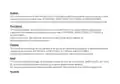
- 67. The Provided Html Code Does Not Contain Any Specific Subheadings Related To Installation/setup/configuration. Therefore, I Will Take The Fir… (Tp-link Hereby Declares That The Device Is In Compliance With The Essential Requirements And Other Relevant Provisions Of Directives 2014/53/eu, 2009/125/ec, 2011/65/eu And (eu)2015/863.)
- 68.
- 69. Pełna Deklaracja Zgodności Ue Znajduje Się Na Stronie Https://www.tp-link.com/en/support/ce/.
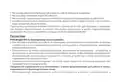
- 70. Safety Information
- 71. Bezpečnostní Informace (Ohutusalane Teave)
- 72. Seadme Kasutamiseks Lugege Läbi Ja Järgige Ülaltoodud Ohutusalast Teavet. Me Ei Saa Garanteerida, Et Seadme Valesti Kasutamine Ei Põhjustaks…
- 73. Адаптер Құрылғыға Жақын Орнатылуы Және Оңай Қолжетімді Болуы Қажет. (Ierīci Nedrīkst Pakļaut Ūdens, Uguns, Mitruma Vai Karstas Vides Ietekmei. → Nemēģiniet Izjaukt, Remontēt Vai Pārveidot Ierīci. → Ierīces Uzlādēšanai Nelietojiet Bojātu Uzlādes Ierīci Vai Bojātu Usb Kabeli. → Lietojiet Tikai Ražotāja Ieteiktās Uzlādes Ierīces. → Nelietojiet Ierīci Vietās, Kur Bezvadu Ierīču Lietošana Ir Aizliegta.)
- 74. Atsargumo Priemonės (Įrenginio Vieta → Tinkamas Įkrovimas → Naudojimo Apribojimai)
- 75. Instalacja I Użytkowanie Urządzenia (Środki Ostrożności → Zasady Bezpieczeństwa → Ograniczenia W Użytkowaniu)
- 76. Правила И Условия Монтажа Технического Средства, Его Подключения К Электрической Сети И Другим Техническим Средствам, Пуска, Регулирования И… (Правила И Условия Хранения, Перевозки, Реализации И Утилизации. → Информация О Мерах, Которые Следует Предпринять При Обнаружении Неисправности Технического Средства.)
- 77. Varnostne Informacije (Bezbednosne Informacije → Adaptér Je Potrebné Nainštalovať V Blízkosti Zariadenia Tak, Aby Bol Ľahko Dostupný → Naprava Naj Se Nahaja Izven Dosega Vode, Ognja, Vlage Oziroma Vročih Pogojev → Naprave Ne Poizkušajte Razstavljati, Popravljati Oziroma Spreminjati → Za Polnjenje Naprave Ne Uporabljajte Poškodovanega Polnilca Ali Kablov Usb → Ne Uporabljajte Nepriporočljivih Polnilcev)
- 78. Informacija Regarding Safety (Adapter Installation Requirements → Usage Restrictions For Wireless Devices → Recommendations For Charging Devices → Precautions Against Water And Fire Hazards → Guidelines For Device Handling And Maintenance)
×
TP-Link 5G AX1800 Wireless Dual-Band Gigabit Router Installation Guide

















English
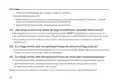
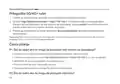
• Check the Data Roaming:
1 Confirm with your ISP if you are in a roaming service area. If you are, open a web browser and log
into the web management page.
2 Enable the data roaming to access the internet.
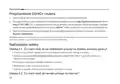
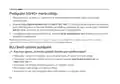
Q3. How to restore the router to its factory default settings?
• With the router powered on, press and hold the RESET button on the rear panel of the router
until the Power LED starts flashing. The router will restore and reboot automatically.
• Log in to the web management page of the router to restore the router to its factory defaults.
Q4. What can I do if I forget the password of the web management page?
• Refer to FAQ>Q3 to restore the router and use admin for both username and password or create
a new password to log in.
Q5. What can I do if I forget my wireless network password?
• The default wireless password is printed on the product label of the router.
• If the default wireless password has been changed, log in to the router's web management page
and retrieve or reset your password.
4

| General | Details |
|---|---|
| Name | TP-Link 5G AX1800 Wireless Dual-Band Gigabit Router Installation Guide |
| Make | TP-Link |
| Language | English |
| Filetype | PDF (Download) |
| File size | 1.41 MB |
 (1 votes, average: 5.00 out of 5)
 Loading...
If you have any questions regarding TP-Link 5G AX1800 Wireless Dual-Band Gigabit Router Installation Guide, please ask here and describe the problem in detail.

TP-Link VR300 Archer Modem Router User Guide

TP-Link T150500-2-DT WiFi Router Instruction Manual

TP-Link Archer AX55 Wi-Fi 6 Router Installation Guide

TP-Link Omada ER8411 VPN Router Instructions

TP-Link Configure VDSL Router User Guide

TP-Link Archer BE805 BE19000 Tri-Band Wi-Fi 7 Router User Manual

TP-Link VR600 Wireless DSL Modem Router Installation Guide

TP-Link AX58 Dual Band Gigabit Wi-Fi 6 Router Installation Guide

TP-Link AC750 Wireless Dual Band Router Owner’s Manual

TP-Link AX6000 8-Stream Wi-Fi 6 Router Installation Guide


DrayTek Vigor2765 Wired VDSL and Ethernet SoHo Router User Guide

CNCU E550 EasyRoute CNC Router Instructions

Draytek Vigor2767 Series Security Router User Guide

LINKSYS AX1800 Dual-Band WiFi 6 Router E7350 User Guide

Promethean OPS-A Router Installation Guide

Roam-ON R10 MiFi 4G LTE WiFi Mobile Hotspot Router User Manual

FALCON 150 Mbps 4G LTE Portable Router User Manual
REYEE AX3000 Home Wi-Fi Router Instruction Manual

Raymarine YachtSense Link 4G Marine Cloud Router Instruction Manual

MobileMark TX54-A106 LTE Advanced Cellular Router User Manual
Table of Contents
- 1. Quick Installation Guide - G Cpe Router →
- 2. The Html Code Provided Does Not Contain Any Specific Subhead... →
- 3. Connect The Hardware - Insert The Sim Card Into The Slot Unt... →
- 4. Customize The 5g/4g+ Router - Follow The Step-by-step Instru... →
- 5. Verify Sim Card Compatibility - Check Lan Connection →
- 6. Check The Data Roaming - How To Restore The Router To Its Fa... →
- 7. Свързване На Хардуера - Поставете Sim Картата В Слота →
- 8. Персонализирайте 5g/4g+ Рутера - Уверете Се, Че Вашият Компю... →
- 9. Проверете Дали Вашата Sim Карта Е 5g/4g Или Wcdma Карта. - П... →
- 10. Проверете Роуминга На Данни - Как Да Възстановя Фабричните Н... →
- 11. Připojení Hardwaru - Zasuňte Sim Kartu Do Slotu →
- 12. Přizpůsobení Nastavení 5g/4g+ Routeru - Postupujte Podle Pok... →
- 13. Jak Mám Postupovat, Když Se Nemohu Připojit K Internetu? - Z... →
- 14. Zkontrolujte Mobilní Data: - Zkontrolujte Datový Roaming: →
- 15. Жабдықты Қосыңыз - Sim Картасын Саңылауға Батырмасын Естіген... →
- 16. G / 4g + Маршрутизаторын Теңшеңіз - Компьютердің Маршрутизат... →
- 17. Sim Картанызды 5g/4g Немесе Wcdma Картасы Екенін Тексеріңіз.... →
- 18. Деректер Роумингін Тексеріңіз: - Маршрутизаторды Зауыттық Әд... →
- 19. Aparatinės Įrangos Prijungimas - Prijunkite Maitinimo Adapte... →
- 20. G/4g+ Maršruto Parinktuvo Tinkinimas - Interneto Naršyklės A... →
- 21. Ką Daryti, Jeigu Negaliu Prisijungti Prie Interneto? - Patik... →
- 22. Įjunkite Mobiliuosius Duomenis, Kad Pasiektumėte Internetą. ... →
- 23. Csatlakoztassa A Hardvert - Helyezze Be A Sim-kártyát A Nyíl... →
- 24. Győződjön Meg Arról, Hogy Számítógépe Csatlakozik Az Útválas... →
- 25. Indítsa Újra A Routert - Tiltsa Le, Majd Engedélyezze Az Akt... →
- 26. Ellenőrizze A Mobil Adatokat: - Ellenőrizze Az Adatroamingot... →
- 27. Podłącz Urządzenie - Upewnij Się, Że Dioda Led Internet Świe... →
- 28. Skonfiguruj Router 5g/4g+ - Szybka Konfiguracja →
- 29. Sprawdź, Czy Twoja Karta Sim Jest Kartą 5g/4g Lub Wcdma. - S... →
- 30. Włącz Dane Komórkowe, Aby Uzyskać Dostęp Do Internetu. - Spr... →
- 31. Физическое Подключение - Подключите Адаптер Питания →
- 32. Настройка Роутера 4g+ (5g) - Быстрой Настройки →
- 33. Убедитесь, Что Вы Находитесь В Зоне Обслуживания Оператора. ... →
- 34. Как Восстановить Заводские Настройки Роутера? - Что Делать, ... →
- 35. Conectarea Fizică - Introdu Cartela Sim În Slot →
- 36. Personalizează Routerul 5g/4g+ - Configurare Rapidă →
- 37. Verifică Dacă Cartela Sim Este 5g/4g Sau Wcdma. - Verifică Con... →
- 38. Confirmă Cu Isp-ul Tău Dacă Te Afli Într-o Zonă De Servicii D... →
- 39. Zapojenie Hardvéru - Sim Kartu Zasúvajte Do Zásuvky →
- 40. Prispôsobenie 5g/4g+ Routera - Rýchle Nastavenie →
- 41. Overte, Či Máte Sim Kartu Typu 5g/4g Alebo Wcdma - Skontrolu... →
- 42. Zapnite Dátové Mobilné Pripojenie, Aby Ste Mali Prístup Na I... →
- 43. Povežite Hardver - Ubacite Sim Karticu →
- 44. Prilagodite 5g/4g+ Ruter - Brzo Podešavanje →
- 45. Uverite Se Da Je Sim Kartica Tipa 5g/4g Ili Wcdma. - Proveri... →
- 46. Omogućite Mobilne Podatke Da Biste Pristupili Internetu. - K... →
- 47. Підключення Обладнання - Підключіть Адаптер Живлення Та Увім... →
- 48. Налаштування Маршрутизатора 5g/4g+ - Дотримуйтесь Покрокових... →
- 49. Вимкніть, А Потім Увімкніть Активний Мережевий Адаптер І Пов... →
- 50. Перевірте Мобільні Дані: - Перевірте Роумінг Даних: →
- 51. Ühendage Riistvara - Sisestage Sim-kaart Pilusse →
- 52. Kohandage 5g/4g+ Ruuter - Esmase Konfiguratsiooni Lõpetamise... →
- 53. Mida Teha, Kui Ma Ei Pääse Internetti? - Veenduge, Et Teie S... →
- 54. Avage Veebibrauser Ja Logige Veebihalduse Lehele. - Internet... →
- 55. Povezivanje Hardvera - Umećite Sim Karticu U Utor Dok Ne Čuj... →
- 56. Prilagodite5g/4g+usmjerivač - Provjeriteje Liračunalo Poveza... →
- 57. Provjerite Je Li Vaša Sim Kartica 5g/4g Ili Wcdma Kartica. -... →
- 58. Provjerite Podatkovni Roaming - Kako Vratiti Izvorne Tvornič... →
- 59. Pievienojiet Aparatūru - Ievietojiet Sim Karti Slotā →
- 60. Pielāgojiet 5g/4g+ Maršrutētāju - Ievadiet Tīmekļa Pārlūkpro... →
- 61. Ko Darīt, Ja Nevaru Piekļūt Internetam? - Pārbaudiet Lan Sav... →
- 62. Iespējojiet Mobilos Datus, Lai Piekļūtu Internetam - Kā Atja... →
- 63. Priključitev Strojne Opreme - Vstavite Sim-kartico V Režo →
- 64. Zagotovite, Da Je Vaš Računalnik Povezan Z Usmerjevalnikom (... →
- 65. Preverite, Ali Je Vaša Sim-kartica Znotraj Vašega Območja St... →
- 66. Pri Svojem Isp Preverite, Ali Ste Na Območju Storitev Gostov... →
- 67. The Provided Html Code Does Not Contain Any Specific Subhead... →
- 68. Page 68 →
- 69. Pełna Deklaracja Zgodności Ue Znajduje Się Na Stronie Https:... →
- 70. Safety Information →
- 71. Bezpečnostní Informace - Ohutusalane Teave →
- 72. Seadme Kasutamiseks Lugege Läbi Ja Järgige Ülaltoodud Ohutus... →
- 73. Адаптер Құрылғыға Жақын Орнатылуы Және Оңай Қолжетімді Болуы... →
- 74. Atsargumo Priemonės - Įrenginio Vieta →
- 75. Instalacja I Użytkowanie Urządzenia - Środki Ostrożności →
- 76. Правила И Условия Монтажа Технического Средства, Его Подключ... →
- 77. Varnostne Informacije - Bezbednosne Informacije →
- 78. Informacija Regarding Safety - Adapter Installation Requirem... →