
Vigor 2136 Series Gigabit Broadband Router User Guide


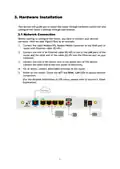


3.2 Wall-Mounted Installation
Vigor2136 series has keyhole type mounting slots on the underside.
1. Drill two holes on the wall. The distance between the holes shall be 168mm.
2. Fit screws into the wall using the appropriate type of wall plug.
3. With the screws installed, the router can be slotted into place.
Note
The recommended drill diameter shall be 6.5mm (1/4”).
4. When you finished about procedure, the router has been mounted on the
wall firmly.
6

| General | Details |
|---|---|
| Name | Vigor 2136 Series Gigabit Broadband Router User Guide |
| Make | VIGOR |
| Language | English |
| Filetype | PDF (Download) |
| File size | 0.32 MB |
 (1 votes, average: 5.00 out of 5)
 Loading...
If you have any questions regarding Vigor 2136 Series Gigabit Broadband Router User Guide, please ask here and describe the problem in detail.


GL-INET GL-AR300M Shadow Mini Router User Guide

Cudy P5 5G NR AX3000 Wi-Fi 6 Router Installation Guide

ASUS GT-AX11000 Pro ROG Rapture Pro Tri-band Gaming Router User Guide

FiberHome SR1021E Wireless Router User Manual

Cudy WR3000S AX3000 Gigabit Mesh WiFi 6 Router Installation Guide

TELTONIKA Networks QSG RUT956 Cellular Router Instruction Manual

HAUS AWM55 Portable 5G Router User Guide

TP-Link AX1800 Wireless Router User Manual

TELTONIKA RUT361 Cellular Router Instruction Manual

TP-Link AC1900 Wireless MU-MIMO Wi-Fi Router Instruction Manual