
Vigor 2136 Series Gigabit Broadband Router User Guide




network connection through WPS.
Restore the default settings.
Factory Reset
Usage: Turn on the router (ACT LED is blinking). Press the hole and
keep for more than 5 seconds. When you see the ACT LED begins to
blink rapidly than usual, release the button. Then the router will
restart with the factory default configuration.
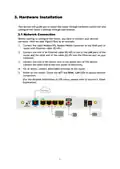
2.5G WAN
P1~P4
Connector for remote networked devices (by Ethernet cable).
Connectors for local networked devices.
In which the transmission rate for P1(only) can reach 2.5G.
USB1~USB2
ON/OFF
PWR
Connector for a USB device (USB Modem or printer).
Power switch.
Connector for a power adapter.
4

| General | Details |
|---|---|
| Name | Vigor 2136 Series Gigabit Broadband Router User Guide |
| Make | VIGOR |
| Language | English |
| Filetype | PDF (Download) |
| File size | 0.32 MB |
 (1 votes, average: 5.00 out of 5)
 Loading...
If you have any questions regarding Vigor 2136 Series Gigabit Broadband Router User Guide, please ask here and describe the problem in detail.


COWMANAGER WIB2000 Coordinator Router User Manual

perle IRG5521+ FirstNet Ready LTE Router User Guide

TP-Link AC1900 Archer AC1900 MU-MIMO Wi-Fi Router User Guide

TCL HH132V1 Tim Modem Router User Manual

TP-Link BE550PROV2 BE9700 Tri-Band Wi-Fi 7 Router Installation Guide

TP-Link Archer MR500 AC1200 Wireless Dual Band Gigabit Router User Guide

GLOBAL TELECOM TITAN 5000 5G NR and Wi-Fi 6 Router User Guide

FiberHome SR1021E Wireless Router User Manual

TP-LINK AX1500 Dual Band Wi-Fi 6 Router Installation Guide

eero SN10001 Outdoor 7 PoE Mesh Wi-Fi Router Installation Guide