
Westermo Merlin 4100 Series Cellular Router User Guide

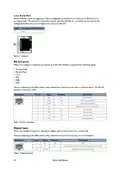
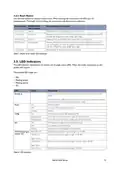
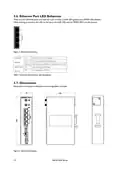
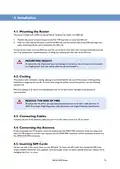


3.4.3. Reset Button
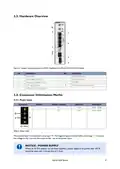
Use the reset button to request a system reset. When pressing the reset button, all LEDs turn on
simultaneously. The length of time holding the reset button will determine its behaviour.
Press duration PWR/CONFIG
LED behaviour
Router behaviour on depress
0-3 seconds
Solid on
Normal reset to running config. No special LED activity.
3-15 seconds
Flashing fast
Releasing 3-15 seconds switches the router back to factory configuration. Note: this
will wipe the configurations, both config1 and config2.
15-20 seconds
20-30 seconds
Solid on
Releasing 15-20 seconds performs a normal reset to running config.
Flashing slowly
Releasing 20-30 seconds reboots the router to recovery mode. Only to be done in
case of emergency and under the guidance of Westermo support staff. Note: this may
wipe the configurations, both config1 and config2.
> 30 seconds
Solid on
Releasing after 30 seconds performs a normal reset.
Table 5. Merlin series router reset behaviour
3.5. LED Indicators
The LED indicators described in this section are all single colour LEDs. When the router is powered on, the
power LED is green.
The possible LED states are:
• Off
• Flashing slowly
• Flashing quickly
• On
LED
Status
Description
Booting up
The router takes less than a minute to boot up. During this time, the power LED
flashes.
Other LEDs display different diagnostic patterns during boot up. Booting is complete
when the power LED stops flashing and stays on steady.
Power
Config
SIM
On
Power is present
Off
No power. Boot loader does not exist.
Flashing
On
Booting
The router is running a valid configuration file.
The router is running in recovery mode (2.5 flashes/second)
The router is running in factory configuration (5 flashes/second)
SIM selected and registered on the 3G/4G network
Not selected or SIM not inserted
Flashing slowly
Flashing quickly
On
Off
Flashing
SIM selected and not registered on the network
Data link not connected or signal strength <=-113 dBm
Data link connected and signal strength <=-89 dBm
3G/LTE cellular signal Both LEDs off
strength LED
Left LED on
Right LED off
Left LED off
Data link connected and signal strength is between -89 to -69 dBm
Data link connected and signal strength >-69 dBm
Right LED on
Both LEDs on
Table 6. LED indicators
Merlin 4100 Series
11

| General | Details |
|---|---|
| Name | Westermo Merlin 4100 Series Cellular Router User Guide |
| Make | westermo |
| Language | English |
| Filetype | PDF (Download) |
| File size | 0.78 MB |
 (1 votes, average: 5.00 out of 5)
 Loading...
If you have any questions regarding Westermo Merlin 4100 Series Cellular Router User Guide, please ask here and describe the problem in detail.

westermo Merlin 4700 Series VDSL Cellular Router User Guide

westermo MRD-405 4G LTE Router User Guide

westermo MRD-455-NA Cellular Router User Guide

westermo Merlin 4700 Series Cellular Router User Guide
westermo 4400 Cellular Router User Guide


D-Link DIR-2660 AC2600 Mesh Wifi Router Installation Guide

trend T8EK Electric Router Instruction Manual

Cudy LT500 Outdoor Router Installation Guide

MikroTik Chateau LTE18 ax Dual Band Wireless Router User Manual

aparian A-CNTR ControlNet Router Module User Guide
Anywhere AX50 Series Dual Band Gigabit Wi-Fi 6 Router User Guide

TP-Link Archer BE800 BE19000 Tri Band WiFi 7 Router User Manual

HNK AX3000 Dual Band Wi-Fi 6 Router User Guide

Ruijie 42301 Dual Band Gigabit Wireless Router Installation Guide

hitron CODA-4589 Cable Modem Router User Guide