
Westermo Merlin 4100 Series Cellular Router User Guide



4. Installation
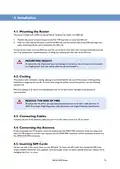
4.1. Mounting the Router
The router is fitted with a DIN-rail clip by default. To attach the router to a DIN-rail:
1. Position the router so that the top hook of the DIN-clip rests on top of the DIN-rail.
2. Push the lower half of the router towards the DIN-rail until the bottom part of the DIN-clip snaps into
place, indicating that the unit is clamped to the DIN-rail.
To remove the router from the DIN-rail, hold the unit firmly on both sides with one hand and firmly push the
unit in an upward then outward direction, so lifting and releasing the unit clear of the DIN-rail.
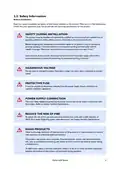
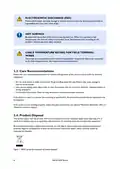
MOUNTING HEIGHT
To reduce the risk of personal injury and damage to the device, the unit must not be mounted
at a height greater than two metres above the ground beneath it.
4.2. Cooling
This product uses convection cooling. Spacing is recommended for the use of the product in full operating
temperature range and service life. To avoid obstructing the airflow around the product, use the following
spacing rules.
Minimum spacing of 25 mm (1 inch) above/below and 10 mm (0.4 inches) left/right of the product is
recommended.
REDUCE THE RISK OF FIRE
To reduce the risk of fire, use only telecommunication line cords with a cable diameter of
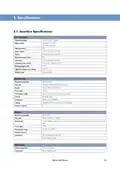
AWG 26 or larger. Regarding power cable dimensions, see chapter Interface Specifications.
4.3. Connecting Cables
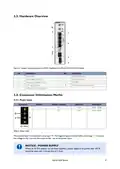
Connect one end of the Ethernet cable into port A and the other end to your PC or switch.
4.4. Connecting the Antenna
If only connecting one LTE antenna, screw the antenna into the MAIN SMA connector. If you are using more
than one LTE antenna, screw the main antenna into the MAIN SMA connector and the secondary antenna into
the WAN-AUX SMA connector.
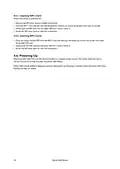
4.5. Inserting SIM Cards
On the rear side of the router there are two SIM slots. To access the SIM cards, first remove the SIM cover
using a suitable screwdriver (not supplied). Only the proper driver can drive a specific head size without risk of
damaging the driver or screw.
Merlin 4100 Series
13

| General | Details |
|---|---|
| Name | Westermo Merlin 4100 Series Cellular Router User Guide |
| Make | westermo |
| Language | English |
| Filetype | PDF (Download) |
| File size | 0.78 MB |
 (1 votes, average: 5.00 out of 5)
 Loading...
If you have any questions regarding Westermo Merlin 4100 Series Cellular Router User Guide, please ask here and describe the problem in detail.

westermo Merlin 4700 Series VDSL Cellular Router User Guide

westermo MRD-405 4G LTE Router User Guide

westermo MRD-455-NA Cellular Router User Guide
westermo 4400 Cellular Router User Guide

westermo Merlin 4700 Series Cellular Router User Guide


TUGE TECHNOLOGIES TD20 Global 4G WiFi Router User Guide

Xiaomi AX3000T Wireless Router User Manual

Cudy X6 AX1800 Dual Band Gigabit Wi-Fi 6 Mesh Router Installation Guide

UfiSpace S9600-64X 100G Aggregation Router Installation Guide

more BYO Router Installation Guide

ZTE MC888 Pro 5G CPE Router User Guide

TP-Link AX5400 Multi Gigabit Wi-Fi 6 Router Installation Guide

Tenda 4G03 Pro Wi-Fi LTE Router Installation Guide

ASUS ZenWiFi BT10 BE18000 Tri Band WiFi Router User Guide

WIS HOME WIS-AC1200 WiFi Router User Guide