
wildanet Adtran Broadband Router User Guide


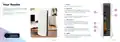
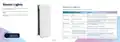

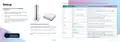
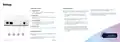
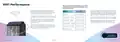



Table 2: Wildanet customers without Mesh WiFi or parental controls.
Light (LED) colour What’s happening
What to do
Solid blue
Your router is starting
Wait for this to finish – it should take less than a minute
Wildanet is upgrading the
firmware on your router
Pulsing red
Pulsing green
Solid white
Wait for this to finish – it should only take a few minutes
Wait for this to finish – it should take about a minute
Check the connections to your devices
The router’s operating system
is booting up
Your broadband is working
Check that the cable to the ONT is plugged into the WAN
port on the back of your router. Check your ONT is working
(see ONT table).
Solid amber
No internet
If your ONT is ok, unplug the power from your router, wait
30 seconds and plug it back in again.
If you’re still having problems, please contact us.
Please contact us
on 0800 0699906 or
Broadband User Guide | 9

| General | Details |
|---|---|
| Name | wildanet Adtran Broadband Router User Guide |
| Make | wildanet |
| Language | English |
| Filetype | PDF (Download) |
| File size | 0.51 MB |
 (1 votes, average: 5.00 out of 5)
 Loading...
If you have any questions regarding wildanet Adtran Broadband Router User Guide, please ask here and describe the problem in detail.

wildanet SDG 800 Series Broadband Router User Guide


NETGEAR AX6 Stream Wi-Fi Router User Manual

TP-Link HB611-SGST Singtel WiFi 7 Router User Guide

TP-Link NX200 5G CPE Router Installation Guide

ZTE MF920U 4G MiFi Modem Router User Guide

BELKIN F9K1001 N150 Wireless Router User Manual

LANCOM Systems 1793VA VDSL Voip VPN Router User Guide

Cudy WR1300 Gigabit Dual Band Wi-Fi Router Installation Guide

HUAWEI 5G CPE Pro 2 WiFi 6 Router User Guide

HFCL 4XIHMR Home Mesh Router User Guide

ERICSSON R980 Series Ruggedized 5G Router User Guide