
wildanet Adtran Broadband Router User Guide

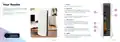
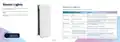
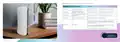
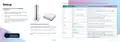
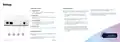
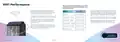



On the front of the ONT box there are 4 lights on the top edge; each one shows you what’s happening:
Setup
Label
Light
What’s happening and what to do if there’s a problem
Setting up your router and getting
connected
Green or flashing green
Your ONT is connected to a router.
10GE
Your ONT is not connected to a router – check your cables
and the router.
Off
1. Plug the end of the power adapter into the power
port on the back panel of your router.
Green or flashing green
Red
The software on your ONT is being updated.
2. Plug the other end of the power adapter into your
wall socket.
There may be a problem with your ONT.
Please contact us if it’s not working.
Alarm
3. Your router doesn’t have an on/off switch, so it will
start to power up straight away. A blue light should
appear on the front of your router when it’s
powering up.
Off
There are no alarms or system updates at the moment.
Your ONT is connected to the internet.
Solid green
Your ONT (the box on the wall)
Optical
There may be a problem with your internet connection.
Please contact us if it’s not working.
ONT stands for Optical Network Terminal and it’s the box
that our engineer fitted to the wall during your installation.
Red or flashing green light
Solid green
Your ONT is on.
This box is where the fibre optic cable connects to your
home.
Your ONT is powering up. This should take less than two
minutes, so best to wait for it to finish.
Flashing green
Power
Your ONT is then connected to your router by an Ethernet
cable.
Please contact us
on 0800 0699906 or
There is a problem with the power. Please check the power
supply is plugged into a working power socket and the cable
is pushed fully into the ONT.
Off
10 | Broadband User Guide
Broadband User Guide | 11

| General | Details |
|---|---|
| Name | wildanet Adtran Broadband Router User Guide |
| Make | wildanet |
| Language | English |
| Filetype | PDF (Download) |
| File size | 0.51 MB |
 (1 votes, average: 5.00 out of 5)
 Loading...
If you have any questions regarding wildanet Adtran Broadband Router User Guide, please ask here and describe the problem in detail.

wildanet SDG 800 Series Broadband Router User Guide


ASUS EBM68 Tri Band WiFi Router User Guide

AntennaGear TX54 5G Dual Cellular Router Owner’s Manual

ASUS BT8 ZenWiFi Tri Band WiFi Router User Guide

REPUBLC OF GAMERS GT-BE98 Quad Band Gaming Router User Guide

ARRIS G34 Multi Gigabit Cable Modem and Wi-Fi Router User Guide
DIGITAL DEPP SEA 4GXtream Premium LTE Internet Access Router Instruction Manual

KuWFi CF5 4G LTE CPE Router User Manual

GL iNet GL-A1300 AC1300 Gigabit Wireless Router User Guide

ASUS ExpertWiFi EBR63 Wireless AX3000 Dual-Band Router User Guide

TP-Link Configure VDSL Router User Guide