
CISCO cBR Series Converged Broadband Router User Guide


















What is a Cisco cBR Series Converged Broadband Router
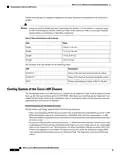
Interface Cards
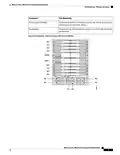
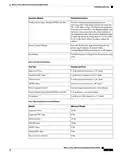
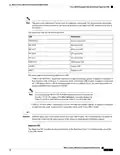
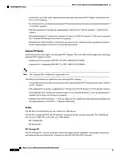
LED
Description
SSD
SSD access status LED
Reserved for future use
Reserved for future use
CM/DTP Lnk
CM/DTP Act
Interface Cards
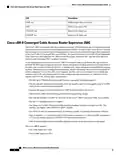
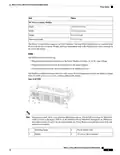
The Subscriber Side Interface (SSI) card (line card) provides the DOCSIS MAC/PHY or DOCSIS MAC
function in the Cisco cBR router.
The front of the line card has spring-loaded ejectors with plastic latches, on both sides of the interface line
card. The plastic latch maintains the spring-loaded ejector's alignment with the faceplate.
The line cards have perforated grill faceplate that allow air flow into the card. There is a removable filter in
the front panel of the line card. This filter filters the air flowing into the chassis through the perforated grill
faceplate.
All interface cards in the Cisco cBR-8 chassis are designed for High Availability (HA) with a N+1 redundancy
scheme.
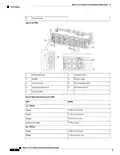
The Cisco cBR-8 supports the following interface cards:
• Interface Line Card (SSI Card, DOCSIS MAC or DOCSIS MAC/PHY line card)—Provides the service
side functionality such as DOCSIS, Edge QAM, EPON, or other service blades.
• RF Through PIC or Digital Through PIC—Connects to the interface line card. This PIC provides the
physical interface to the facility for the line card.
• RF Protect PIC or Digital Protect PIC—Provides connection of the redundant line card to the appropriate
Through PIC.
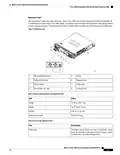
Interface Line Card Blank
Apart from the operational interface line cards, an interface line card blank (line card blank) is installed in
any empty unused line card slot, to ensure proper airflow within the operational chassis.
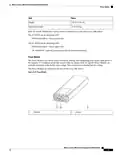
PIC Blank
Apart from the operational PICs, a PIC blank is installed in any empty unused PIC slot, to ensure proper
airflow within the operational chassis.
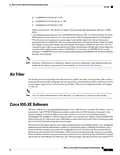
Protect Zone
To configure N+1 RF redundancy, the interface line card installed in the uppermost slot is configured as the
Protect line card with the Protect PIC installed in the corresponding PIC slot. The working line cards and the
Through PIC cards installed successively below the Protect line card and PIC card form a Protect Zone. The
following are the restrictions for the Protect Zone:
• Each protect zone has one Protect PIC card at the top with a set of Through PIC cards installed successively
below the protect line card.
What is a Cisco cBR Series Converged Broadband Router
25

| General | Details |
|---|---|
| Name | CISCO cBR Series Converged Broadband Router User Guide |
| Make | Cisco |
| Language | English |
| Filetype | PDF (Download) |
| File size | 0.45 MB |
 (1 votes, average: 5.00 out of 5)
 Loading...
If you have any questions regarding CISCO cBR Series Converged Broadband Router User Guide, please ask here and describe the problem in detail.

Cisco Router RV345 / RV345P User Guide

Cisco RV160W Router User Guide

Cisco RV260W Router User Guide

Cisco RV260P Router User Guide

CISCO RV320 Gigabit Dual WAN VPN Router User Guide

Cisco RV320 Small Gigabit Dual WAN VPN Router User Manual

Cisco Router RV345/RV345P User Guide

Cisco RV160 Router User Guide

cisco RV340 Router User Guide


Ronix 7112 Electric Router User Guide

TP-Link T120100-2B1 Gigabit VPN Router Instructions
cradlepoint R920 Series Ruggedized Router User Guide

rock space RSD0616 AX1800 Wi-Fi6 WiFi Router Installation Guide

TP-Link Omada Pro Gigabit VPN Router Owner’s Manual

CARRY CDA3-20 M4 Mesh Wi-Fi Router User Guide

Helmholz 700-875-WIF51 REX 100 Router User Guide

Kajeet 975 SmartSpot Network Router User Guide

inhand ER815NRQ3 Wlan Edge Router Installation Guide

Tenda 4G180 4G LTE Advanced Pocket Mobile Wi-Fi Router User Manual