
CISCO cBR Series Converged Broadband Router User Guide


















What is a Cisco cBR Series Converged Broadband Router
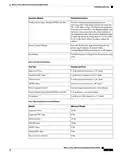
DOCSIS MAC/PHY Cards
• All interface line cards in the chassis must have the same downstream PHY module version; that is all
D3.0 or D3.1 modules.
• In an interface line card, both the downstream PHY modules must be the same version; that is both D3.0
or both D3.1 modules.
• The downstream D3.1 modules are supported only with the Cisco IOS-XE Release 3.16.0S and later
releases.
• If the downstream D3.1 modules are installed with the Cisco IOS-XE Release 3.15.0S, the downstream
D3.1 modules will boot up, but not function properly.
• With the Cisco IOS-XE Release 3.16.0S, the downstream D3.1 module provides operational readiness
for the implementation of DOCSIS 3.1 functions and features.
Upstream PHY Module
Each interface line card supports one upstream PHY module. The Cisco cBR chassis supports the following
upstream PHY module versions:
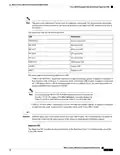
• Upstream D3.0 (supporting DOCSIS 3.0). [PID: CBR-D30-US-MOD]
• Upstream D3.1 (supporting DOCSIS 3.1). [PID: CBR-D31-US-MOD]
Note
The Upstream D3.1 module has a green label on it.
The following limitations are applicable to the upstream PHY modules:
• All interface line cards in the chassis must have the same upstream PHY module version; that is all D3.0
or D3.1 modules.
• The upstream D3.1 module is supported only with the Cisco IOS-XE Release 3.18.0S and later releases.
• If the upstream D3.1 modules are installed with the Cisco IOS-XE Release 3.17.0S, the upstream D3.1
modules will boot up, but not function properly.
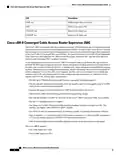
• With the Cisco IOS-XE Release 3.18.0S, the upstream D3.1 module provides operational readiness for
the implementation of DOCSIS 3.1 functions and features.
RF PICs
The RF PICs are installed into the rear of the Cisco cBR chassis.
The RF PICs support the PHY and RF interface connections for the interface line cards. The following are
the two types of RF PICs used in the Cisco cBR chassis:
• RF Through PIC
• RF Protect PIC
RF Through PIC
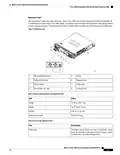
The RF Through PIC connects to the line cards on the digital and RF midplanes, and provides downstream
and upstream physical connectivity. It connects to the DOCSIS MAC/PHY line card.
What is a Cisco cBR Series Converged Broadband Router
28

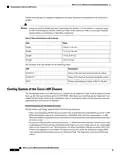
| General | Details |
|---|---|
| Name | CISCO cBR Series Converged Broadband Router User Guide |
| Make | Cisco |
| Language | English |
| Filetype | PDF (Download) |
| File size | 0.45 MB |
 (1 votes, average: 5.00 out of 5)
 Loading...
If you have any questions regarding CISCO cBR Series Converged Broadband Router User Guide, please ask here and describe the problem in detail.

Cisco Router RV345 / RV345P User Guide

Cisco RV160W Router User Guide

Cisco RV260W Router User Guide

Cisco RV260P Router User Guide

Cisco RV320 Small Gigabit Dual WAN VPN Router User Manual

CISCO RV320 Gigabit Dual WAN VPN Router User Guide

Cisco Router RV345/RV345P User Guide

Cisco RV160 Router User Guide

cisco RV340 Router User Guide

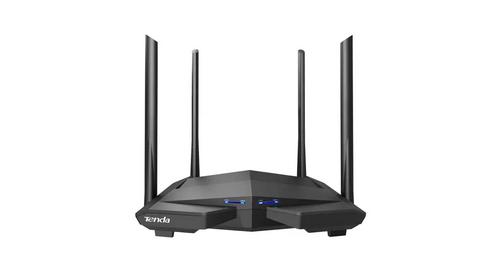
JUOVI J8301 AC1200 Gigabit Router User Guide

TP-Link Archer MR200 Wireless Dual Band 4G LTE Router User Guide

UniFi WiFi 6 Router User Manual

legrand RT-20 High Performance Gigabit Router User Guide

ATEL WB550 Apex 5G CPE Router Owner’s Manual

Milesight UR32S CCTV Router Owner’s Manual

D-Link DIR-615 Wireless Router User Manual

TELTONIKA 4G LTE Wi-Fi Dual-SIM Router RUT950 User Guide

AIRCONNECT BEC 8231 5G CBRS Outdoor Router Owner’s Manual

NETGEAR MR7500 M7 Ultra Mobile Router Owner’s Manual