
CISCO cBR Series Converged Broadband Router User Guide


















What is a Cisco cBR Series Converged Broadband Router
Cooling System of the Cisco cBR Chassis
All the remaining fans are capable of changing to full speed operation to compensate for the failed fan or
module.
Warning
Ensure that all Fan Module bays have functioning Fan Modules. If a Fan Module is removed, replace
it with a functioning Fan Module within one minute of the removal in order to avoid critical thermal
alarms relating to overheating of individual components.
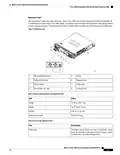
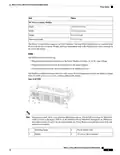
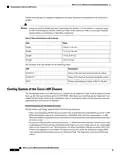
Table 25: Physical Specifications of the Fan Module
Unit
Value
Depth
Width
Height
Weight
8.40 in (21.34 cm)
5.20 in (13.20 cm)
3.50 in (8.89 cm)
4 lbs (1.81 kg)
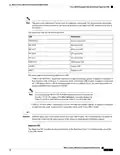
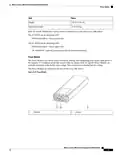
The faceplate of the Fan Module has the following LEDs:
LED
Description
STATUS 1
STATUS 2
RPLC
Status of the rear fan that faces inside the chassis.
Status of the front fan that faces outside the chassis.
Failure and replacement status of the Fan Module.
Cooling System of the Cisco cBR Chassis
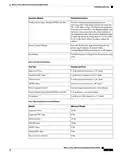
The Fan Modules in the Cisco cBR chassis are controlled by the Supervisor Card. Until the Supervisor Card
boots up, the fans spin at default speed of 11000 RPM. After Supervisor Card boot-up, the Supervisor Card
controls the fan speeds, based on the temperature of the air entering the chassis and the barometric pressure
reported by the sensors in the Fan Modules.
Failure Responses and Fan Speed Variations
The fan module will change speed based on the following conditions:
• When communication with the Supervisor Card is lost, both the fans in the Fan Module are set the 11,000
RPM default speed mode until communication is established. If the fans were running above 11,000
RPM default when communication was lost, the fans continue to operate at the elevated speeds until they
are power cycled.
• If a fan is considered to have failed if it operates at +/- 1000rpm from the set point. All fans are elevated
in speed based on facility air inlet temperature to the Supervisor Card as safety measure, by a temperature
sensor on the Supervisor Card. The front panel LED of the Fan Module indicates an amber color LED.
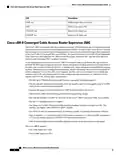
If there is an indication of a fan failure the Supervisor Card sets all the fan modules to a higher RPM
value based on the inlet temperature on the Supervisor Card. The Supervisor Card sets the following
values:
What is a Cisco cBR Series Converged Broadband Router
40

| General | Details |
|---|---|
| Name | CISCO cBR Series Converged Broadband Router User Guide |
| Make | Cisco |
| Language | English |
| Filetype | PDF (Download) |
| File size | 0.45 MB |
 (1 votes, average: 5.00 out of 5)
 Loading...
If you have any questions regarding CISCO cBR Series Converged Broadband Router User Guide, please ask here and describe the problem in detail.

Cisco Router RV345 / RV345P User Guide

Cisco RV160W Router User Guide

Cisco RV260W Router User Guide

Cisco RV260P Router User Guide

Cisco RV320 Small Gigabit Dual WAN VPN Router User Manual

CISCO RV320 Gigabit Dual WAN VPN Router User Guide

Cisco Router RV345/RV345P User Guide

Cisco RV160 Router User Guide

cisco RV340 Router User Guide


AIR DVW-642 WiFi Router User Guide

intelbras WiFiber 121 AC Wi-Force Router User Manual

Siretta QUARTZ-ONYX 5G NR Router User Guide

xiaomi AX3000 Whole Home Mesh Wi-Fi Router Instruction Manual

Tenda AC1200 WiFi 6 Router Installation Guide

SCAME LIBERA-BE Series Router WiFi Instruction Manual

TP-Link TL-MR6500v Wireless 4G LTE Telephony Router User Guide

Cudy X6 AX1800 1800mbps Dual Band Smart Wi-Fi 6 Router Installation Guide

Cudy WR3000E AX3000 Gigabit Mesh Wi-Fi 6 Router Owner’s Manual

D-Link EXO AX AX1800 Wi-Fi Router User Guide