
CISCO cBR Series Converged Broadband Router User Guide


















What is a Cisco cBR Series Converged Broadband Router
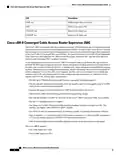
Cisco cBR-8 Converged Cable Access Router Supervisor 160G
Note
The ports on the Supervisor Card are used for temporary connections. For all permanent connections,
including the console connection, you must use the ports on the Supervisor PIC installed in the rear of
the chassis.
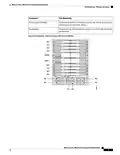
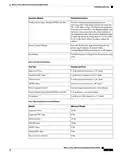
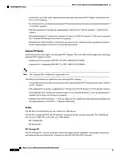
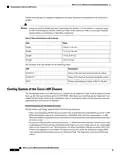
The Supervisor Card has the following LEDs:
LED
Description
PWR STAT
RP STAT
RP ACT
FP STAT
FP ACT
INSI ACT
ALRM
Power status LED
RP status LED
RP active LED
FP status LED
FP active LED
iNSI active LED
Alarm LED
RPLC
Replace LED
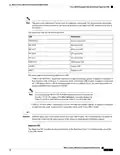
The router supports the following Supervisor Cards:
• CBR-CCAP-SUP-60G—Supervisor Card with 60 Gbps forwarding capacity. It supports a maximum of
four interface cards, working in 3+1 protection mode, on the Cisco cBR-8 router. It supports a maximum
of 72268 unicast flows or 88268 modular quality of service (MQoS) flows. The maximum number of
unicast and MQoS flows supported is 88268.
Note
If you are using the CBR-CCAP-SUP-60G Supervisor Card in Cisco IOS-XE
Release 3.15.0S, the output of the show inventory command displays the
CBR-CCAP-SUP-160G PID instead of the CBR-CCAP-SUP-60G PID.
• CBR-CCAP-SUP-160G—Supervisor Card with 160 Gbps forwarding capacity. It supports a maximum
of eight interface cards, working in N+1 protection mode, on the Cisco cBR-8 router.
Important
Different Supervisor Cards cannot coexist on a Cisco cBR-8 router. We recommend that you install the
Supervisor Cards with the same capacity in the chassis to ensure proper redundancy support.
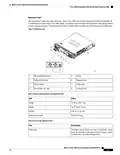
Supervisor PIC
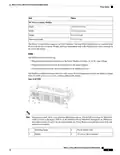
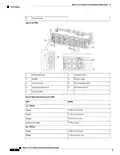
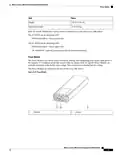
The Supervisor PIC provides the physical interface to the Supervisor Card. It is installed in the rear of the
Cisco cBR chassis.
What is a Cisco cBR Series Converged Broadband Router
17

| General | Details |
|---|---|
| Name | CISCO cBR Series Converged Broadband Router User Guide |
| Make | Cisco |
| Language | English |
| Filetype | PDF (Download) |
| File size | 0.45 MB |
 (1 votes, average: 5.00 out of 5)
 Loading...
If you have any questions regarding CISCO cBR Series Converged Broadband Router User Guide, please ask here and describe the problem in detail.

Cisco Router RV345 / RV345P User Guide

Cisco RV160W Router User Guide

Cisco RV260W Router User Guide

Cisco RV260P Router User Guide

Cisco RV320 Small Gigabit Dual WAN VPN Router User Manual

CISCO RV320 Gigabit Dual WAN VPN Router User Guide

Cisco Router RV345/RV345P User Guide

Cisco RV160 Router User Guide

cisco RV340 Router User Guide


TELTONIKA RUT360100100 DIN Rail Router User Guide

ASKEY RT5035W Google Fiber Wi-Fi 6E Router User Guide

FALCON 450-V2 4G 450 Router User Manual
wis network WIS-AX3000 WiFi 6 Gigabit PoE Router User Guide

TP-Link AX1800 Wireless Router User Manual

PROSCEND 850G-6PI 6 Port GbE Managed PoE Switch 5G Cellular Router Installation Guide

TP-Link AX21 AX1800 Dual Band WiFi 6 Router Installation Guide

CNCU FC300 Easy Route CNC Router Instructions

Tenda RX2 Pro, TX2 Pro Dual Band Gigabit WiFi 6 Router Installation Guide

GL-INET GL-AR300M Shadow Mini Router User Guide