
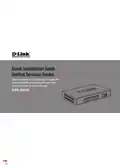
D-Link DSR-250V2 5-Gigabit Port VPN Router Installation Guide


Federal Communication Commission Interference Statement
This device complies with Part 15 of the FCC Rules. Operation is subject to the following two conditions:
(1) This device may not cause harmful interference, and (2) this device must accept any interference
received, including interference that may cause undesired operation.
This equipment has been tested and found to comply with the limits for a Class B digital device,
pursuant to Part 15 of the FCC Rules. These limits are designed to provide reasonable protection
against harmful interference in a residential installation. This equipment generates, uses and can radiate
radio frequency energy and, if not installed and used in accordance with the instructions, may cause
harmful interference to radio communications. However, there is no guarantee that interference will not
occur in a particular installation. If this equipment does cause harmful interference to radio or television
reception, which can be determined by turning the equipment off and on, the user is encouraged to try to
correct the interference by one of the following measures:
-
-
-
Reorient or relocate the receiving antenna.
Increase the separation between the equipment and receiver.
Connect the equipment into an outlet on a circuit different from that to which the receiver is
connected.
-
Consult the dealer or an experienced radio/TV technician for help.
FCC Caution: Any changes or modifications not expressly approved by the party responsible for
compliance could void the user's authority to operate this equipment.
Industry Canada statement
This device complies with ISED’s licence-exempt RSSs. Operation is subject to the following two
conditions: (1) This device may not cause harmful interference, and (2) this device must accept any
interference received, including interference that may cause undesired operation.
Le présent appareil est conforme aux CNR d’ ISED applicables aux appareils radio exempts de licence.
L’exploitation est autorisée aux deux conditions suivantes : (1) le dispositif ne doit pas produire de
brouillage préjudiciable, et (2) ce dispositif doit accepter tout brouillage reçu, y compris un brouillage
susceptible de provoquer un fonctionnement indésirable.
6 D-Link Unified Services Router
D-Link Unified Services Router 7

Ver. 1.00(WW)
2021/09/24
2907260025V2A10

| General | Details |
|---|---|
| Name | D-Link DSR-250V2 5-Gigabit Port VPN Router Installation Guide |
| Make | D-Link |
| Language | English |
| Filetype | PDF (Download) |
| File size | 0.24 MB |
 (1 votes, average: 5.00 out of 5)
 Loading...
If you have any questions regarding D-Link DSR-250V2 5-Gigabit Port VPN Router Installation Guide, please ask here and describe the problem in detail.

D-Link BE3600 Mesh Gigabit Wireless Router Installation Guide

D-Link DBR-700 Router Installation Guide

D Link DIR-822 AC1200 WiFi Router User Guide

D-Link DIR-2660 AC2600 Mesh Wifi Router Installation Guide

D-Link EXO AX AX1800 Wi-Fi Router User Guide

D-Link N300 4G Router User Guide

D-Link M60 AX6000 Wi-Fi 6 Mesh Router Installation Guide

D-Link AX3200 Router Owner’s Manual

D-Link M30 2-pack Mesh Router User Guide

D-Link M30 AQUILA PRO AI AX3000 Wi-Fi 6 Mesh Router User Manual


MikroTik Chateau LTE18 ax Dual Band Wireless Router User Manual

LOGIC ML8 4G MiFi Router User Manual

Adtran 834-5 SDG PlumeOS Dual-Band Wi-Fi 5 Plume Enabled Ethernet Router User Manual

westermo MRD-405 4G LTE Router User Guide
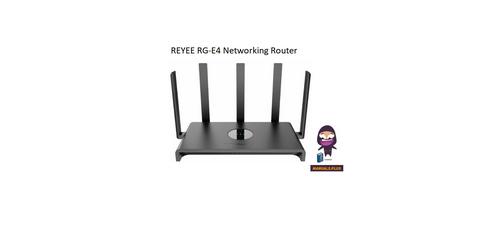
REYEE RG-E4 Networking Router Installation Guide

TOTOLINK LR350 4G LTE Router Installation Guide
HBC BX54 Gigabit Dual Band Wireless Router User Manual

CaptionCall CR3 Pcs Modem And Router User Manual

TCL HH132V1 Tim Modem Router User Manual

LANCOM SYSTEMS 1930EF Gigabit Ethernet Black Wired Router User Guide